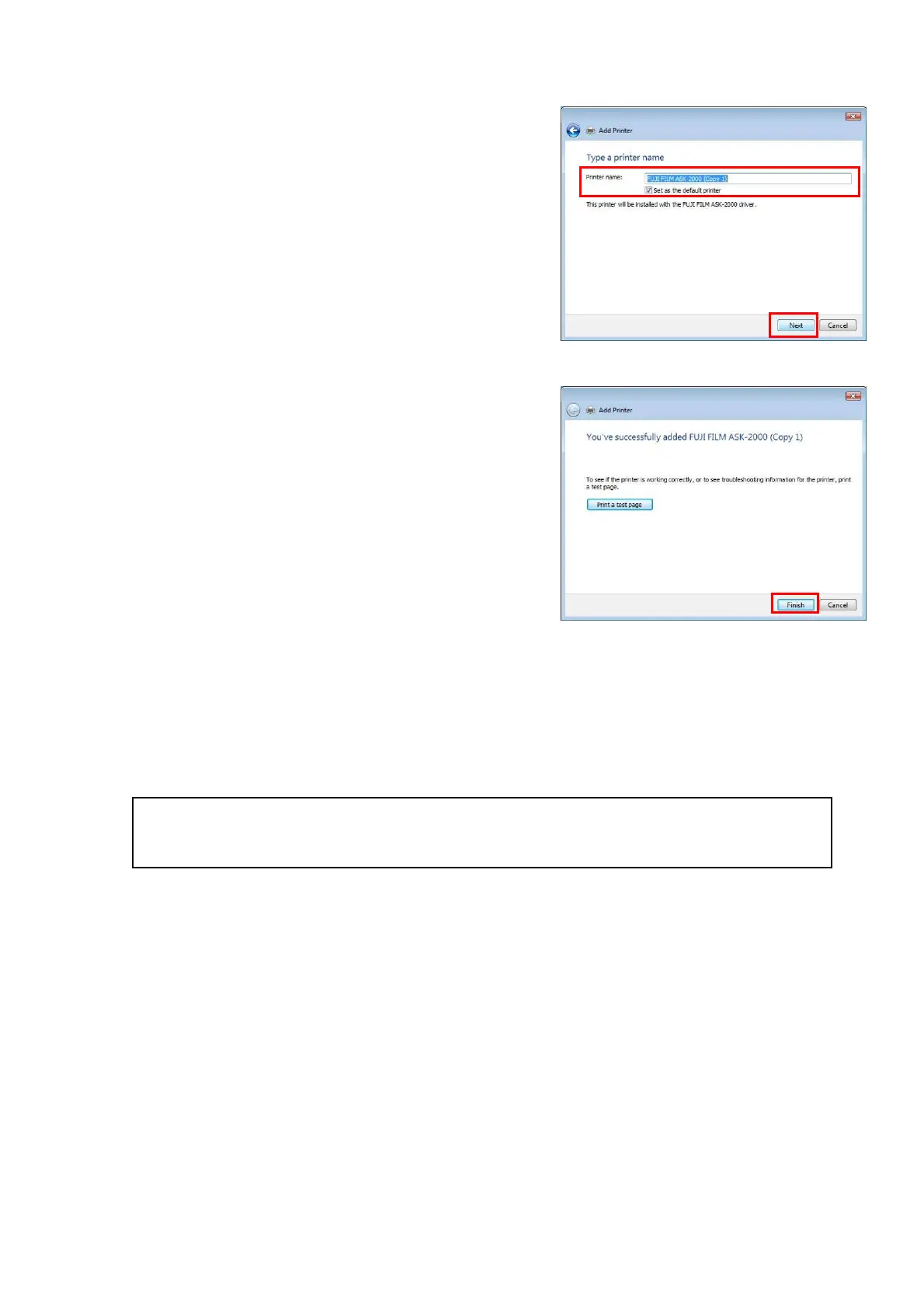
・ [T
ype a printer name] is displayed.
[Printer name], [Set as the default printer]
setting can be changed if necessary, then
click [Next]. (Fig.60)
[Fig.60]
・ Printer Driver installation has been
completed. Click [Finish].(Fig.61)
[Fig.61]
・ Set up ICC profile to chapter 4 “How to use
ICC profile”.
Please p
ay attention to the followings when the printer driver and the dedicated application software
are installed simultaneously.
Do not print from the printer driver and from the application at the same time.
It is recommended to shut down the application software when the printer driver is in use.
28/28


 To Previous Page