110
FMPC
9.1.2 Production Information
1
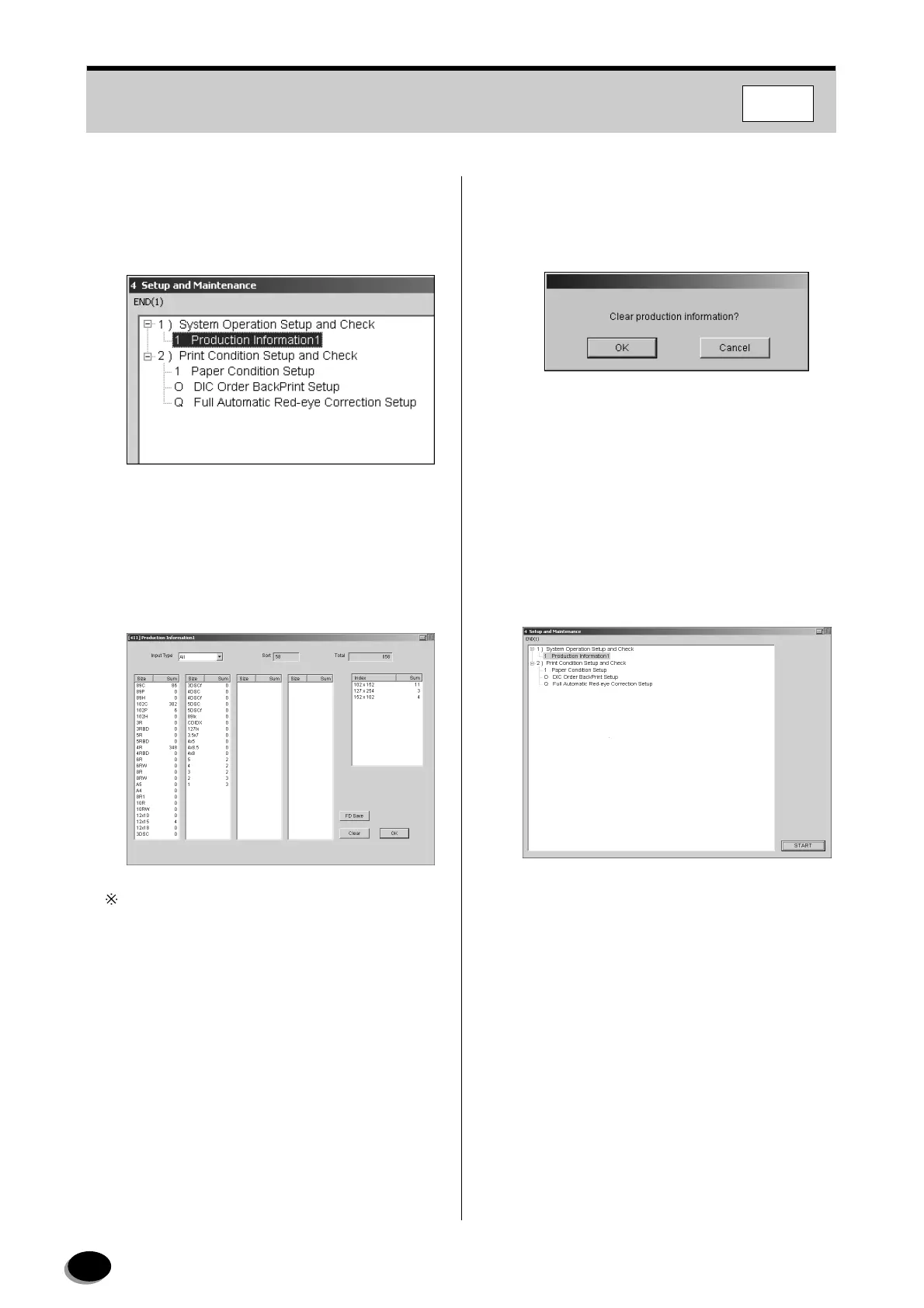
Open the “4 Setup and Maintenance” menu
screen (see Section 8.1).
2
Select the “1 Production Information 1”.
3
Click [START].
• The “[411] Production Information” screen
appears.
The information can be changed by selecting
“Negative”, “Reversal”, “Digital Image” or “All” from
the “Input Type” box.
4
To save the data in the FD, follow the steps
below.
(1) Click the [FD Save] button.
(2) Insert the FD into the FD drive, then click the
[OK] button.
• The data is saved in the FD.
(3) Remove the FD from the drive, then click the
[OK] button.
5
To clear the data, follow the steps below.
(1) Click [Clear].
• The “Clear production information?” dialog box
appears.
(2) Click [OK].
• The production data is erased.
6
Click [OK].
• Operation returns to the “4 Setup and
Maintenance” screen.
7
Select the “END [1]” on the menu bar.
• Operation returns to the “Main Menu” screen.
distributed by www.minilablaser.com



 To Next Page