37
3.4.1 Diffusion Box/LED Board Cover
Cleaning
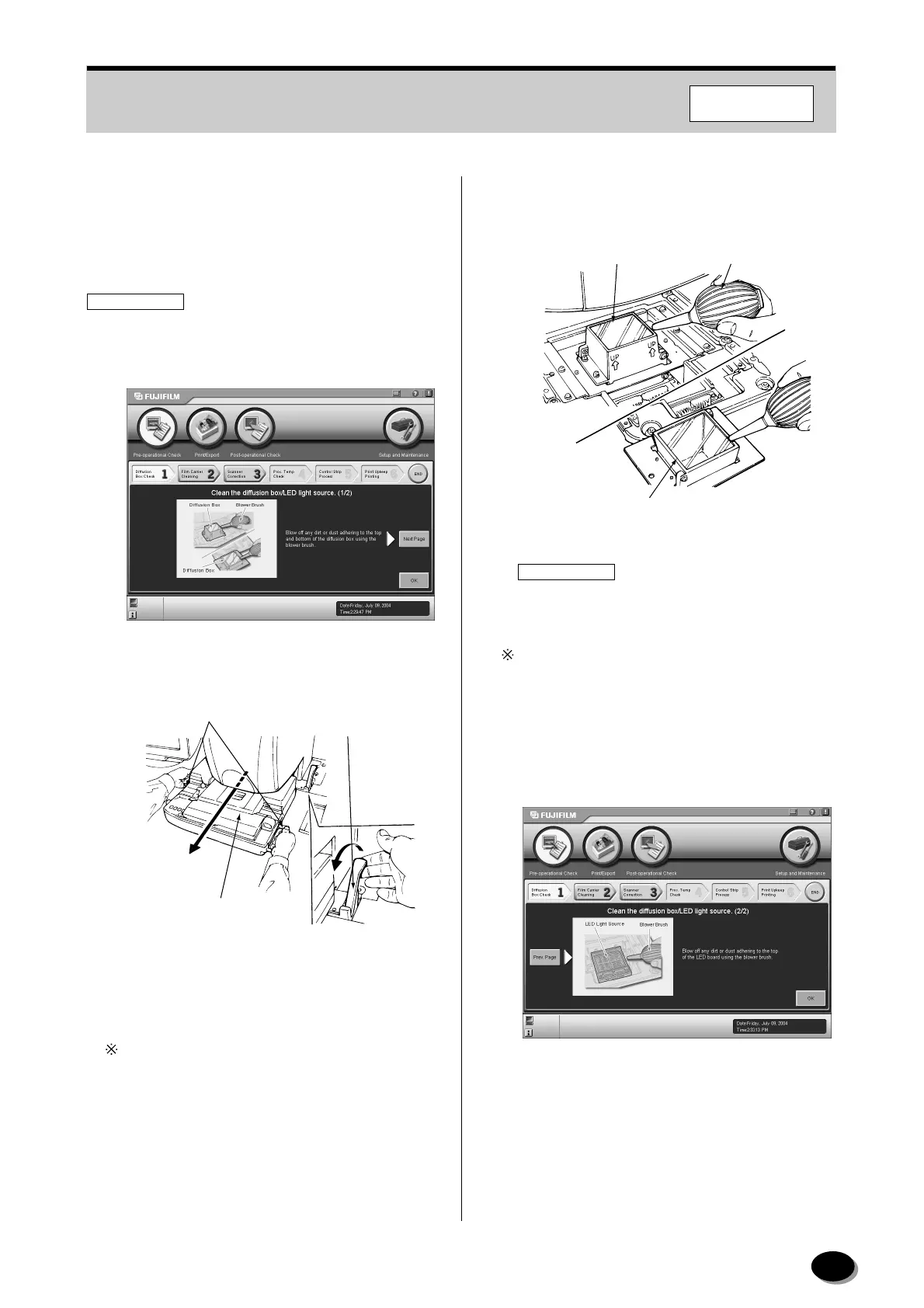
Clean the diffusion box and LED board cover.
IMPORTANT
If the diffusion box is not cleaned, any dirt adhering to
it may cause uneven prints, or the dust or dirt may
appear on the prints.
1
Pull the film carrier lock release lever to release
the film carrier.
2
While holding the handles, pull the film carrier
forward to remove it.
When moving the carrier, hold the handles with
both hands in a balanced manner.
3
Blow off any dirt or dust adhering to the top and
bottom of the diffusion box using the blower
brush.
IMPORTANT
If the diffusion box is not cleaned, dust or dirt on
it may appear on the prints.
Ta ke care not to damage the top and bottom of the
diffusion box.
4
Click the [Next Page] button.
• The second screen of “Diffusion Box Check”
appears.
Handles
Auto Film Carrier
NC100AY
Film Carrier
Lock Release Lever
Z2051
Blower Brush
Diffusion Box (Top)
Diffusion Box (Bottom)
EZ2009
F355/375/570
distributed by www.minilablaser.com



 To Next Page