95
FMPC
8.2.6 Installation Information
Confirmation (416)
[Selection]
“4 Setup and Maintenance” - “1 System Operation
Setup and Check” - “6 Installation Information
Confirmation”
[Procedure]
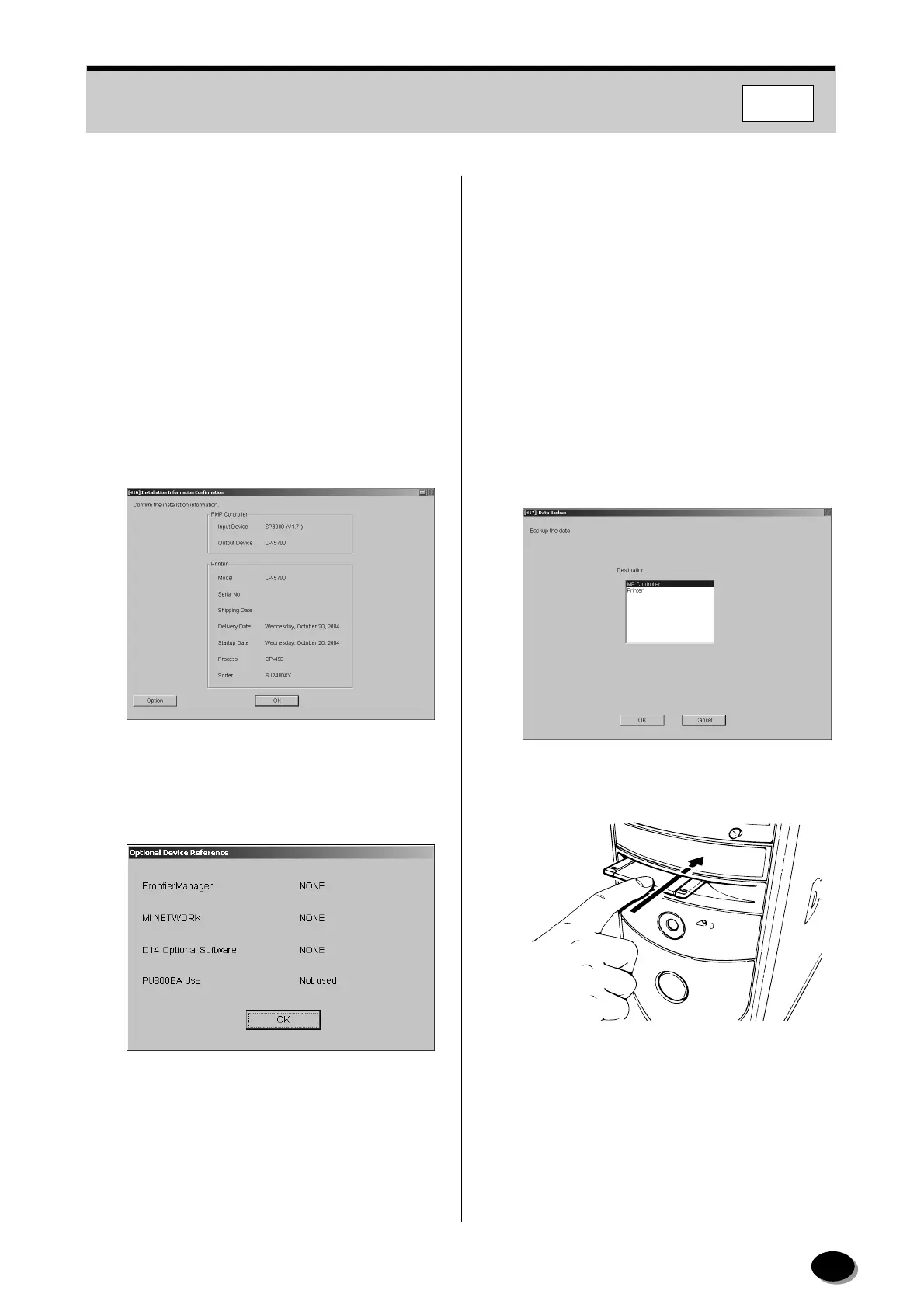
Check the scanner and printer installation
information.
1
Check the installation information.
2
Click [Option].
3
Check the version of Frontier Manager, then click
[OK].
4
Click [OK]
• Operation returns to the “4 Setup and
Maintenance” screen.
8.2.7 Data Backup (417)
[Selection]
“4 Setup and Maintenance” - “1 System Operation
Setup and Check” - “7 Data Backup”
[Procedure]
Make a backup of unit data stored in the hard disk
of the main control unit after changing data of the
“Setup and Maintenance” mode in case unit data is
damaged.
1
Prepare the data backup floppy disk “FMPC” or
“LP1500/LP2000”.
2
Insert the disk into the floppy drive of the main
control unit.
3
Move the cursor to the “Destination” box and
select “FMP Controller” or “Printer”.
NMP014
distributed by www.minilablaser.com



 To Next Page