91
FMPC
8.2.1 Menu Screen Display
N
TE:
For details of mouse operation, see the “Basic
Operation Instructions” manual.
1
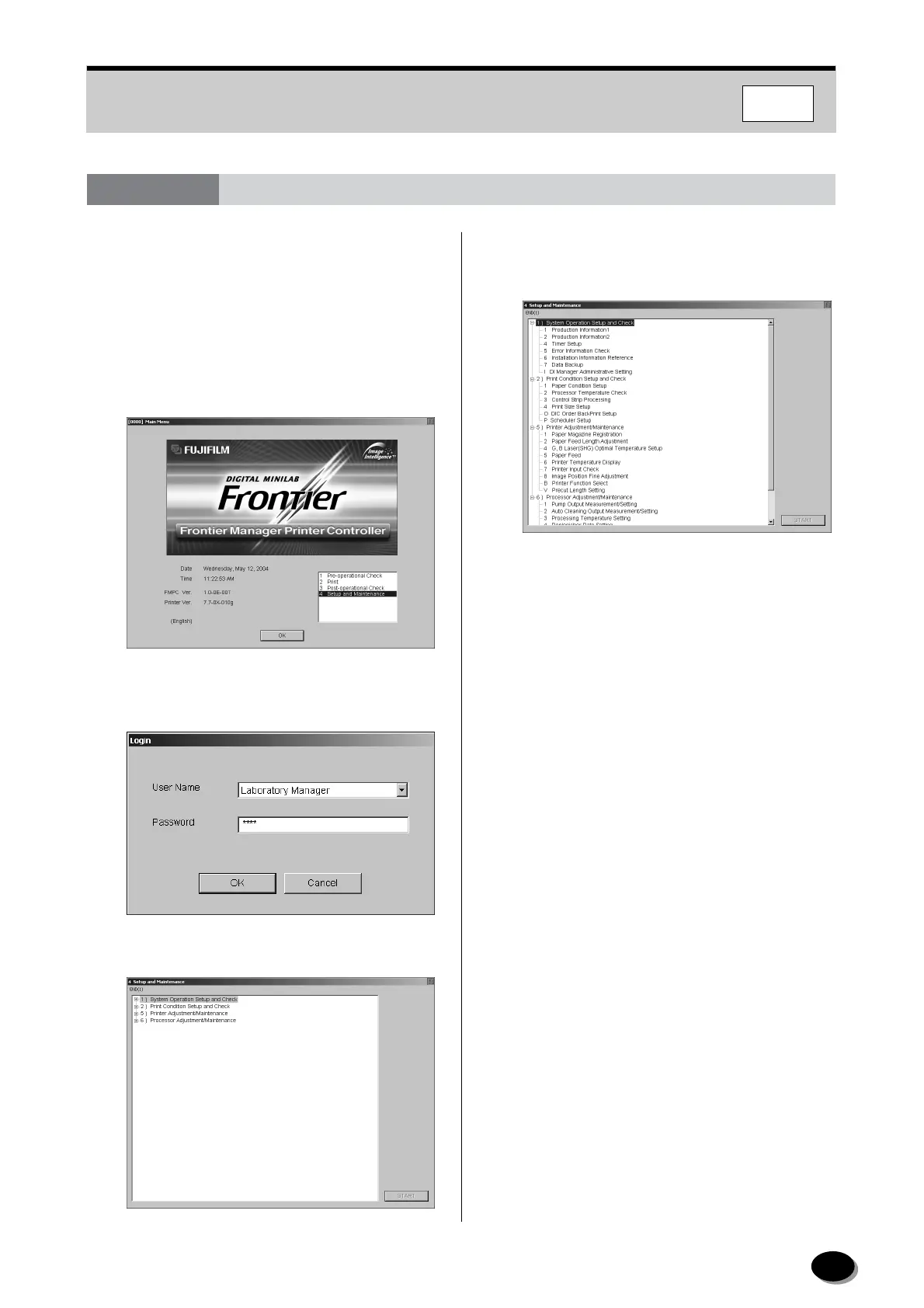
On the “Main Menu”, select “Setup and
Maintenance”, and click the [OK] button.
2
In the “Log-in” dialog, select “Laboratory
Manager”, then type “0000” and click [OK].
• “Setup and Maintenance” screen appears.
3
To perform the setup and maintenance
operations, select the [+] button of the desired
item from the “Item List” box.
• The “Sub-item List” box of the selected item
appears.
4
To perform the desired operation, double-click on
the operation, or select the operation and click
[START].
• The operation screen appears.
5
Perform the operation by following the
instructions that appear.
6
Upon completion of the operation, click [End],
[OK] or [Cancel].
• “4 Setup and Maintenance” screen appears.
7
Click [END] on the menu bar.
• Operation returns to the “Main Menu” screen.
8.2.2 Production Information 1 (411)
This menu is for daily confirmation of number of
products.
See “8.1.2 Production Information”.
8.2 Laboratory Manager Menu
distributed by www.minilablaser.com



 To Next Page