135
6
The Shooting Menus
SHOOTING SETTING
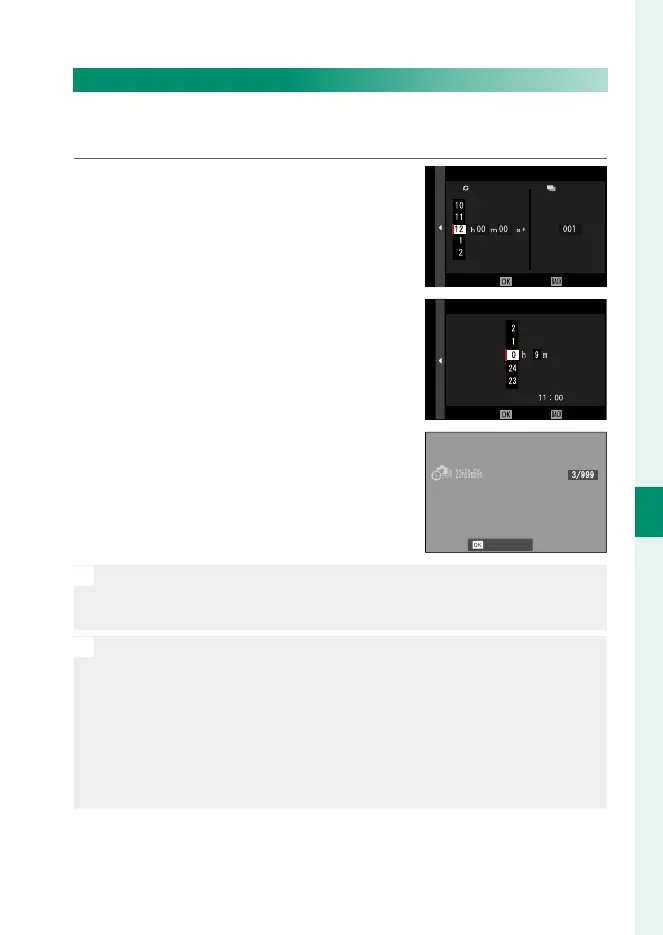
INTERVAL TIMER SHOOTING
Con gure the camera to take photos automatically at a preset
interval.
1
Highlight INTERVAL TIMER SHOOTING
in the
A
(SHOOTING SETTING) tab
and press MENU/OK.
CANCELEND
INTERVAL/NUMBER OF TIMES
INTERVAL
NUMBER OF TIMES
2
Use the focus stick (focus lever) to
choose the interval and number of
shots. Press MENU/OK to proceed.
START WAITING TIME
ESTIMATED START TIME
LATER
CANCELSTART
PM
3
Use the focus stick to choose the
starting time and then press MENU/OK.
Shooting will start automatically.
CANCEL
O
Interval timer photography cannot be used at a shutter speed of
B(bulb) or with multiple exposure photography. In burst mode, only
one picture will be taken each time the shutter is released.
N
•
Use of a tripod is recommended.
•
We recommend using an AC-9V AC power adapter.
•
The display turns o between shots and lights a few seconds before
the next shot is taken.
•
The display can be activated at any time by pressing the shutter button.
•
To continue shooting until the number of shots taken equals the
number of exposures remaining at the time interval-timer photogra-
phy started, set the number of shots to ∞.



 To Next Page