60
5
Taking Photographs
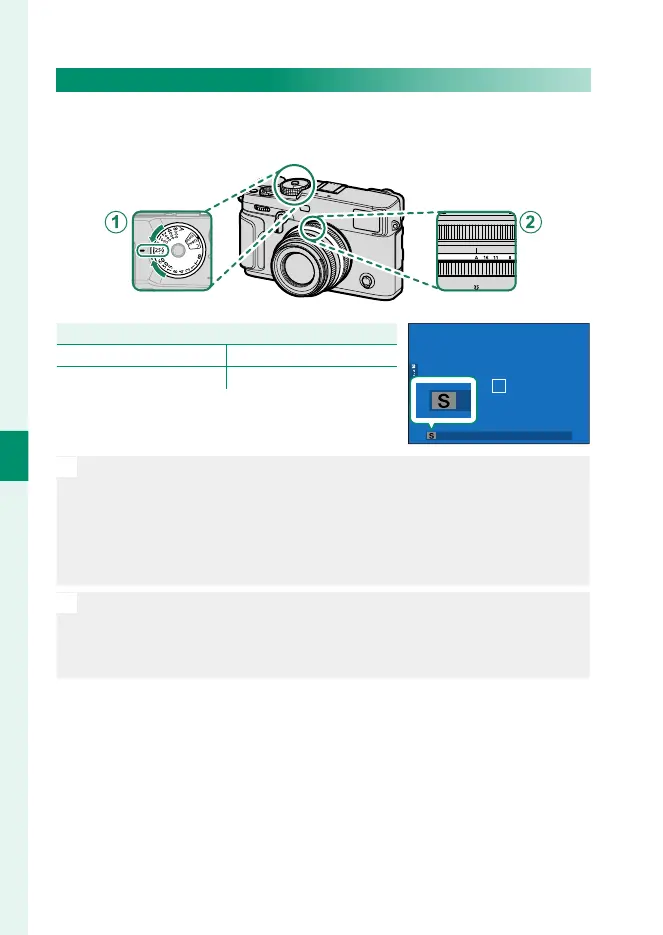
Mode S: Shutter-Priority AE
Choose a shutter speed and let the camera adjust aperture for
optimal exposure.
Setting
A
Shutter speed User-selected
B
Aperture A (auto)
Con rm that S appears in the display.
O
•
If the correct exposure cannot be achieved at the selected shutter
speed, aperture will be displayed in red.
•
If the subject is outside the metering range of the camera, the aper-
ture display will show “– – –”.
•
To choose another shutter speed after selecting A(auto), hold the dial
lock release and rotate the shutter speed dial.
N
•
Shutter speed can also be adjusted in increments of ⁄EV by rotating
the rear command dial.
•
Shutter speed can be adjusted while the shutter button is pressed
halfway.



 To Next Page