70
5
Taking Photographs
Autofocus Options (AF Mode)
Choose how the camera focuses in modes S and C.
1
Press MENU/OK and go to the shooting menu.
2
Select G AF/MF SETTING> AF MODE.
3
Choose an AF mode.
N
If ON is chosen for D BUTTON/DIAL SETTING > TOUCH SCREEN
SETTING > x TOUCH SCREEN SETTING, AF-mode selection can also
be performed using the T-Fn2 ( ick left) touch-function gesture. AF-
mode selection can also be assigned to a function button (P 248).
How the camera focuses depends on the focus mode.
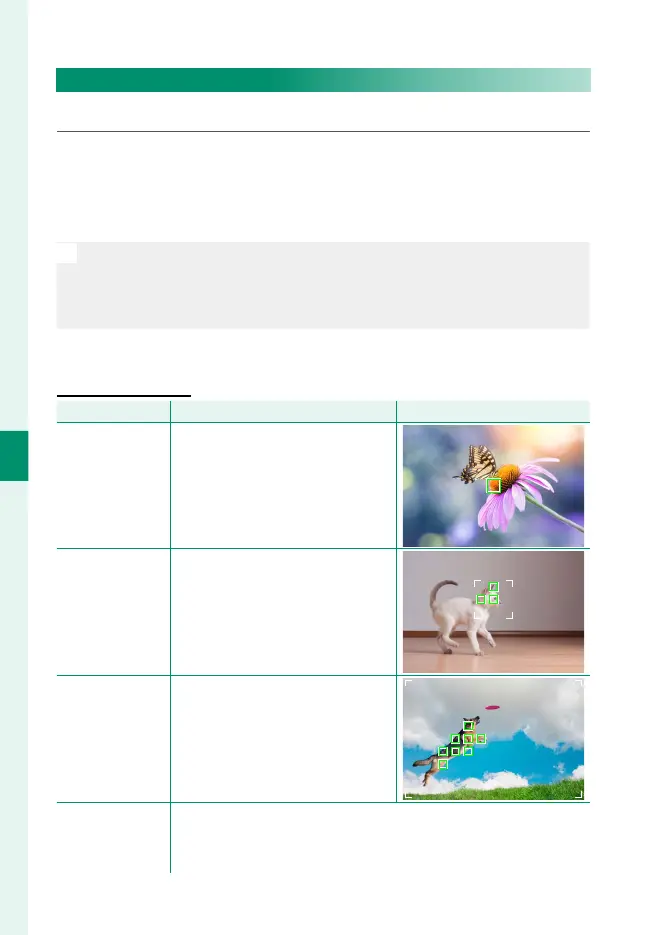
Focus Mode S (AF-S)
Option
Description
Sample image
r
SINGLE POINT
Camera focuses on subject in
selected focus point. Use for pin-
point focus on selected subject.
y
ZONE
Camera focuses on subject in se-
lected focus zone. Focus zones in-
clude multiple focus points, mak-
ing it easier to focus on subjects in
motion.
z
WIDE
Camera focuses automatically on
high-contrast subjects; display
shows areas in focus.
j
ALL
Rotate the rear command dial in the focus-point selection dis-
play (P 72, 73) to cycle through AF modes in the following
order: r SINGLE POINT, y ZONE, and z WIDE.



 To Next Page