273
Connections
11
Connecting via USB
The camera can be connected to computers and smart-
phones via USB.
Connecting to Computers
N
Before downloading pictures or taking pictures remotely, connect the
camera to a computer and check that it functions normally.
1
Turn the computer on.
2
Adjust settings according to whether you will be using the
camera for tethered shooting (P 276), copying pictures to
a computer (P 277), save RAW pictures in other formats
(P 278), or Saving and Loading Camera Settings (P 278).
3
Turn the camera o .
4
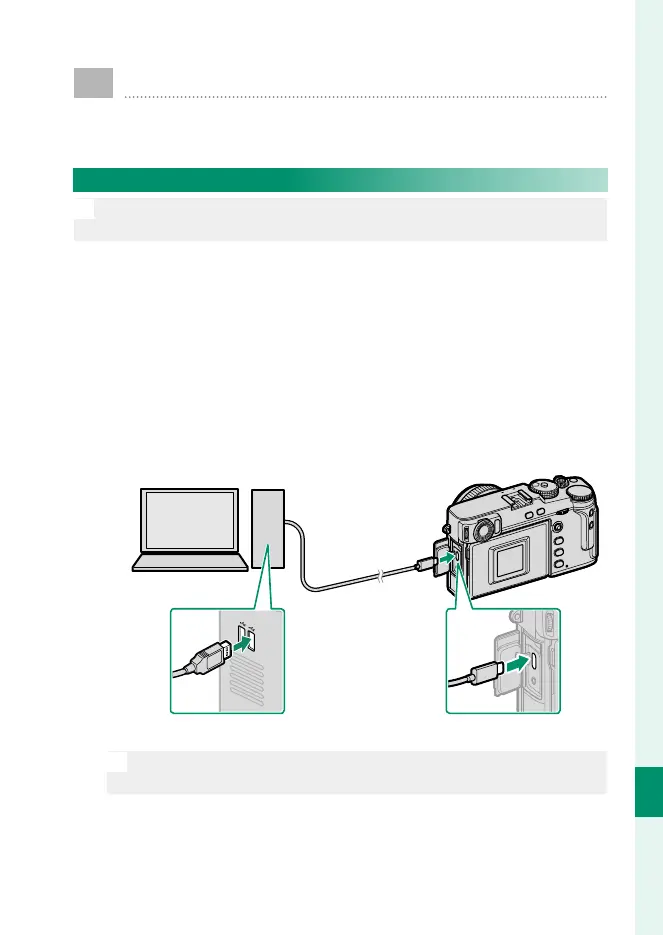
Connect a USB cable.
USB connector (Type-C)
O
The USB cable must be no more than 1.5 m (4.9 ft.) long and be
suitable for data transfer.



 To Next Page