32
2
First Steps
Inserting the Battery
3
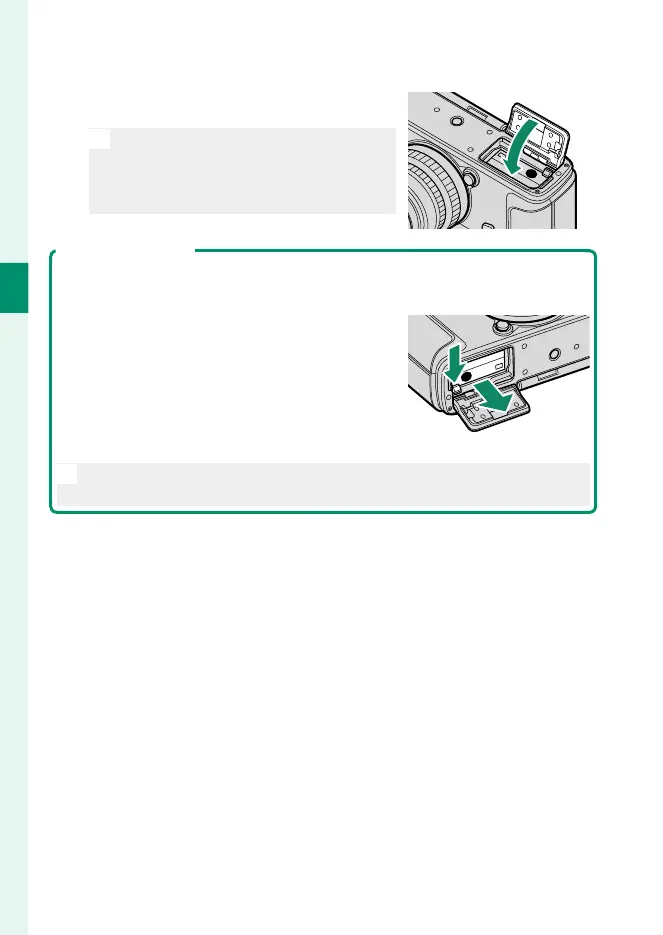
Close the battery-chamber cover.
Close and latch the cover.
O
If the cover does not close, check that
the battery is in the correct orienta-
tion. Do not attempt to force the cov-
er shut.
Removing the Battery
Before removing the battery, turn the camera o and open the battery-cham-
ber cover.
To remove the battery, press the battery latch to
the side, and slide the battery out of the camera
as shown.
O
The battery may become hot when used in high-temperature environ-
ments. Observe caution when removing the battery.



 To Next Page