EasyManua.ls Logo

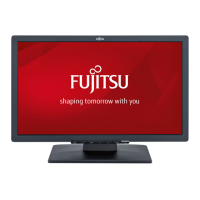
Fujitsu E24-8 TS Pro - User Manual

Fujitsu E24-8 TS Pro
48 pages
Print Icon
To Next Page IconTo Next Page
Loading...
Display
Operating Manual
FUJITSU Display E24-8 TS Pro

Questions and Answers

  • J
    jsanchezAug 15, 2025
    What to do if my Fujitsu E24-8 TS Pro Monitor says 'No Signal'?
    • M
      Michele StevensAug 15, 2025
      If your Fujitsu Monitor displays a 'No Signal' message, make sure the data cable is correctly attached to the monitor port on your computer and verify that your computer is switched on.
  • T
    Tina HolmesAug 18, 2025
    How to fix a Fujitsu E24-8 TS Pro Monitor with no screen display but the power indicator is lit?
    • C
      Crystal MooreAug 18, 2025
      If your Fujitsu Monitor's power indicator is lit but there's no screen display, try these steps: * Ensure your computer is turned on. * Verify the monitor's data cable is securely connected to the computer. * Press any key on the keyboard in case the computer is in power-saving mode. * Adjust the brightness and contrast settings until a picture appears.
  • J
    Jonathan VazquezAug 21, 2025
    How to fix Fujitsu Monitor when there is no screen display and the power indicator does not light up?
    • T
      Travis EvansAug 21, 2025
      If your Fujitsu Monitor shows no screen display and the power indicator is off, check that the power cable is correctly connected to the monitor and verify that the computer is switched on.
  • K
    Kayla Hill MDAug 25, 2025
    What to do if my Fujitsu Monitor displays 'Frequency out of range' error?
    • D
      David StoneAug 25, 2025
      If your Fujitsu Monitor shows a 'Frequency out of range' error, adjust the video frequency range using your computer's software. You can also set a different screen resolution using the computer software. Refer to your computer or display adapter documentation for instructions.
  • D
    Dustin MarshallAug 27, 2025
    Why is the picture shaking on my Fujitsu E24-8 TS Pro Monitor?
    • E
      ericgarciaAug 27, 2025
      If the picture on your Fujitsu Monitor is shaking, check if the data cable is correctly attached to the monitor port on the computer. Also, run the function Auto adjust.
  • M
    Maurice ParsonsAug 30, 2025
    What to do if picture position is not correct on Fujitsu Monitor?
    • C
      Claire StoneAug 31, 2025
      If the picture position is not correct on your Fujitsu Monitor, run the function Auto adjust because the monitor recognises an undefined mode.
  • B
    beth80Sep 2, 2025
    How to resolve picture disturbances with vertical lines on Fujitsu E24-8 TS Pro Monitor?
    • C
      curtisfergusonSep 2, 2025
      To resolve picture disturbances (vertical lines) on your Fujitsu Monitor, run the function Auto adjust.
  • A
    Alexander JohnsonSep 5, 2025
    How to resolve picture disturbances like horizontal lines or picture noise on Fujitsu E24-8 TS Pro Monitor?
    • J
      Jeremy BowenSep 5, 2025
      To resolve picture disturbances such as horizontal lines or picture noise on your Fujitsu Monitor, run the function Auto adjust.
  • J
    Jennifer SmithSep 8, 2025
    What to do if the picture is wrongly adjusted on Fujitsu Monitor?
    • L
      Lindsey MooneySep 8, 2025
      To correct a wrongly adjusted picture on your Fujitsu Monitor, run the function Factory Recall.
  • J
    Justin MurraySep 12, 2025
    Why is the screen becoming darker on my Fujitsu E24-8 TS Pro Monitor?
    • S
      Sarah RodriguezSep 12, 2025
      The screen may be becoming darker on your Fujitsu Monitor because the background lighting has a limited lifetime. Contact our Service Desk.

Summary

Your LCD screen...

Target group

Identifies the intended audience for this manual.

Notational conventions

Explains symbols and text formatting used throughout the manual.

Important notes

Safety Instructions

Essential safety guidelines for operating and handling the device.

Device Handling and Care

Covers power cable, transport, cleaning, and disposal procedures.

Compliance and Environmental

Information on CE marking and environmental considerations.

Getting started

Unpacking and Initial Setup

Steps for unpacking, checking delivery, and initial device setup.

Ergonomic Workstation and Base

Guidance on ergonomic setup and monitor base mounting/removal.

Cable Connections

Instructions for connecting cables to the monitor and computer.

Operation

Powering On;Off and Settings Overview

Procedure for switching the device on/off and overview of settings.

Display and Input Control

Managing OSD language, screen display, input signals, and application modes.

Advanced Functions and Picture Settings

Covers advanced features, ECO mode, color, brightness, contrast, and volume.

Security Features

Locking OSD menu and ON/OFF button to prevent unauthorized changes.

Notes on power management

Notes on low blue light mode

Notes on ergonomic colour adjustment

Explanatory information about standard ISO 9241-307

Pixel Faults Explained

Explains pixel and subpixel faults according to ISO 9241-307 standard.

Troubleshooting

Common Display Issues

Solutions for common problems like no display, no signal, and frequency errors.

Picture Quality Problems

Troubleshooting steps for picture position, shaking, adjustment, and disturbances.

Screen Darkening

Addressing the issue of a darkening screen and potential backlight replacement.

Technical specification

General Specifications

Covers model name, dimensions, weight, and electrical data.

Connectivity and Interfaces

Details on VGA, Displayport, DVI-D ports and VESA-DDC.

Operating Modes

Information on preset, frequent, and Displayport operating modes.

Fujitsu E24-8 TS Pro Specifications

General IconGeneral
BrandFujitsu
ModelE24-8 TS Pro
CategoryMonitor
LanguageEnglish

Related product manuals