Chapter 3 Startup and Shutdown
> 3.2 ETERNUSmgr for Windows®
ETERNUS Disk storage systems ETERNUSmgr User Guide -Introduction-
44
Copyright 2009 FUJITSU LIMITED
P2X0-0202-04ENZ0
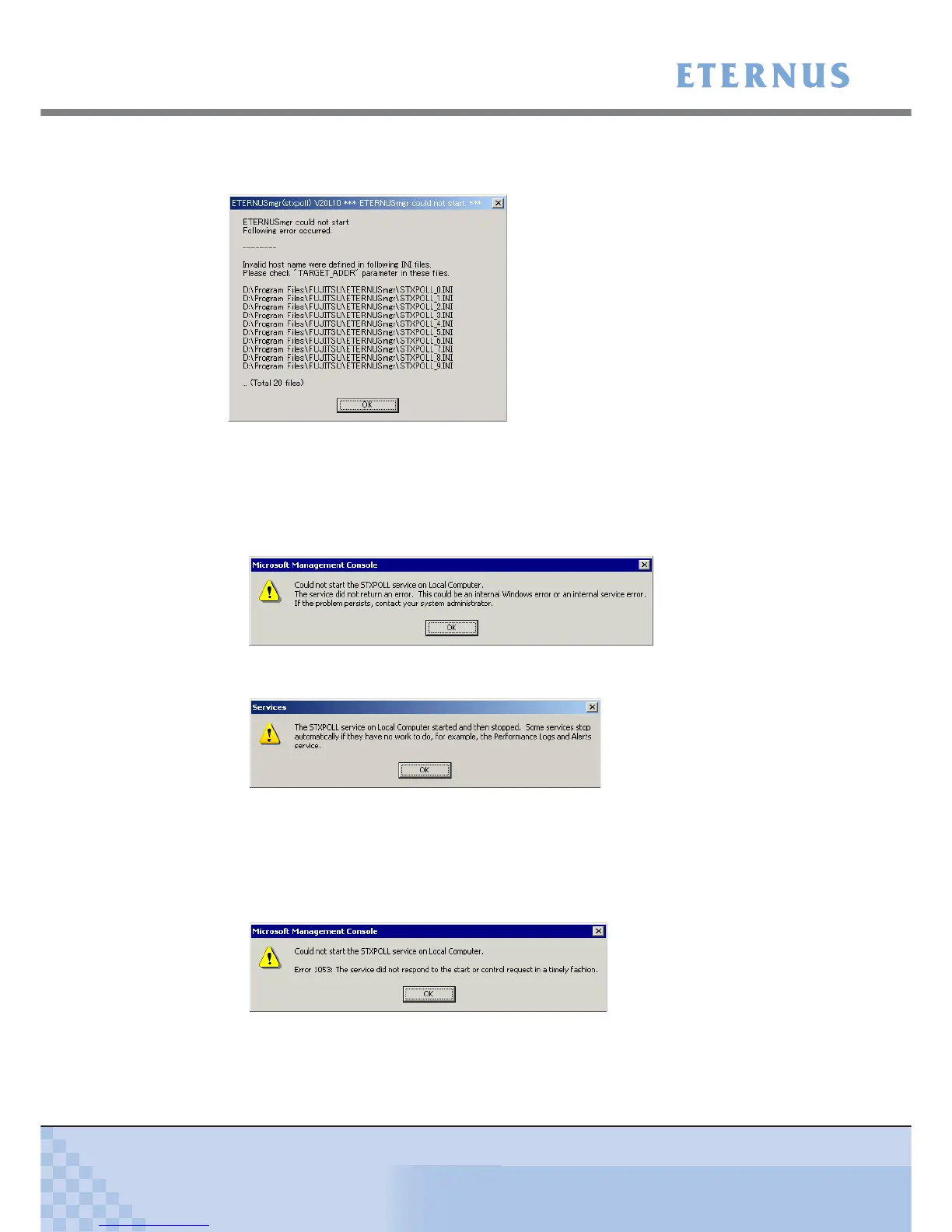
If ETERNUSmgr detects more than 10 faulty setup files, the first 10 will be listed along with the
total number of faulty files.
After clicking the [OK] button on any of the above dialog, Windows® may also display a message
similar to the one shown below. This is not a problem, and will not affect future operation, so feel
free to click the [OK] button. If such messages are displayed on the screen when ETERNUSmgr
is starting up, check that a setup file exists and all parameter settings are correct.
• For Windows® 2000
• For Windows Server® 2003 or Windows Server® 2003 R2
If you do not click the [OK] button when the above dialogs are displayed, Windows® may display
a message similar to the one shown below.
In such a case, close the [Services] window ([Computer Manager] window for Windows® 2000),
check the ETERNUSmgr settings, and retry the procedure from the beginning.
• For Windows® 2000












 To Next Page