PR-LN4 Software Guide
3.2.3 ADDING AN ORIGINAL TCP/IP PORT
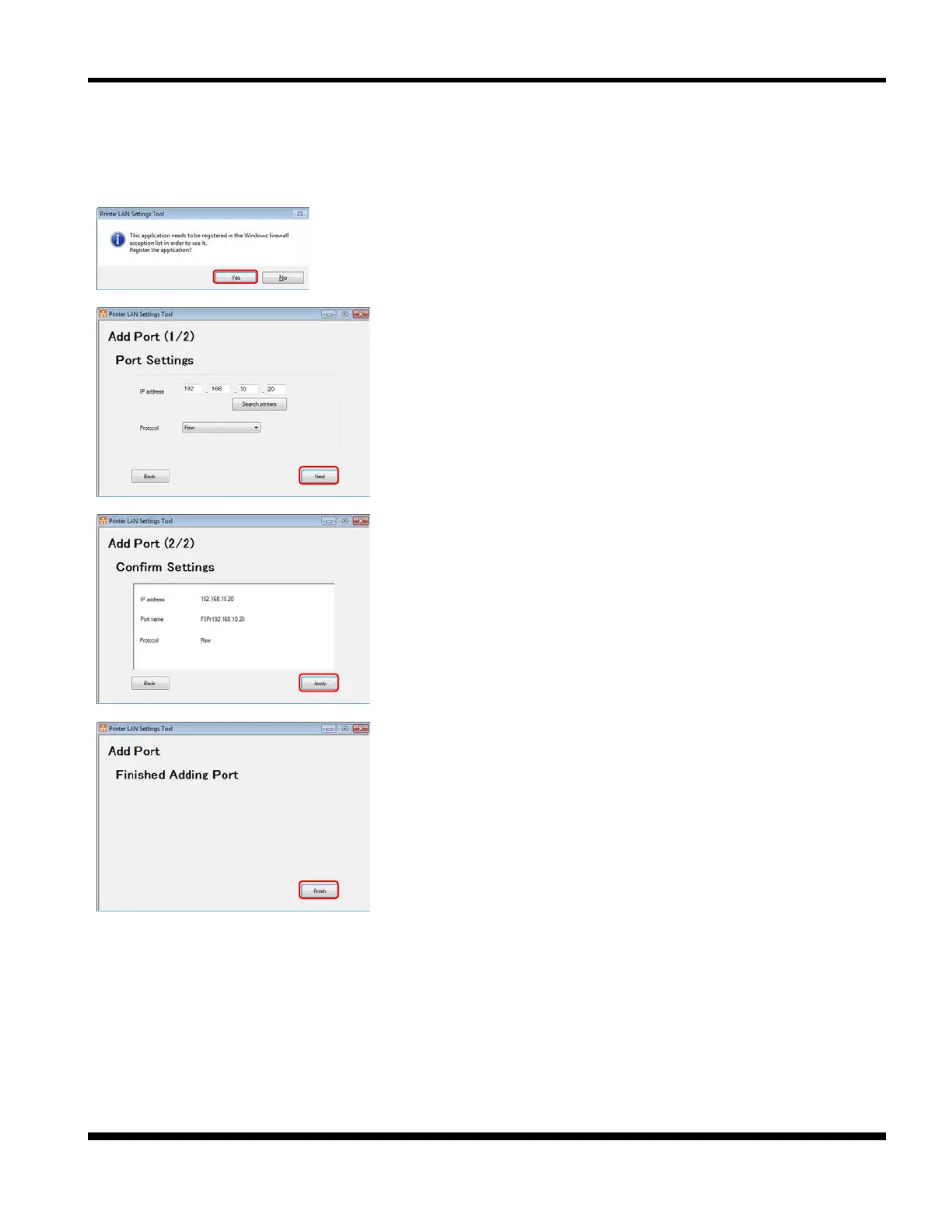
This section describes how use this tool to add the "Original TCP/IP Port" needed when using the Windows
driver with the LAN interface.
1. When this screen is displayed, click [Yes].
2. Set the IP address, port name, and protocol.
Click [Next].
*1) You can also specify the IP address by searching for the printer
using [Search printers].
3. Confirm the settings and click [Apply].
4. This completes adding the port.
*1) In case you add port with this tool, Windows driver's port
change is necessary.
Please change the port, according to "3.2.4 CHANGE OF
PORT".



 To Next Page