Certificates Managing authorizations
318 U41855-J-Z125-3-76
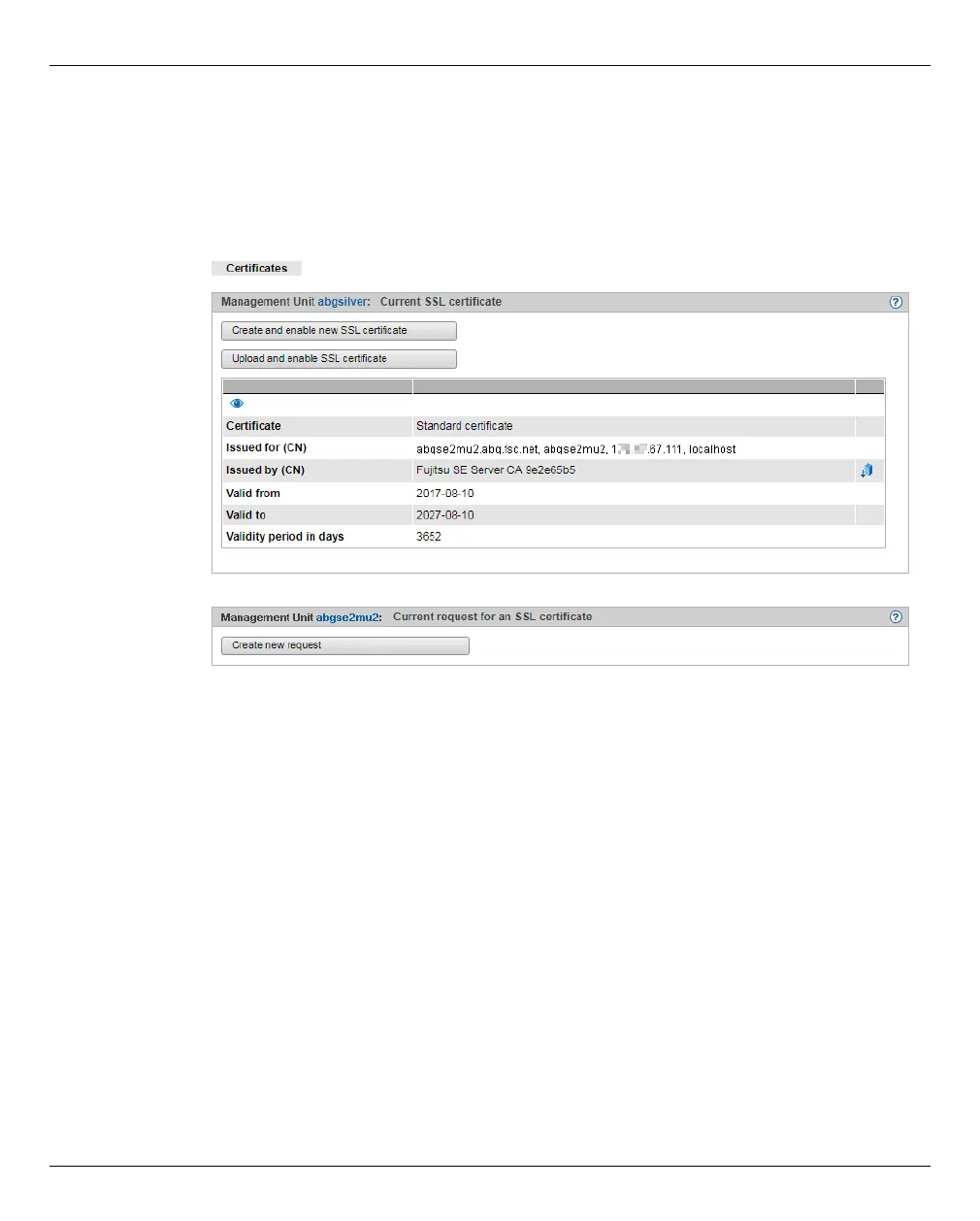
Displaying the current SSL certificate
Ê In the tree structure select Authorizations → Certificates [→ <mu-name>(MU)].
The Certificates tab with the Current SSL certificate and Current request for an SSL certificate
groups opens.
The information displayed is described in the SE Manager help.
Displaying details of the current SSL certificate
Ê In the tree structure select Authorizations → Certificates [→ <mu-name>(MU)].
The Certificates tab opens.
Ê To display further details, click the Details icon in the Current SSL certificate group.
The Detailed display of the current SSL certificate dialog box opens. The information
displayed is described in the SE Manager help.










 To Next Page