EasyManua.ls Logo

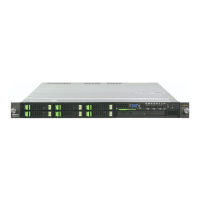
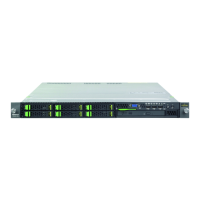
Fujitsu PRIMERGY RX200 S8 - User Manual

Fujitsu PRIMERGY RX200 S8
336 pages
Print Icon
To Next Page IconTo Next Page
Loading...
Upgrade and Maintenance Manual - English
PRIMERGY RX200 S8
Server
Upgrade and Maintenance Manual
February 2014

Table of Contents

Other manuals for Fujitsu PRIMERGY RX200 S8

Question and Answer IconNeed help?

Do you have a question about the Fujitsu PRIMERGY RX200 S8 and is the answer not in the manual?

Summary

Important Information

Safety Instructions

Contains critical safety instructions for installation and operation.

Basic Hardware Procedures

Basic Software Procedures

Power Supply

Installing a Power Supply Unit

Step-by-step guide for installing a power supply unit.

Removing a Power Supply Unit

Step-by-step guide for removing a power supply unit.

Replacing a Power Supply Unit

Combines removal and installation for replacing a PSU.

Hard Disk Drives; Solid State Drives

Installing a 2.5-inch HDD;SSD Module

Step-by-step guide for installing a 2.5-inch HDD/SSD module.

Removing a 2.5-inch HDD;SSD Module

Step-by-step guide for removing a 2.5-inch HDD/SSD module.

Replacing a 2.5-inch HDD;SSD Module

Combines removal and installation for replacing an HDD/SSD module.

Fans

Replacing a Fan Module

Step-by-step guide for replacing a fan module.

Expansion Cards and Backup Units

Replacing an Expansion Card

Combines removal and installation for replacing expansion cards.

Replacing a BBU

Combines removal and installation for replacing a BBU.

Replacing an FBU

Combines removal and installation for replacing an FBU.

Main Memory

Installing a Memory Module

Step-by-step guide for installing a memory module.

Removing a Memory Module

Step-by-step guide for removing a memory module.

Replacing a Memory Module

Combines removal and installation for replacing memory modules.

Processors

Upgrading to Dual Processor Configuration

Step-by-step guide for installing a second processor.

Replacing a Processor

Step-by-step guide for replacing a processor.

Installing the Heat Sink

Guides on installing the processor heat sink.

Optical Disk Drive

Installing the ODD

Step-by-step guide for installing an Optical Disk Drive.

Removing the ODD

Step-by-step guide for removing an Optical Disk Drive.

Front Panel and Front VGA;LAN Module

System Board and Components

Safety Notes

Contains critical safety warnings for system board components.

Replacing the System Board

Step-by-step guide for replacing the system board.

Summary

Important Information

Safety Instructions

Contains critical safety instructions for installation and operation.

Basic Hardware Procedures

Basic Software Procedures

Power Supply

Installing a Power Supply Unit

Step-by-step guide for installing a power supply unit.

Removing a Power Supply Unit

Step-by-step guide for removing a power supply unit.

Replacing a Power Supply Unit

Combines removal and installation for replacing a PSU.

Hard Disk Drives; Solid State Drives

Installing a 2.5-inch HDD;SSD Module

Step-by-step guide for installing a 2.5-inch HDD/SSD module.

Removing a 2.5-inch HDD;SSD Module

Step-by-step guide for removing a 2.5-inch HDD/SSD module.

Replacing a 2.5-inch HDD;SSD Module

Combines removal and installation for replacing an HDD/SSD module.

Fans

Replacing a Fan Module

Step-by-step guide for replacing a fan module.

Expansion Cards and Backup Units

Replacing an Expansion Card

Combines removal and installation for replacing expansion cards.

Replacing a BBU

Combines removal and installation for replacing a BBU.

Replacing an FBU

Combines removal and installation for replacing an FBU.

Main Memory

Installing a Memory Module

Step-by-step guide for installing a memory module.

Removing a Memory Module

Step-by-step guide for removing a memory module.

Replacing a Memory Module

Combines removal and installation for replacing memory modules.

Processors

Upgrading to Dual Processor Configuration

Step-by-step guide for installing a second processor.

Replacing a Processor

Step-by-step guide for replacing a processor.

Installing the Heat Sink

Guides on installing the processor heat sink.

Optical Disk Drive

Installing the ODD

Step-by-step guide for installing an Optical Disk Drive.

Removing the ODD

Step-by-step guide for removing an Optical Disk Drive.

Front Panel and Front VGA;LAN Module

System Board and Components

Safety Notes

Contains critical safety warnings for system board components.

Replacing the System Board

Step-by-step guide for replacing the system board.

Fujitsu PRIMERGY RX200 S8 Specifications

General IconGeneral
Number of Processors1 or 2
ChipsetIntel C602
Operating System SupportWindows Server, Linux, VMware
Form FactorRack-mountable
ProcessorIntel Xeon E5-2600 v2
MemoryUp to 768 GB
RAID SupportRAID 0, 1, 5, 6, 10
StorageUp to 8 x 2.5-inch or 4 x 3.5-inch HDD/SSD
Network Interface2 x 1 GbE onboard, optional 10 GbE

Related product manuals