Working with the Tablet PC
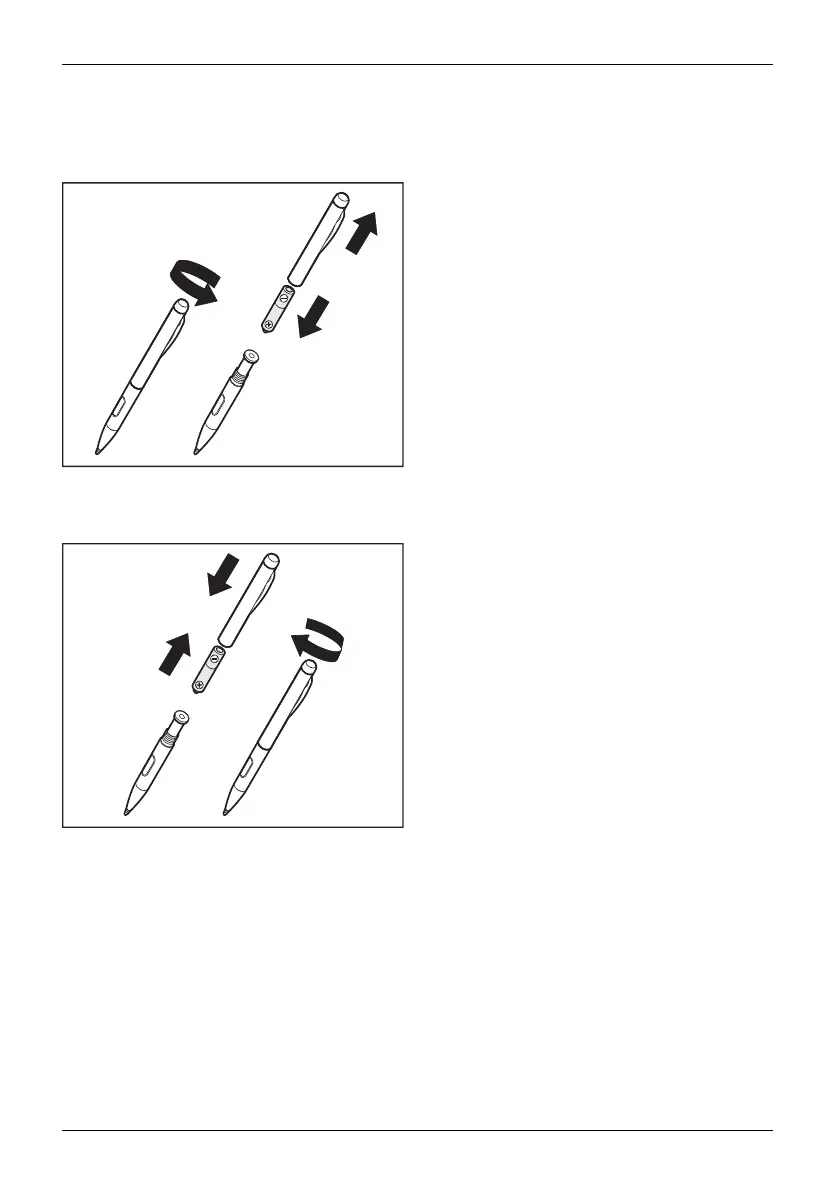
Removing the stylus battery
The stylus contains on e AAAA battery.
2
3
1
► Turn the cap of the stylus in the direction of
the arrow (1) and lift it off the stylus (2).
► Remove the ba ttery from the stylus cap (3).
Installing the stylus battery
2
1
3
► Insert the new bat
tery into the stylus cap (1).
► Place the stylus cap on the stylus (2) and
screw it down in the direction of the arrow (3).
34 Fujitsu


 To Next Page
 Loading...










