Using the mouse English - 11
Mobile transport
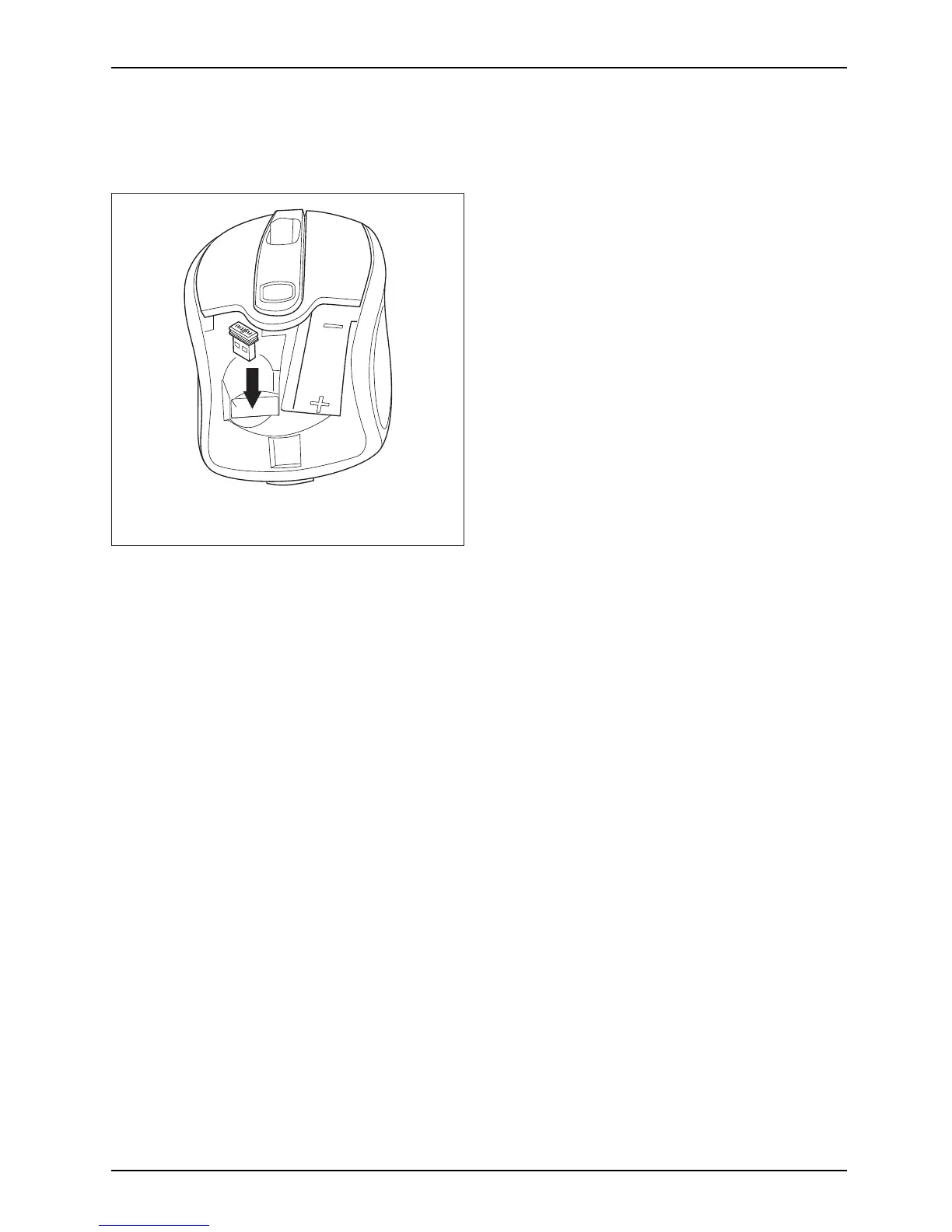
The receiver can be housed directly in the mouse.
► Slide the receiver into the opening in the
mouse c asing, in the direction of t he arrow.
► To remove the receiver, withdraw it
upwards w ith the fingers.
Using the mouse wheel
In addition to two buttons, the mouse also has a w he el that can be used as follows:
► Press the on the wheel to use the third mouse button.
► Turn the wheel forwards or backwards to scroll, for example in documents or on Internet pages.
Depending on your operat ing system, you may be able to move the screen content horizontally:
► Press the wheel to the left or right.
Fujitsu Technology Solutions 27


 To Next Page