Wireless mouse English - 3
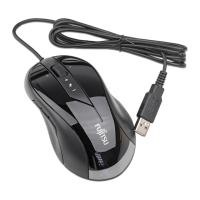
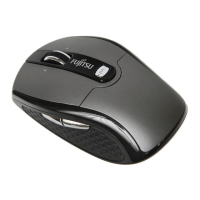
Wireless mouse
The wireless mouse works with digital radio technology and without the ne e d for disruptive cables.
You c an use the mouse on any comput er that has a free USB po rt which
meets the system requirements specified below.
The sections below describe how to set up the mouse ready for use.
System requirements
• Computer with Windows 7 or Windows Vista
• At least one free USB port
• CD/DVD drive for installing the softw are
Safety information
Please ob serve the safety information supplied.
Use only type A A batteries for the mouse.
CE marking
The shipped version of this device com plies with the requirements of the EC
directives 2004/108/EC "Electroma gnetic compatibility", 2006/95/EC "Low
voltage directive" and 2009/125/EC "Ecodesign directive".
Limited worldwide warranty
Fujitsu Tec
hnology Solutions provides a warranty for this device. This warranty can be asserted
worldwide w
herever Fujitsu Technology Solutions maintains a service office or an authorised service
partner of
Fujitsu Technology Solutions is present. S uch c laims c an be made to the extent to
which the s
ervice concerned is available in the particular country. Please contact one of our help
desks for d
etails of the ava ilability of the services and the response time, or visit ou r website at
"
http://
ts.fuj itsu.com/service" before you make any warranty claims in t he particular country.
Fujitsu Technology Solutions 19


 To Next Page