Using the mouse English - 9
LED
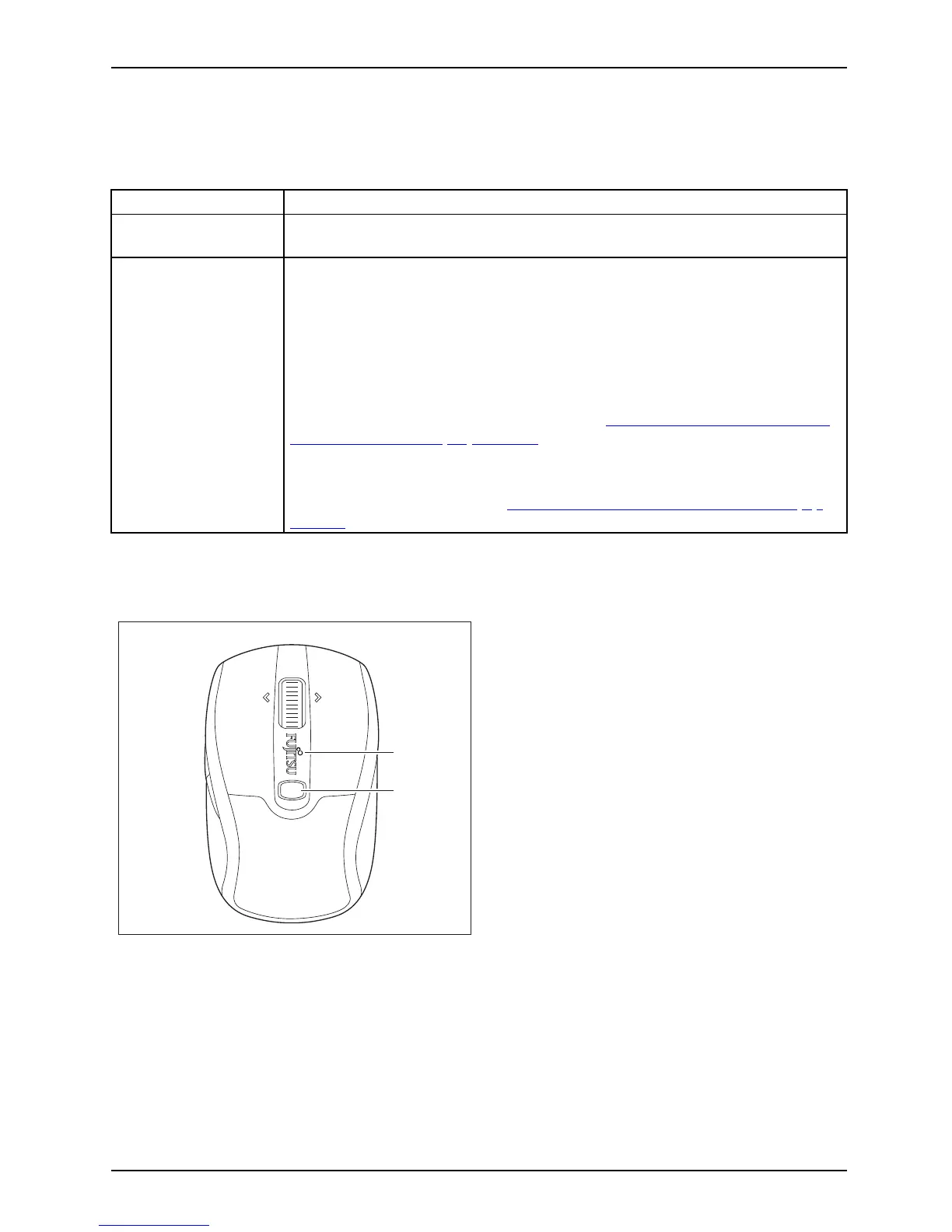
The LED provides information on the state of charge/opera ting status and on the scanning sensitivity.
Status indicators Description
The LED lights up red
Power-on indicator
• The mouse is operative.
The LED flashes red
State of charge indicator a
s the mouse is being switched on
Duringtheswitch-onproc
ess of the mouse, the LED flashes depe nding on
the state of charge of the b
attery.
• The LED flashes 1x: The bat
tery is nearly discharged.
• The LED flashes up to 5x: The battery is fully charge d.
State of charg e indicat
or in mouse operating mode
During operation, the L
ED flashes red if the state of charge of the battery
in the mouse becomes lo
wer (see chapter "
State of charge of the battery
in th e mouse", Page 10 - E
nglish ).
DPI indicator
While the resolutio
n (DPI) is be ing adjusted, the LED flashes depending
on the level set (se
e chapter "
Setting the scanning sensitivity", Page 9 -
Eng lish).
Setting the scanning sensitivity
DPI
LED
The m ouse supports a resolution (scanning
sensitivity) of 1000, 1500 and 2000 dpi.
The default setting is 1500 dpi.
► To switch t he scanning sensitivity from one
level to the next highest level, press the DPI
button once in each case.
After the highest level of 2000 dpi has
been reached, the next press of the DPI
button begins again with the lowest level
of 1000 dpi.
The higher the scanning sensitivity, the
faster the m ouse reacts.
The LED flashes with the individual levels as follows:
• 1000 to 1500 dpi: flashes 2x red
• 1500 to 2000 dpi: flashes 3x red
• 2000 to 1000 dpi: flashes 1x red
Fujitsu Technology Solutions 25



 To Next Page