Using the mouse English - 7
Installing the software
The supplied software must be installed in order to be able to configure the programmable
keys on the mouse a nd use its full range of functions.
► Insert the supplied software CD in the CD/ DVD drive for the PC.
The C D will start automatically.
► If the CD does not start automatically, double click on the file Setup.exe in
the CD folder in W in dows Explorer.
► Follow the instructions on the screen.
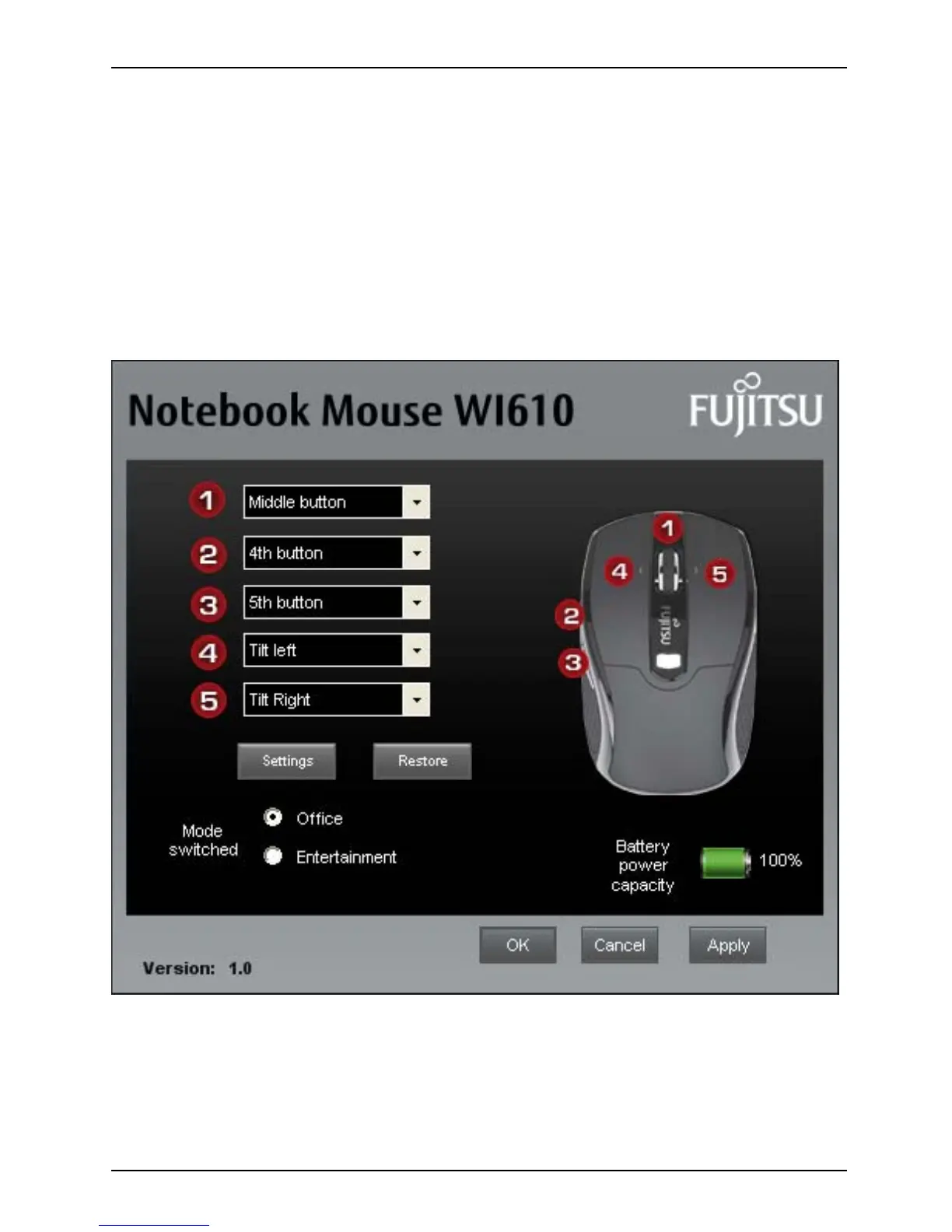
The installed software allows you to call up the following configuration menu either via the
installed programme group or via the mouse icon created in the task bar.
Fujitsu Technology Solutions 23


 To Next Page