4 - English Connecting the receiver a
nd the mouse
Connecting the receiver and th
e m ouse
► Switch on your PC.
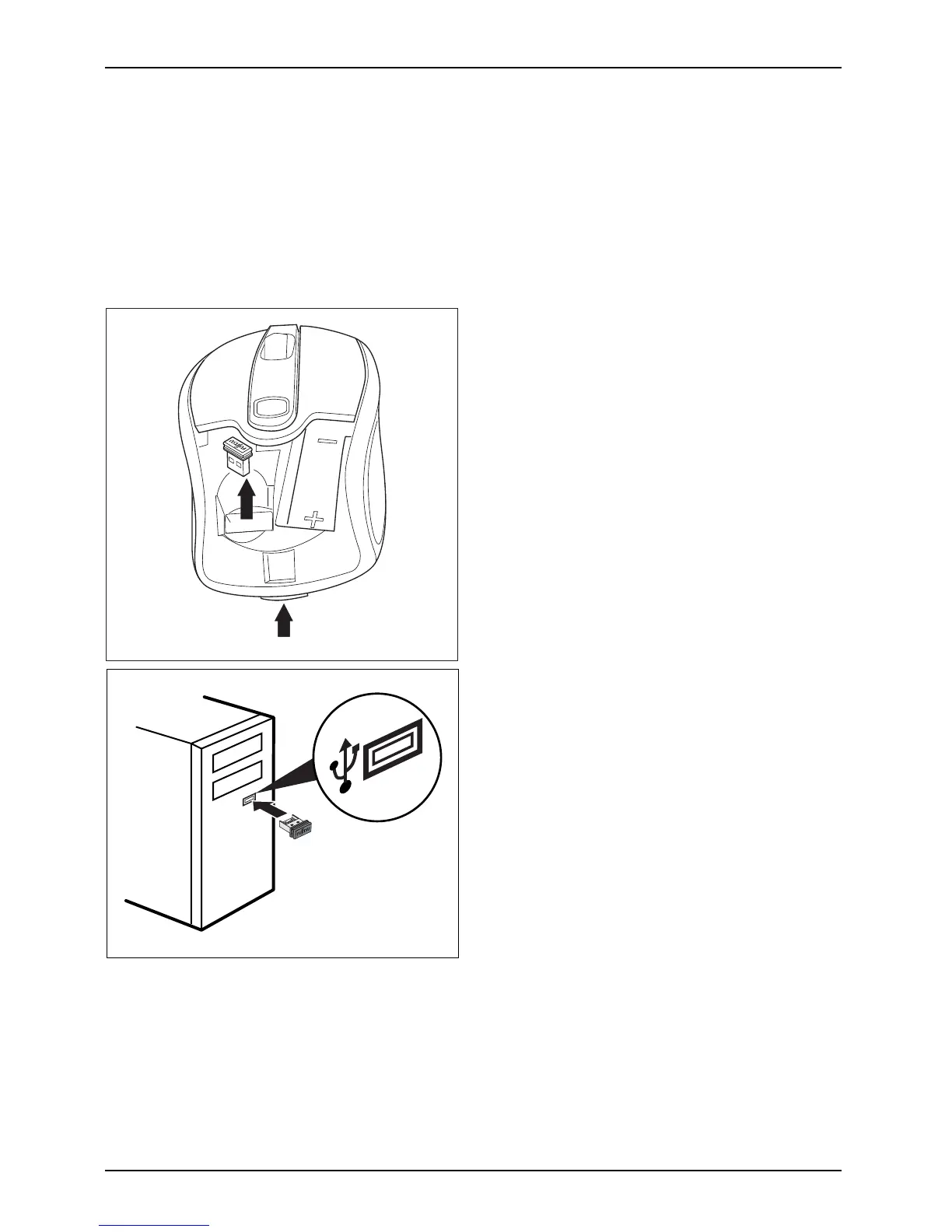
Connecting the receiver
The receiver is house d directly in the mouse.
2
1
► Open the cover of the battery compartment
on the top of the mouse by pressing the
button (1) and remove the cover.
► Remove the rece iver from the mouse in
the direction of the a rrow (2).
► Replace the cover on the battery
compartment.
► Connect the receiver to a spare USB
port on the comput er and follow the
on-screen instructions.
20 Fujitsu Technology Solutions


 To Next Page