22 EN
ɶ Description for Icons
[] : group (folder) icon
[] : video file icon
[] : music file icon
[] : movie file icon
[] : photo file icon
• “Folders” refers to the groups of files.
• “Tracks” refers to the contents recorded on
the audio CD.
• “Files” refers to the contents on a disc
which are recorded in AVCHD, DivX
®
,
MP3, WMA, JPEG (including KODAK
Picture CD) file format.
Note
• Unrecognisable characters will be replaced
with “ ”.
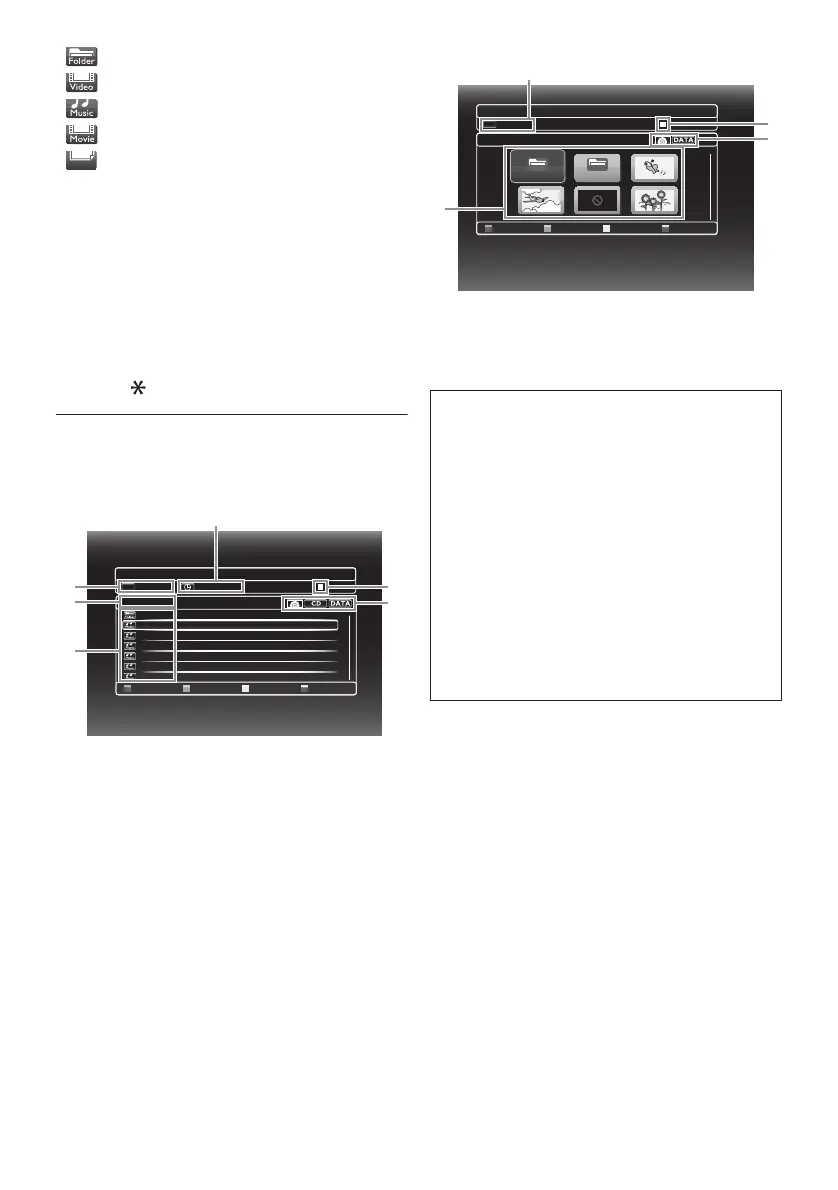
5.2 Guide to File List
ɶ Video / Music File List
e.g.) MP3 mode
1 Elapsed playing time of the current track
2 Playback status
3Media type
4 Group (folder) / File list
5 Name of disc / USB flash drive
6 Current track (file) number / Total number
of tracks (files)
ɶ Picture File List
1 Current file number / Total number of files
2 Playback status
3Media type
4 Group (folder) / File list (thumbnails)
DATA_xxxxx
File List
- - - / 123
TR
- - : - - : - -
Page Up Page Down
Music 1
MP_1.mp3
MP_2.mp3
MP_3.MP3
MP_4.mp3
MP_5.MP3
MP_6.mp3
2
3
1
4
5
6
ɶ How to Navigate through the Track /
File List
•Use [K / L] to move the highlight up and
down in the list.
• To access the files in a group (folder), select
the desired group (folder), then press
[OK].
• Press [s] or [RETURN] to go back to
the previous hierarchy.
• Press [Red] or [Green] to change the
page of the list.
• Press [Blue] to go back to the media
mode screen.
• Press [HOME] to exit.
Folder
Folder
Folder_001
Folder_002
Page Up Page Down
06051_1140
- - - /123
TR
Thumbnail
4
3
2
1



 To Next Page