PRECAUTIONS PREPARATION
ADVANCED PLAYBACK
BASIC OPERATIONS RECORDING OPTIONAL SETTINGS TROUBLESHOOTING INFORMATION
19
ADVANCED PLAYBACK
rr
n
e
eat settin
tit
e
um
er
tota
tit
e
CH(chapter)
rr
n
cha
ter
m
r
total cha
ters
T
title
rr
n
i
l
m
r
l
i
l
ela
sed
m
f
h
current cha
te
remaining
im
f
h
rr
n
i
l
03/24 00:00:20 - 00:01:09
NORMAL
elapsed
im
f
h
rr
n
i
l
im
h
current cha
te
C(c
apter)
curren
apter
um
er
l cha
ter
rr
n
la
m
ettin
ela
sed
m
f
h
rr
n
i
1st
2nd
3rd
Normal display (display o)
rr
n
e
ea
settin
r
n
m
r
l
r
k
ALL
rr
n
r
n
m
r
l
r
k
e
a
se
im
f
rr
n
r
remainin
im
f
h
n
ir
i
im
h
rr
n
r
ela
sed
im
h
rr
n
r
rr
n
la
m
ett
n
ela
sed
im
f
h
n
ir
i
1st
2nd
3rd
Normal display (display o)
01/26 00:00:11
OFF
01/26 00:00:12 - 00:03:20
NORMAL
01/26 00:00:14 - 01:11:28
NORMAL
03/24 001/002 00:00:40
OFF
001/002 00:00:19 - 00:01:11
NORMAL
Audio
N
R(tr
curr
Audio
CD
Audio
CD
DVD-Video
(tit
e
curre
03/2
DVD-Video
DVD-Video
Su
tit
e Lan
ua
e an
Au
io Lan
ua
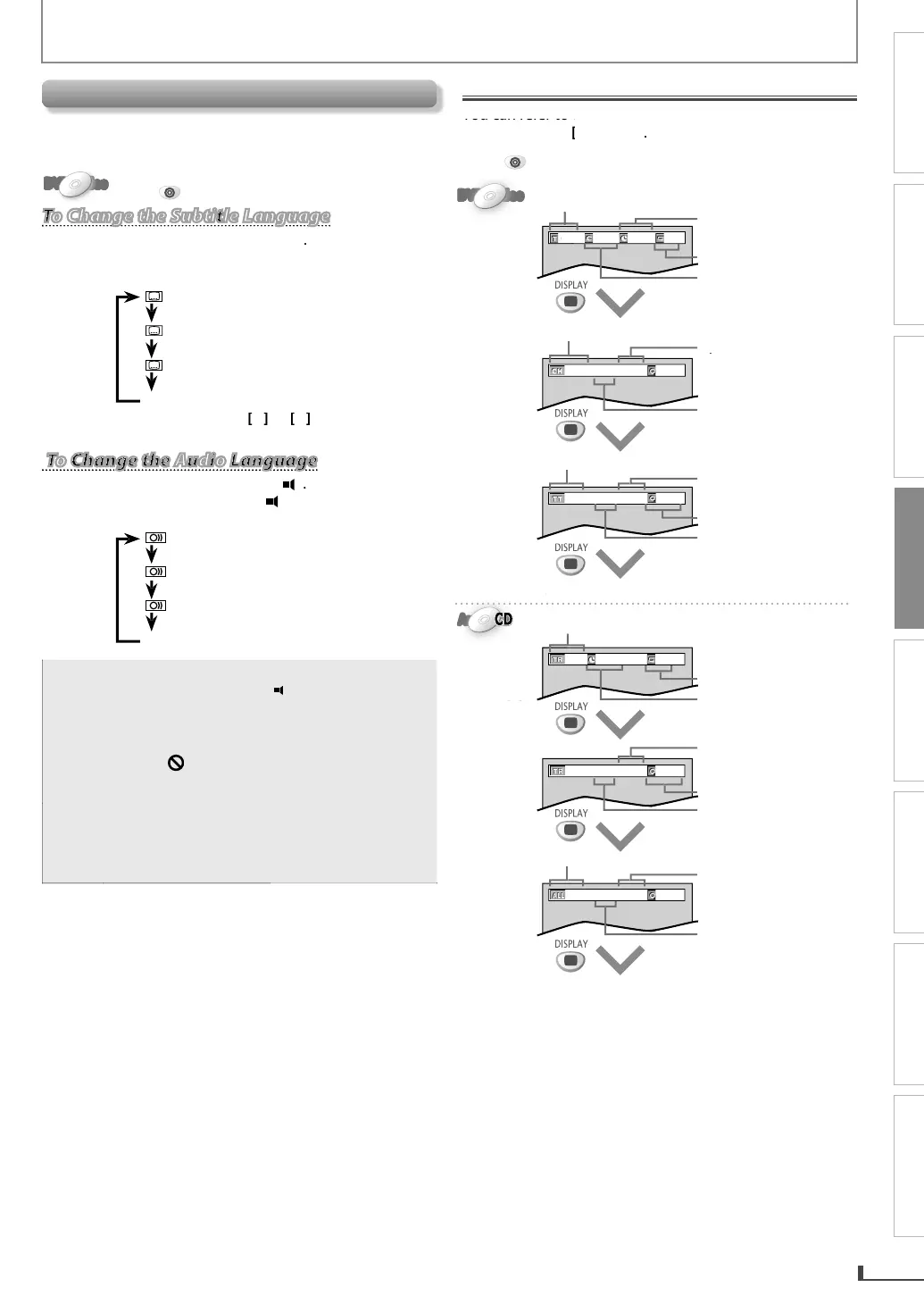
This unit allows you to select a subtitle (if available) or an
n
audio lan
ua
e (if multiple lan
ua
es are available for
au
io
anguage)
uring DVD p
a
ac
DVD-VideoDVD-VideoDVD-VideoDVD-VideoDVD-Video
Press
DVD
first.
To Change the Subtitle Language
To Change the Subtitle Language
1) During P
ay
ac
, press
SUBTITLE
Eac
time you press
SUBTITLE
uring P
ay
ac
,
e
u
tit
e
anguage c
anges as examp
e
e
ow.
FF
no su
tit
es
ENG
En
lish subtitles)
Frenc
su
tit
es
2) To cance
t
e su
tit
e, use
i
OFF
To Change the Audio Language
To Change the Audio Language
1) During P
ay
ac
, press
AUDI
Eac
time you press
AUDI
uring P
ay
ac
, t
e
au
io
anguage c
anges as examp
e
e
ow
EN
Eng
is
au
io)
P
Spanis
au
io)
F
E
French audio
•
f
our language is not shown after pressing
SUBTITLE
AUDIO
severa
times
t
e
isc ma
not
ave t
at
anguage. However,
some discs allow subtitle/audio lan
ua
e
setting on t
e
isc menu
W
en
” appears on t
e TV screen, it means
o su
tit
e/au
io are recor
e
on t
e scene
Some discs will onl
allow
ou to change the
subtitle/audio lan
ua
e settin
from the dis
n
Operation varies depending on the disc, so re
e
to the manual alon
with the disc
or details
On-Screen Display
You can refer to the various information on the screen
when
ou press
DISPLAY
Press
DVD
first.



 To Next Page