Prepare
24
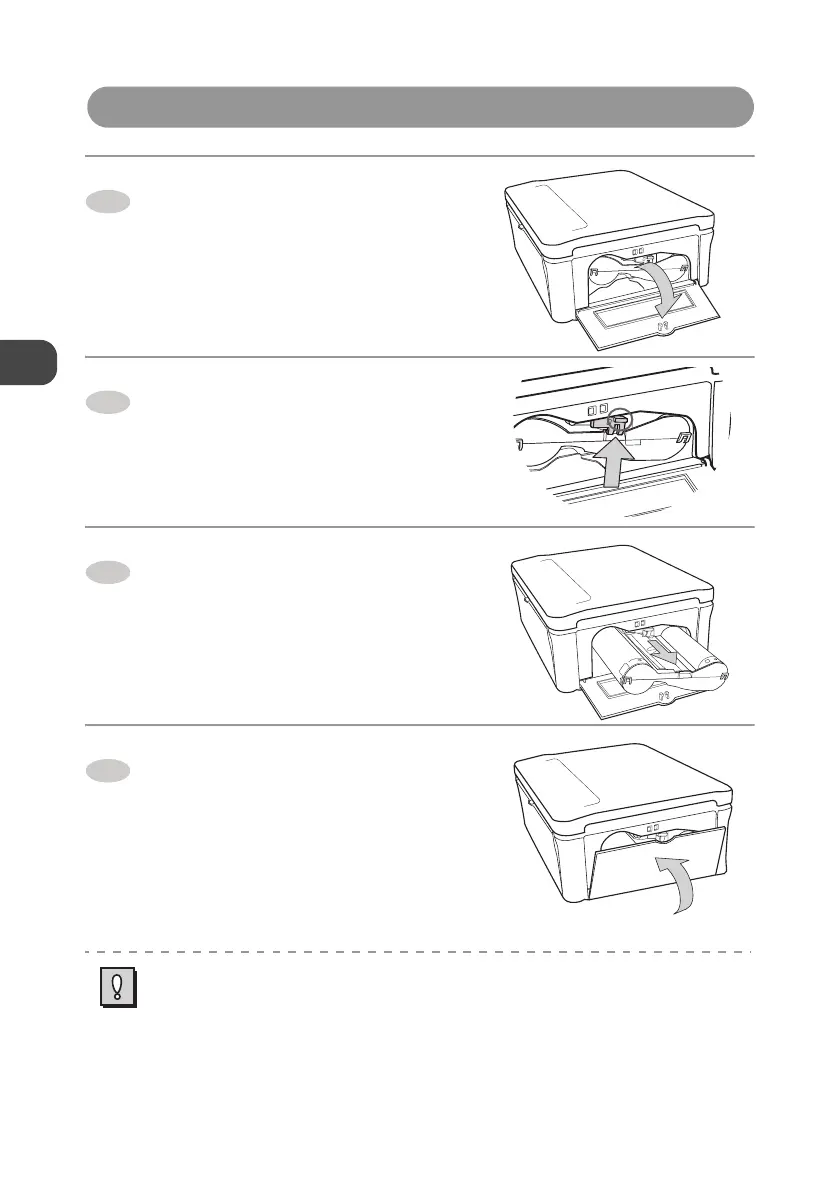
How to Eject the Ink Cartridge
Open the Ink cartridge
compartment door.
Press up the Ink cartridge eject
lever.
z The Ink cartridge is flipped out of the Ink
cartridge slot.
Pull out the Ink cartridge
horizontally.
Close the Ink cartridge
compartment door.
z Never reuse the Ink cartridge that has been already consumed. It may cause malfunction.
z Do not touch the Ink ribbon or pull it out of the Ink cartridge.
z Exchange a new Ink cartridge if it has worn out.
1
2
3
4


 To Next Page