27
Prepare
Turning on the Power (Connecting)
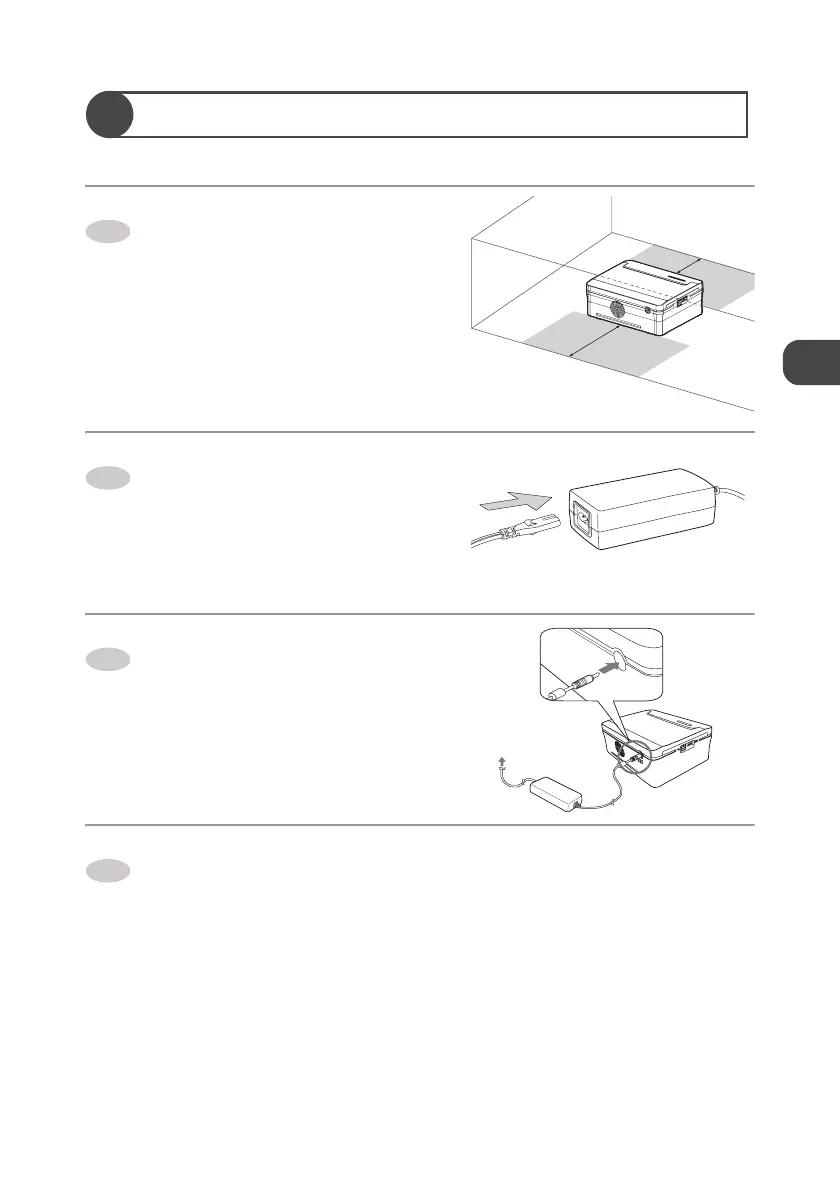
Place the printer on a flat area.
z Do not place any obstacles within 20 cm of
the front/back side of the printer. Paper
moves in and out to/from the slot during
printing.
Connect the power cord to the AC
adapter.
Connect the AC adapter to the DC
IN terminal of the printer.
Plug the power cord (connected to
the AC adapter) into a power outlet.
z The printer turns on, and the [POWER]
lamp lights.
How to turn off the power
Disconnect the power cord from the power outlet, so the [POWER] lamp goes out and turn
off the power.
1
20cm
20cm
2
3
To power
outlet
4


 To Next Page