25
Prepare
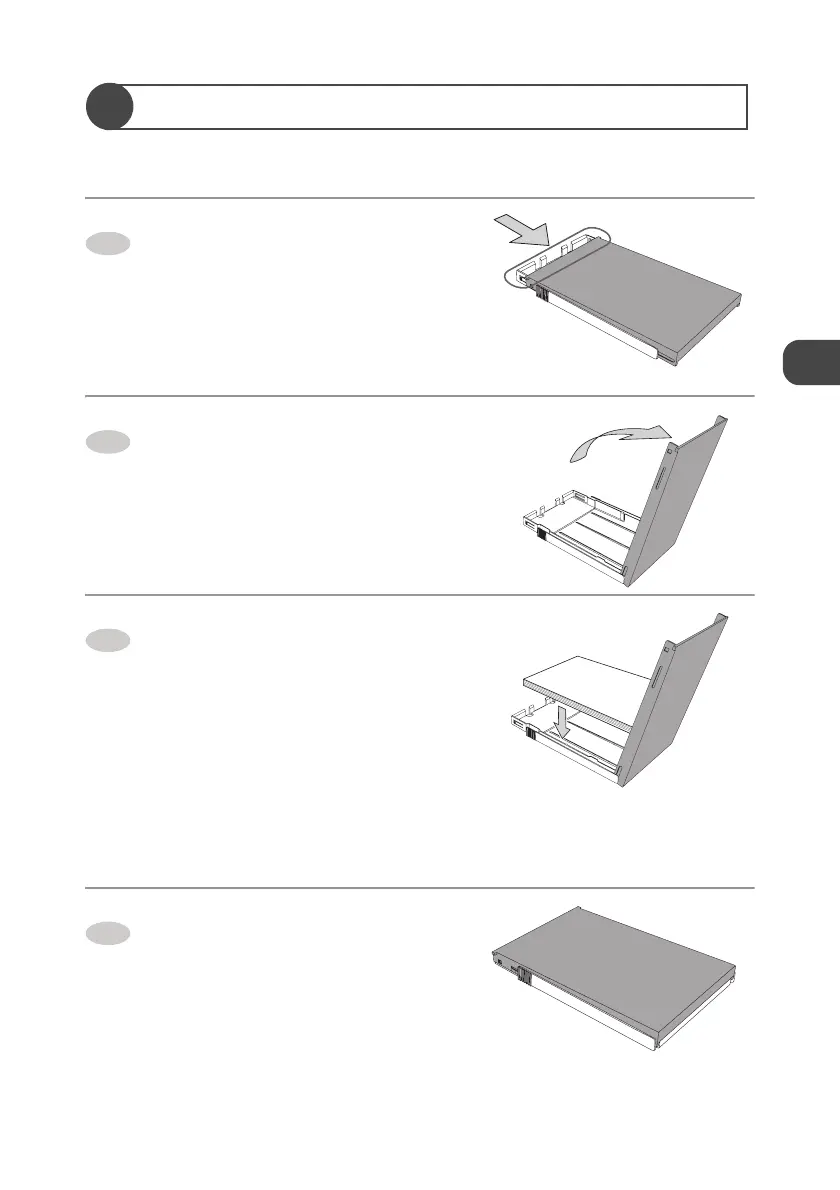
Set the Paper in the Paper Tray
Do not use the paper other than the specified paper.
Slide the top cover of the Paper
tray to the direction of the arrow.
Open the top cover.
Set the paper in the Paper tray with
the print side (glossy side) facing
upwards.
z Do not set more than 20 sheets of the paper
in the Paper tray.
z Do not have the paper stuck out of the
Paper tray.
z Do not touch the print side of the paper.
→ p. 18
z Do not tear or bend the paper's perforated
line before printing.
→ p. 18
Close the top cover.
1
2
3
4


 To Next Page