Prepare
26
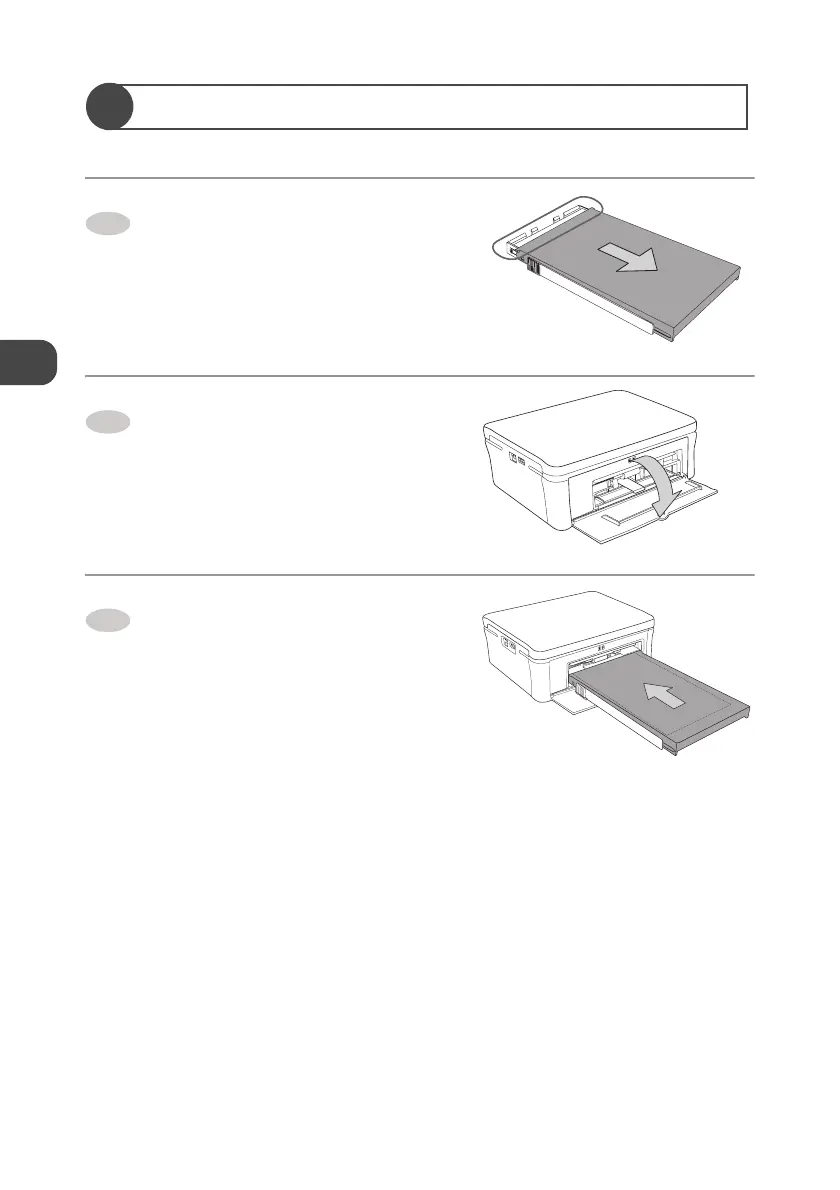
Set the Paper Tray in the Printer
Slide the top cover of the Paper
tray to the direction of the arrow.
Open the Paper tray compartment
door.
Insert the Paper tray horizontally
into the Paper tray slot.
How to reject the Paper Tray
Pull the Paper Tray out horizontally and close the Paper tray compartment door.
1
2
3


 To Next Page