3. SETTING AND ADJUSTMENT
3-5
How to Access the Installation Mode with the RCU-015 Trackball Style
Controller
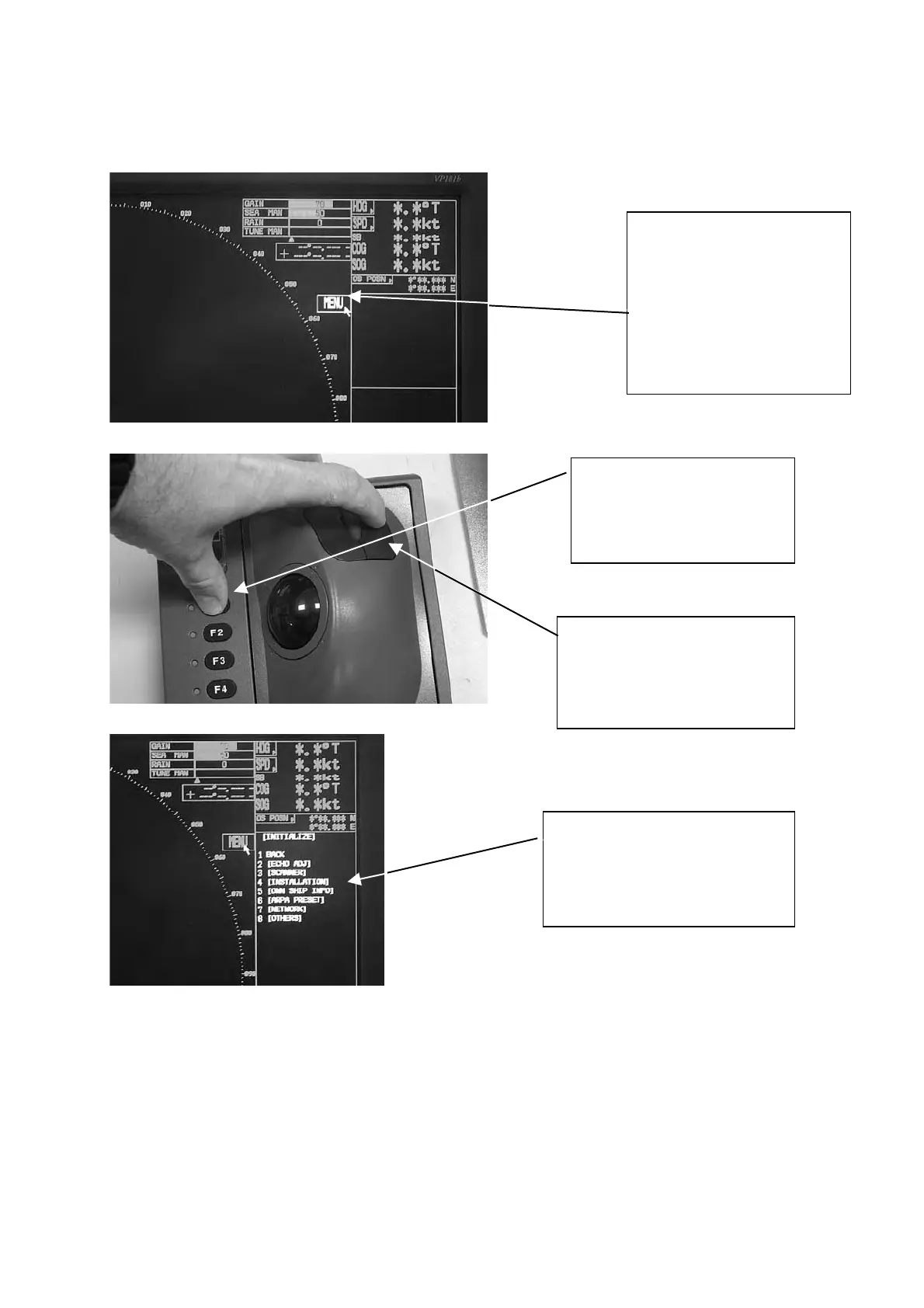
1. By using the trackball,
move the pointer until
it highlights the MENU
box as shown. DO
NOT CLICK the menu
box, just leave the
arrow over the menu.
2. Press and hold down
the F1 key. Keep it
held down during the
next step.
3. Then, click on the right
controller button 5 times.
You should hear a “triple
Beep” on the fifth press.
The INITIALIZE menu will
appear. Click on
INSTALLATION to access
the installation menus.









 To Next Page