4-1
4. INSTALLING OPTIONAL
EQUIPMENT
4.1 Gyro Converter GC-10
The Gyro Converter GC-10, incorporated inside the processor unit, converts analog
gyrocompass reading into digital coded bearing data for display on the radar screen.
This section explains how to install the GC-10 (mainly consisting of the GYRO
CONVERTER board) and set it up according to gyrocompass connected.
Installing the GYRO CONVERTER board
Necessary Parts: GC-10-2 (Code number 000-080-440)
See packing list for details at the back of this manual.
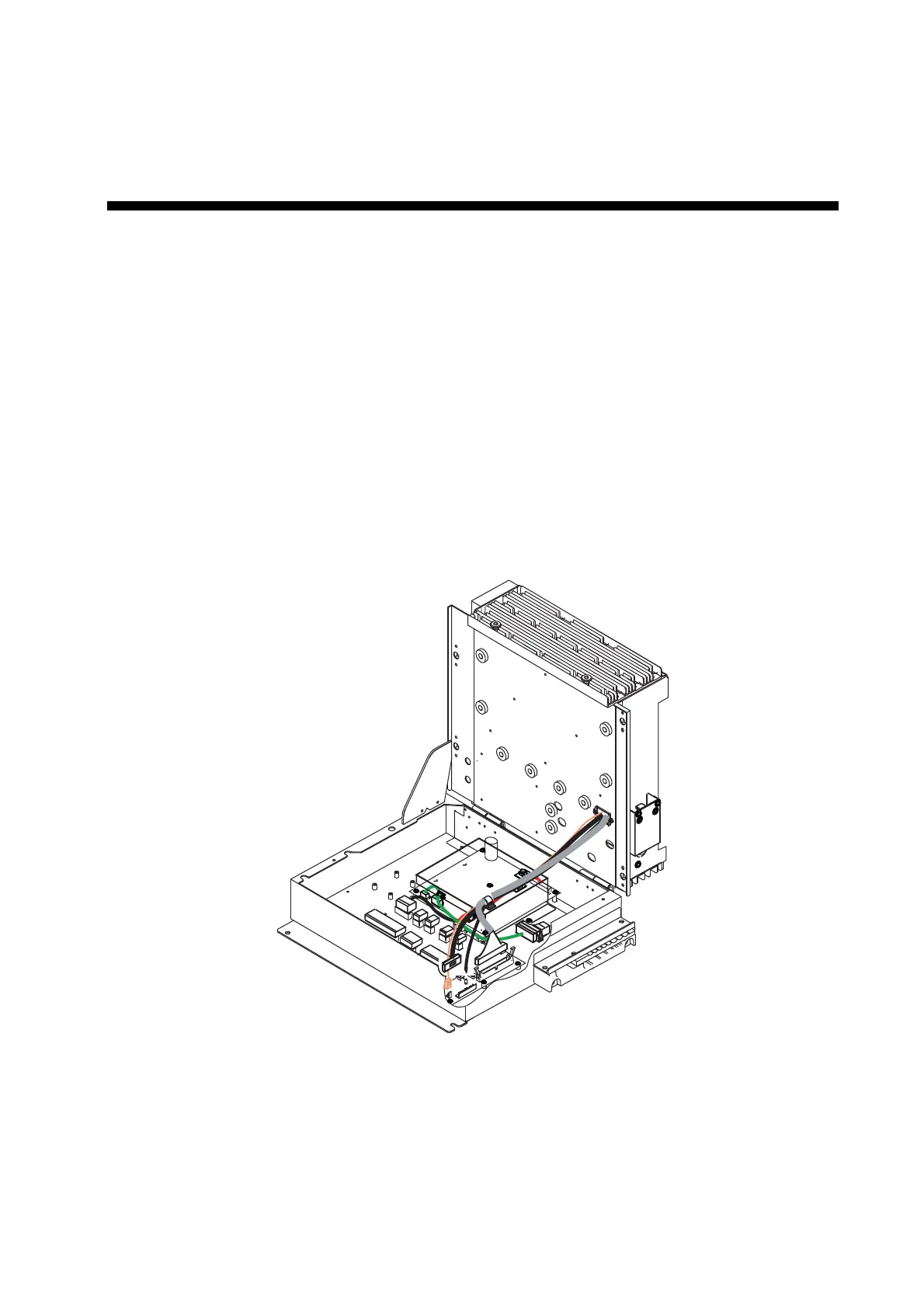
1. Open the processor unit.
1
1
4
1
12
1
3
1
2
1
3
1
12
1
5
1
7
1
3
Processor unit (Opened)


 To Next Page
 Loading...