3. INITIAL SETTINGS
16
3.2 DIP Switch Setting
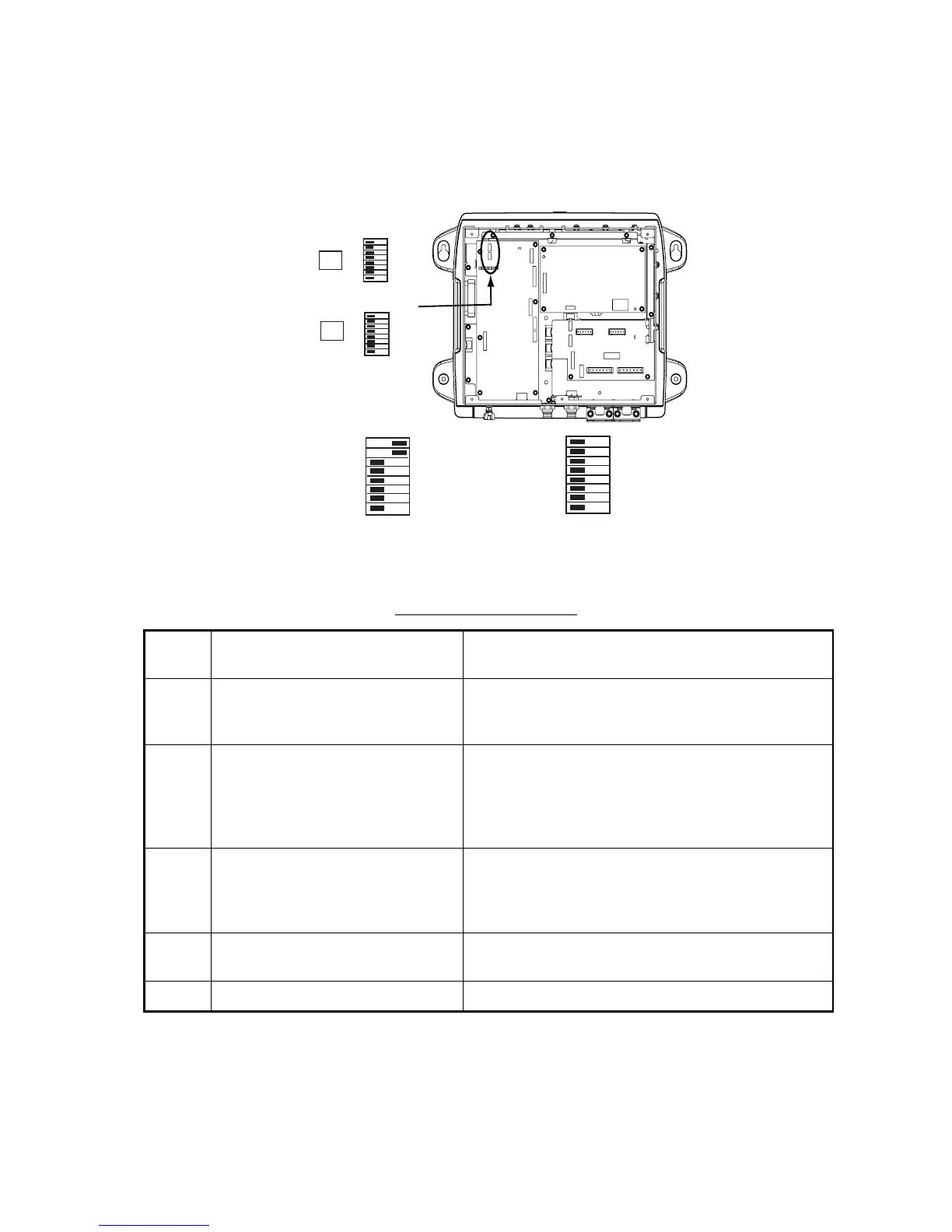
The DIP switch S2 sets up the system according to the equipment connected. In the default setting
all switches (1-8) are OFF. The DIP switch S3 should not be adjusted; leave all switches in the
OFF position.
DIP switch S2 description
*: Power sync setting enabled at NavNet 3D.
Switch
No.
Function Setting
1 Power on/off by NavNet equipment OFF: Power sync (for NavNet 3D)*
ON: No power sync (for NavNet/NavNet vx2/
NavNet TZtouch)
2 Automatic/Manual IP address
selection
OFF: Automatic IP address assignment. Use this
setting for NavNet/NavNet vx2/NavNet TZtouch.
ON: Manual IP address assignment. Use this setting
for NavNet/NavNet vx2/NavNet TZtouch and refer to
the table on the next page for IP addresses.
3 - 6 Manual IP address assignment Valid when switch no. 2 is ON. For connection of mul-
tiple network sounders, assign each one an IP ad-
dress with the Mode DIP switch, referring to the table
on the next page.
7 Restore default settings (other than
LAN and transducer)
See section 4.3.
8 Restore ALL default settings See section 4.3.
DIP Switches
(factory settings)
1-8
ON
OFF
S2
S3
1-8
ON
OFF
ON
OFF
1-8
#1: ON
#2: ON
#3 - #6: See next page.
#7: OFF
#8: OFF
ON
OFF
1-8
ALL OFF
DIP SW2 settings for
NavNet,Navnet vx2, NavNet TZtouch
DIP SW2 settings for
NavNet 3D



 To Next Page