2. WIRING
2-53
6. Reattach the control unit cover.
7. Unfasten four screws (M4x8) to remove the processor unit cover.
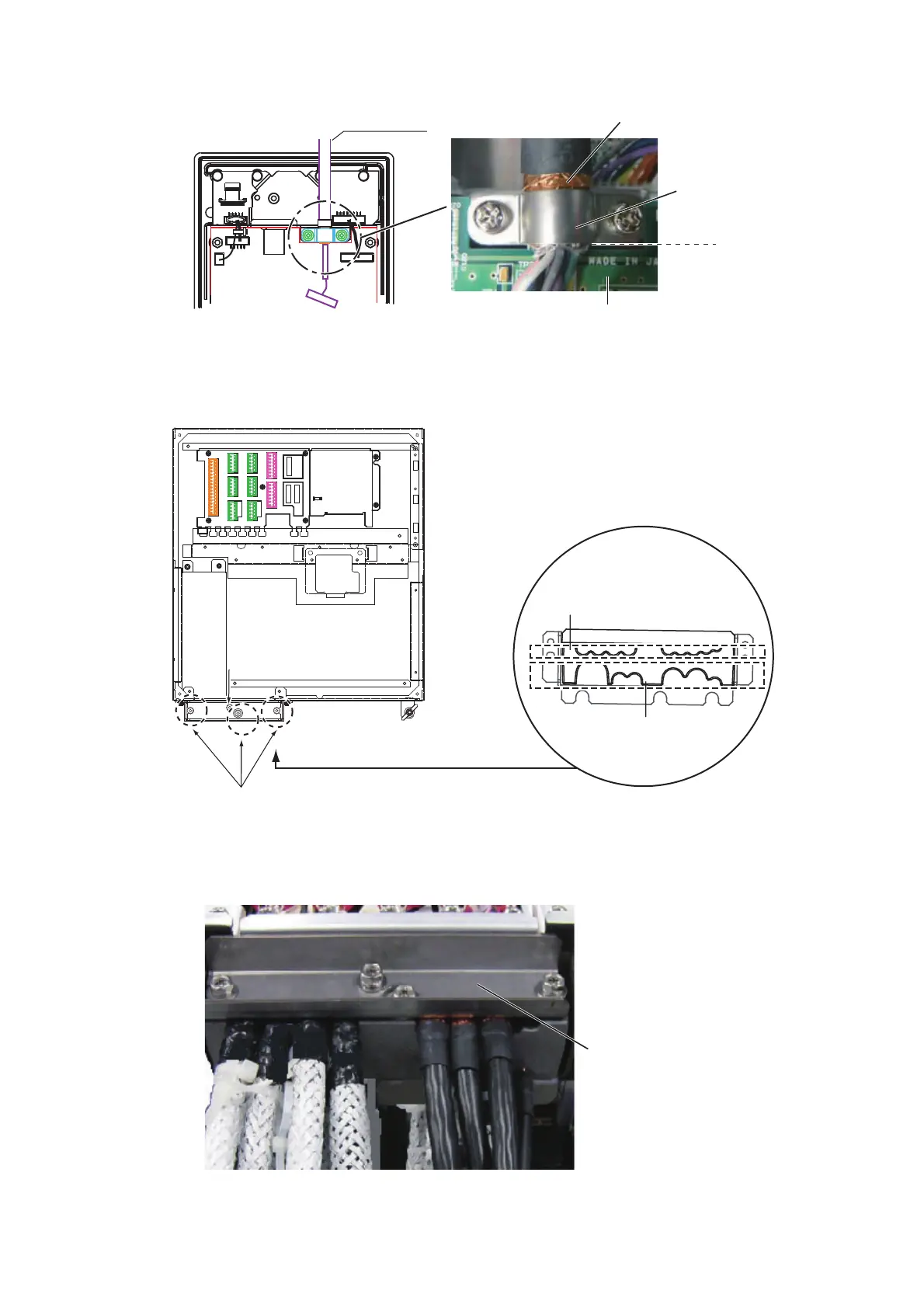
8. Unfasten three bolts to remove the cable clamp (upper) as shown below.
9. Disconnect the control unit cable from the processor unit, then connect the cable
assy (6TPSH-XH12X2-LxxSP2).
10. Set the shields of cables under the cable clamp then tighten the cable clamp.
11. Remount the processor unit cover.
Cable assy
Shield part
Cable clamp
Board
Loosen these three bolts to remove the upper plate.
Loosen this bolt to use
the lower clamp holes.
Loosen this bolt to use
the lower clamp holes.
Clamp holes
(upper)
Clamp holes
(lower)
J4J4
J3J3
J8J8
J9J9
J10J10
J5J5
J6J6
J7J7
J11J11
J12J12
J13J13
J14J14
Lay shields of cables
under this clamp then
tighten the clamp.



 To Next Page