3. SETTING AND ADJUSTMENTS
3-8
[1 RANGE UNIT]
For the B-type radar, select the range unit, NM, SM, KM or kyd then push the left but-
ton.
[2 MODEL]
Confirm the model of your radar. If this setting is different from your model, the radar
will not function properly. The number before a diagonal (12, 25, 30) is the output pow-
er (in kW). [UP], [DOWN] indicates the location of the transceiver unit. [UP] is in the
antenna unit, and [DOWN] means separate transceiver unit.
[3 TYPE]
Select the type of radar: [IMO], [A] or [B].
[IMO]: IMO specifications
[A]: Near-IMO specifications
[B]: Non-Japanese fishing vessel specifications
[4 ON TIME], [5 TX TIME]
These items show the number of hours the radar has been turned on and transmitted,
respectively. Value can be changed; for example, after replacing the magnetron. [TX
TIME] can be reset to 0.
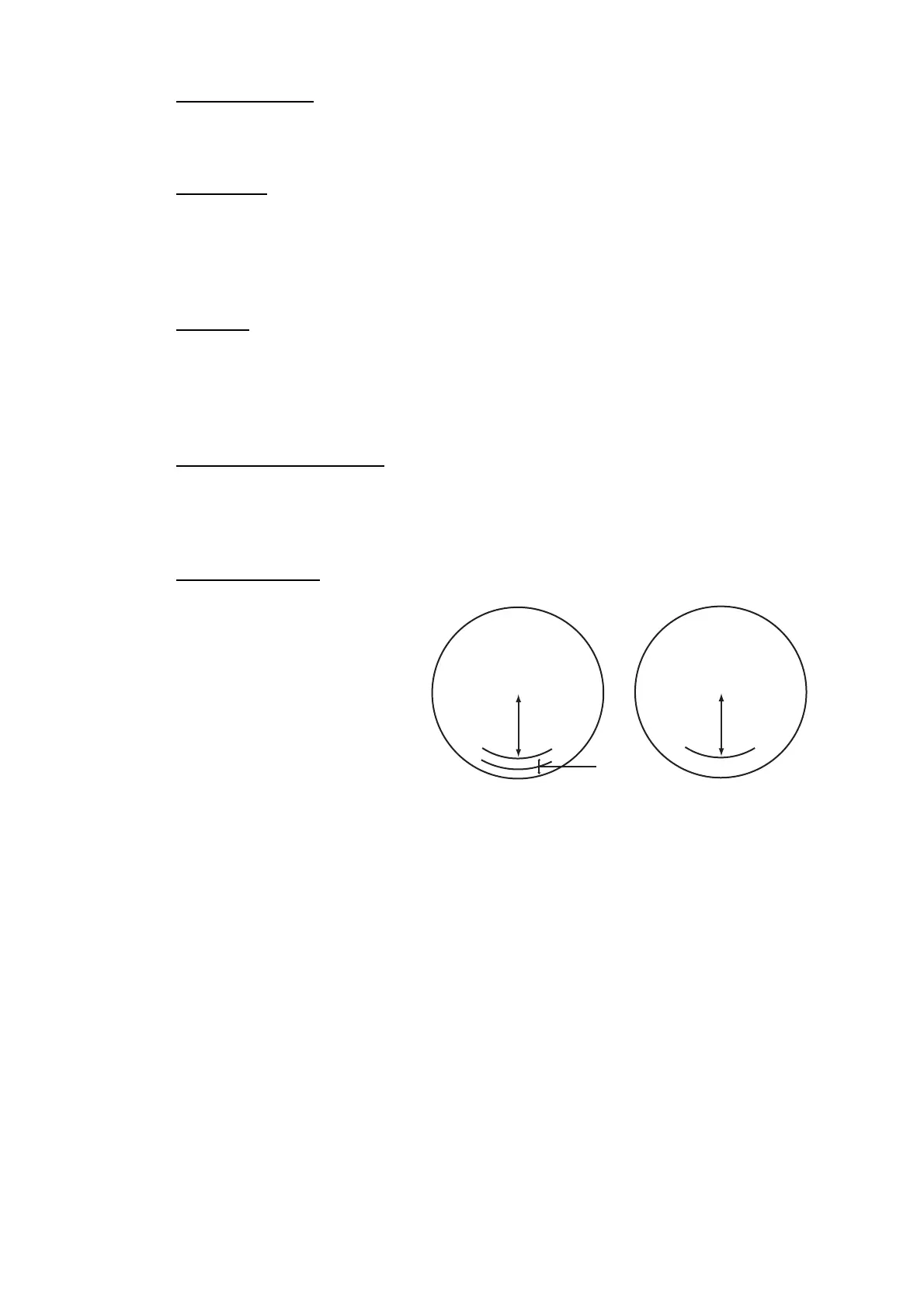
[6 PM GAIN ADJ]
Adjust the performance moni-
tor, automatically or manually,
whenever the magnetron is re-
placed. For automatic adjust-
ment, no further operation is
required; close the menu at the
completion of the adjustment.
For manual do as follows to ad-
just the performance monitor
gain.
1. Adjust the GAIN control so that a slight amount of white noise appears on the
screen. Arcs for the performance monitor appear on the screen.
2. Select [PM GAIN ADJ] then spin the scrollwheel so that the outer arc faintly ap-
pears. The setting range is 0 to 255. Wait at least eight scans then right click to
set.
Note: Turn off a stern blind sector before adjusting the PM gain, to display the
echo from the performance monitor properly.
• Range: 24 NM
• Pulse Length: Long
• A/C SEA: OFF (turn off manually)
• A/C RAIN: OFF (turn off manually)
• Echo Averaging (EAV): OFF
•
Video Contrast: 2-B
Approx.
0.6 nm
(10 dB)
13.5 -
18.5 nm
13.5 -
18.5 nm



 To Next Page