3. SETTING AND ADJUSTMENTS
3-9
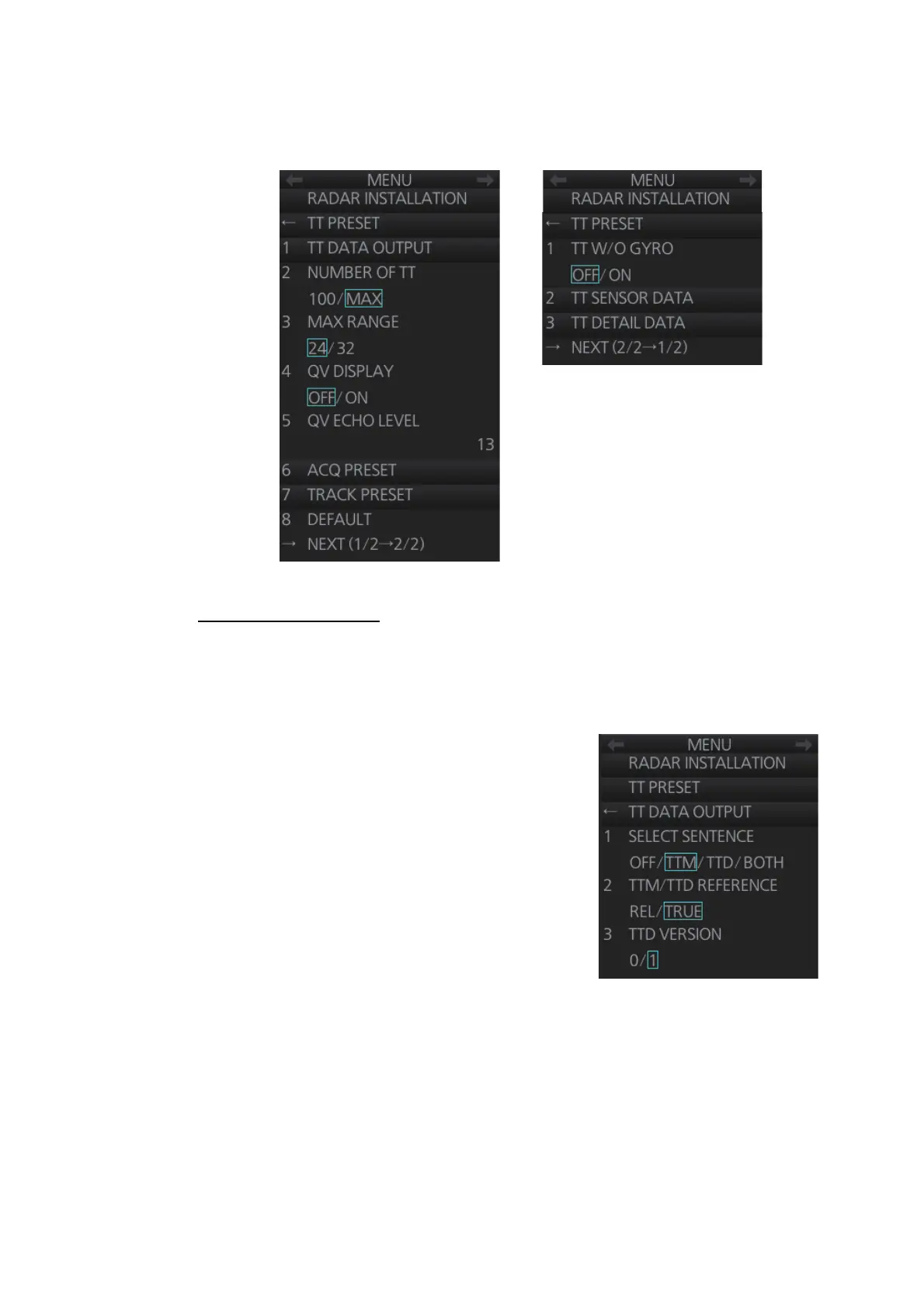
3.6.4 [TT PRESET] menu
Open the main menu then select [9 RADAR INSTALLATION] [4 TT PRESET] to
open the [TT PRESET] menu.
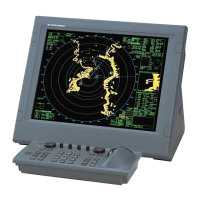
[1 TT DATA OUTPUT]
Show the [TT DATA OUTPUT] menu.
Note: Confirm the data input configuration for the equipment which will receive the TT
(target tracking) sentence BEFORE setting this menu.
• [SELECT SENTENCE]: Select the sentence
that is output the TT target data.
[OFF]: For no output of the TT data.
[TTM]: For connected equipment which can re-
ceive the TTM sentence.
[TTD]: For connected equipment which can re-
ceive the TTD sentence.
[BOTH]: For connected equipment which can
receive both TTM and TTD sentences.
Note: This setting is valid for LAN connection
only. For serial connection, the output sentence
is determined on the [Common Installation Set-
ting] menu, this setting is invalid. See WEB
SETTING MANUAL (E42-01204) for details. For both LAN and serial connections,
set the baudrate to 38,400 bps.
• [TTM/TTD REFERENCE]: Set the output format for tracked target's bearing.
[REL] (Target bearing from own ship, degree relative, target course, degree rela-
tive), or [TRUE] (Target bearing, degree true, target course, degree true).
• [TTD VERSION]: For TTD sentence, select the required protocol version for the
connected equipment for TTD output ([0]: ver. 0 only, [1]: ver. 0 and ver. 1).
Note: If the connected equipment is FMD-3x00, select [1].
Page 1
Page 2



 To Next Page