3. SETTING AND ADJUSTMENTS
3-11
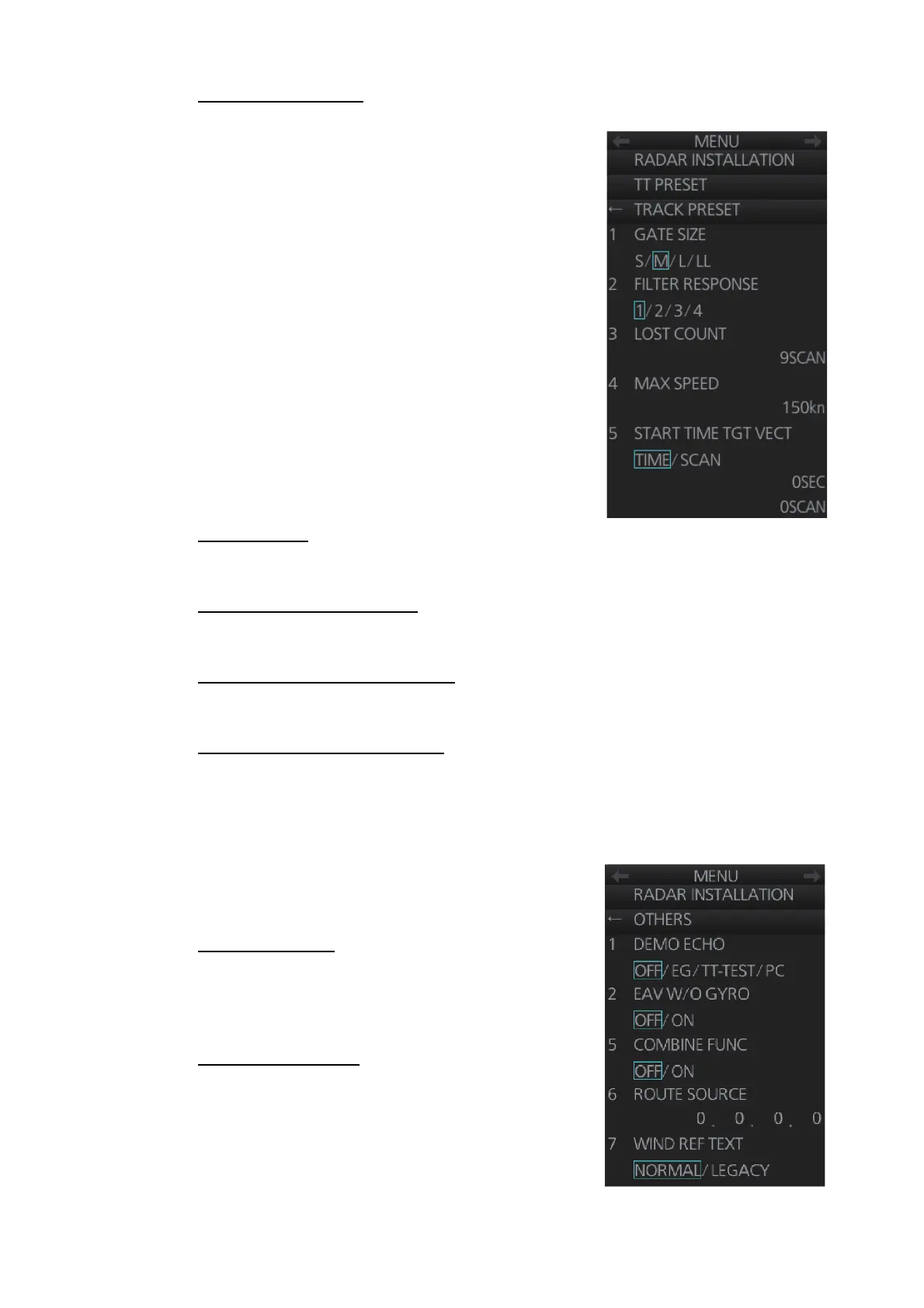
[7 TRACK PRESET]
• [GATE SIZE]: Set the gate size among [S], [M], [L]
or [LL].
• [FILTER RESPONSE]: Set the filter response
function. The setting range is 1 to 4.
1: Filter response is improved.
4: Filter stability is improved.
• [LOST COUNT]: Set the number of scans to allow
before a target is declared a lost target. The set-
ting range is 1 to 20.
• [MAX SPEED]: No use.
• [START TIME TGT VECT]: Set the number of
seconds or number of scans to wait before show-
ing the vector for a newly acquired target. Select
[TIME] or [SCAN] then enter value.
[8 DEFAULT]
Restore the default settings for the [RADAR INSTALLATION] menu settings.
[1 TT W/O GYRO] (page 2)
TT can be used without a gyro. Select [ON] to use TT without a gyro.
[2 TT SENSOR DATA] (page 2)
Show debug-use TT sensor data.
[1 TT DETAIL DATA] (page 2)
Display TT detailed data.
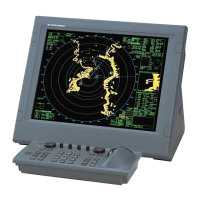
3.6.5 [OTHERS] menu
Open the main menu then select [9 RADAR IN-
STALLATION] [5 OTHERS] to open the [OTH-
ERS] menu.
[1 DEMO ECHO]
Select the type of demonstration echo to use. [EG]
(Echo Generator), [TT-TEST] or [PC]. Select [OFF]
to deactivate the demonstration echo feature.
[2 EAV W/O GYRO]
The each averaging feature can be used without a
gyrocompass. Select [ON] to use the feature without
a gyrocompass.



 To Next Page