1. OPERATION
14
3. Use S or T to select an alarm and press
the [ENTER] key.
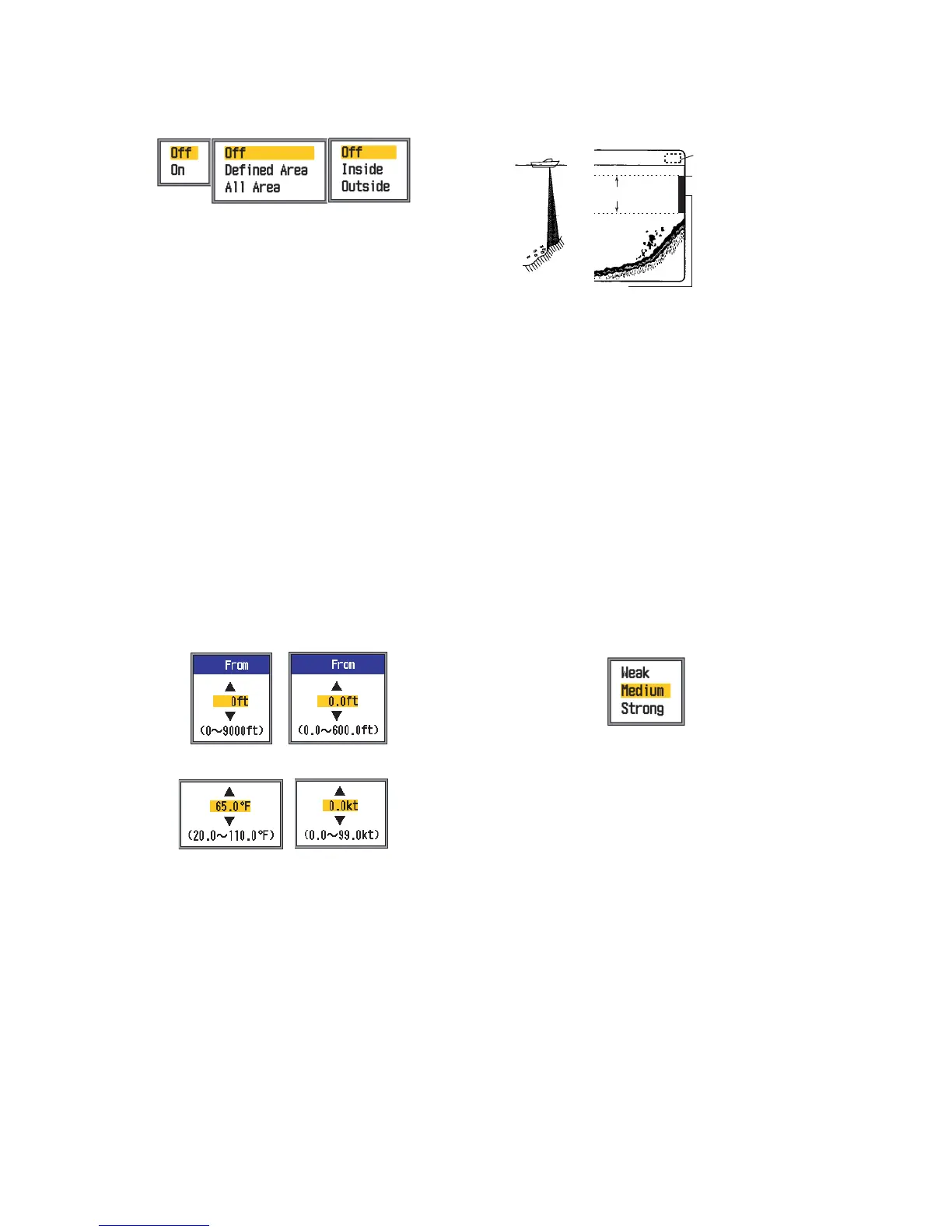
4. Use S or T to select alarm type:
On: Bottom and Fish (B/L) alarms
Defined Area/All Area: Fish (Normal)
alarm
Inside/Outside: Temperature, Speed
and Arrival alarms
Inside: Alarm generated when speed,
water temperature or arrival distance is
within the range set.
Outside: Alarm generated when speed,
water temperature or arrival distance is
outside the range set.
5. Press the [ENTER] key. For "All Area"
Fish (Normal) alarm, go to step 13. For
Arrival alarm, go to step 10.
6. Use S or T to select From.
7. Press the [ENTER] key.
8. Use T to set starting depth, temperature
or speed as appropriate and press the
[ENTER] key. For Bottom and Fish (Nor-
mal), the starting depth is the range from
the transducer, and for Fish (B/L), from
the bottom.
9. Press the [ENTER] key.
10. Use T to select Span (or Radius in case
of Arrival) and press the [ENTER] key.
11. Use S or T to set the range of depth,
temperature, speed or distance as appro-
priate. To shorten the alarm range marker
use S and to lengthen it use T.
12. For the bottom alarm, temperature alarm,
speed alarm or arrival alarm, press the
[ENTER] key to finish, and then go to step
16. For a fish alarm, press the [ENTER]
key and go to step 13.
13. Use S or T to select Fish Level and
press the [ENTER] key.
14. Use S or T to select the echo strength
level which will trigger the fish alarm.
Weak: Light-blue or stronger echoes
Medium: Yellow or stronger echoes
Strong: Red and reddish-brown echoes
15. Press the [ENTER] key.
16. Press the [MENU/ESC] key twice to close
the menu.
Note: To disable an alarm, select Off at step
4 in the above procedure.
Bottom
and
Fish (B/L)
alarms
Fish (Normal)
alarm
Temperature,
Speed and
Arrival alarms
Bottom alarm/
Fish (Normal) alarm
Fish (B/L) alarm
Temperature alarm
Speed alarm
Alarm range marker
- Bottom alarm, Fish alarm (normal): Right
- Fish alarm (B/L): Center
Alarm icon*
Alarm range
Starting
point


 To Next Page