1
1. OPERATION
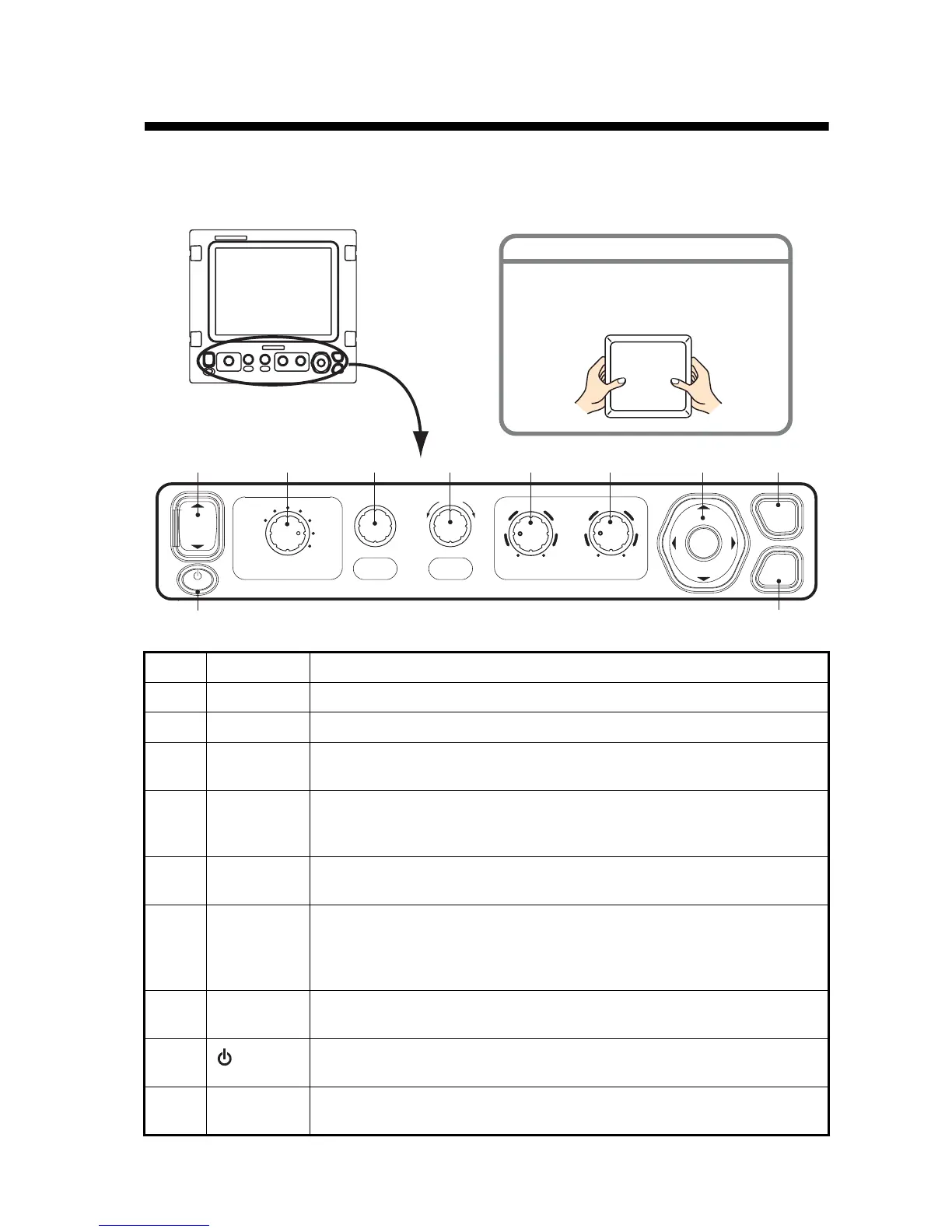
1.1 Control Description
No. Control Function
1 S SHIFT T Shift the display range. (Inoperative when auto range or auto shift is active.)
2 MODE Select display mode.
3RANGEPush: Show the auto range setting window.
Rotate: Manually select range. (Inoperative when auto range is active.)
4 FUNCTION Long push: Display function key setting window.
Momentary push: Display window programmed.
Rotate: Select item in setting window.
5, 6 GAIN HF,
GAIN LF
Push: Display high or low frequency auto gain setting window.
Rotate: Manually adjust gain. (Inoperative when auto gain is active.)
7ENTER
STWX
(Cursor pad)
• Select items on menus.
• Change settings
• Move VRM. (Inoperative when Nav Data is displayed.)
• Push [ENTER] key to confirm setting.
8 MENU/ESC • Open/close menu.
• Escape from current operation.
9
/BRILL
• Turn power on (momentary push) and off (long push).
• Open display brilliance setting window, with power turned on.
10 MARK Record position of an important echo as a waypoint. (Output latitude and
longitude position to a chart plotter if connected.)
ENTER
BRILL
While pressing the center of the cover
with your thumbs as illustrated, pull the
cover towards you.
HOW TO REMOVE THE HARD COVER
RANGE
FUNCTION
MODE
DUAL
HF
LF
ZOOM
USER-2
USER-1
ZOOM
SHIFT
LF HFGAIN
5
10
0
5
10
0
PUSH AUTO
MENU
MARK
ESC
123 45 76
9
8
10
PUSH AUTO PUSH



 To Next Page