3. MAINTENANCE & TROUBLESHOOTING
35
3.9 LCD Test
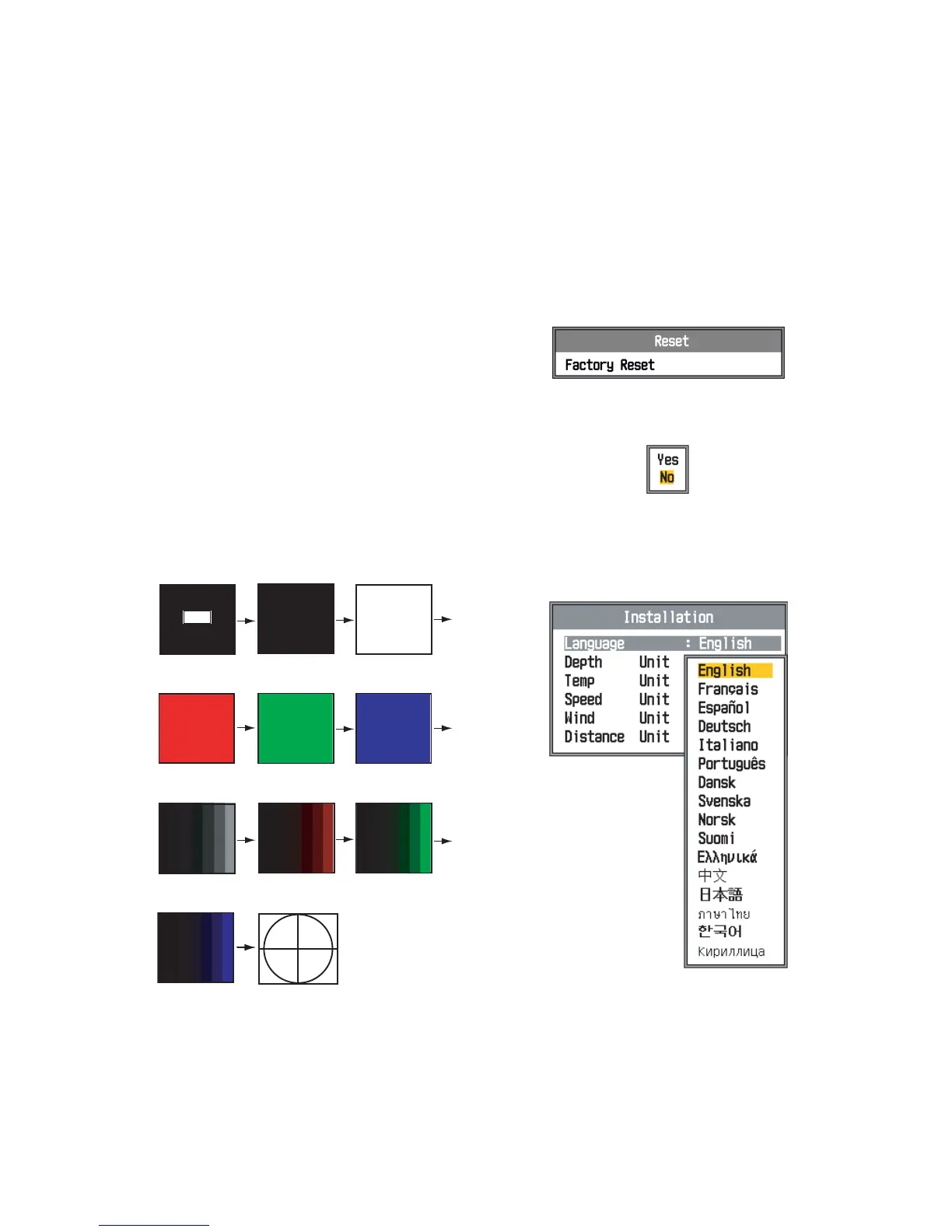
The LCD test checks for proper display of all
colors. To stop the test at any time, press the
[MENU/ESC] key.
1. Press the [MENU/ESC] key to open the
menu.
2. Press S or T to select Tests to show the
Tests menu and press the [ENTER] key.
3. Press S or T to select LCD Test and
press the [ENTER] key.
4. Press any key except the [MENU/ESC]
key to start the test.
5. Press any key except the [MENU/ESC]
key to change the screen, in the se-
quence shown below. After the cross-
hatch screen is displayed, the Tests
menu reappears.
6. Press the [MENU/ESC] key twice to close
the menu.
3.10 Restoring Default
Settings
You may wish to restore default settings to
start afresh.
1. Press the [MENU/ESC] key to open the
menu.
2. Press S or T to select Reset at the bot-
tom of the menu bar and press the [EN-
TER] key to show the Reset menu.
3. Press the [ENTER] key again. The confir-
mation window appears.
4. Press S to select Yes and then press the
[ENTER] key. A beep sounds, the equip-
ment restarts, and then the installation
menu appears.
5. If necessary, select your language and
units of measurement. Press the [MENU/
ESC] key twice to finish.
Black
Operation
description
White
Green
Blue
[MENU/ESC] : Quit
Other Keys : Next
Seven tones
in black
Seven tones
in red
Seven tones
in green
Seven tones
in blue
Red
Crosshatch


 To Next Page