2. OPERATION
2-9
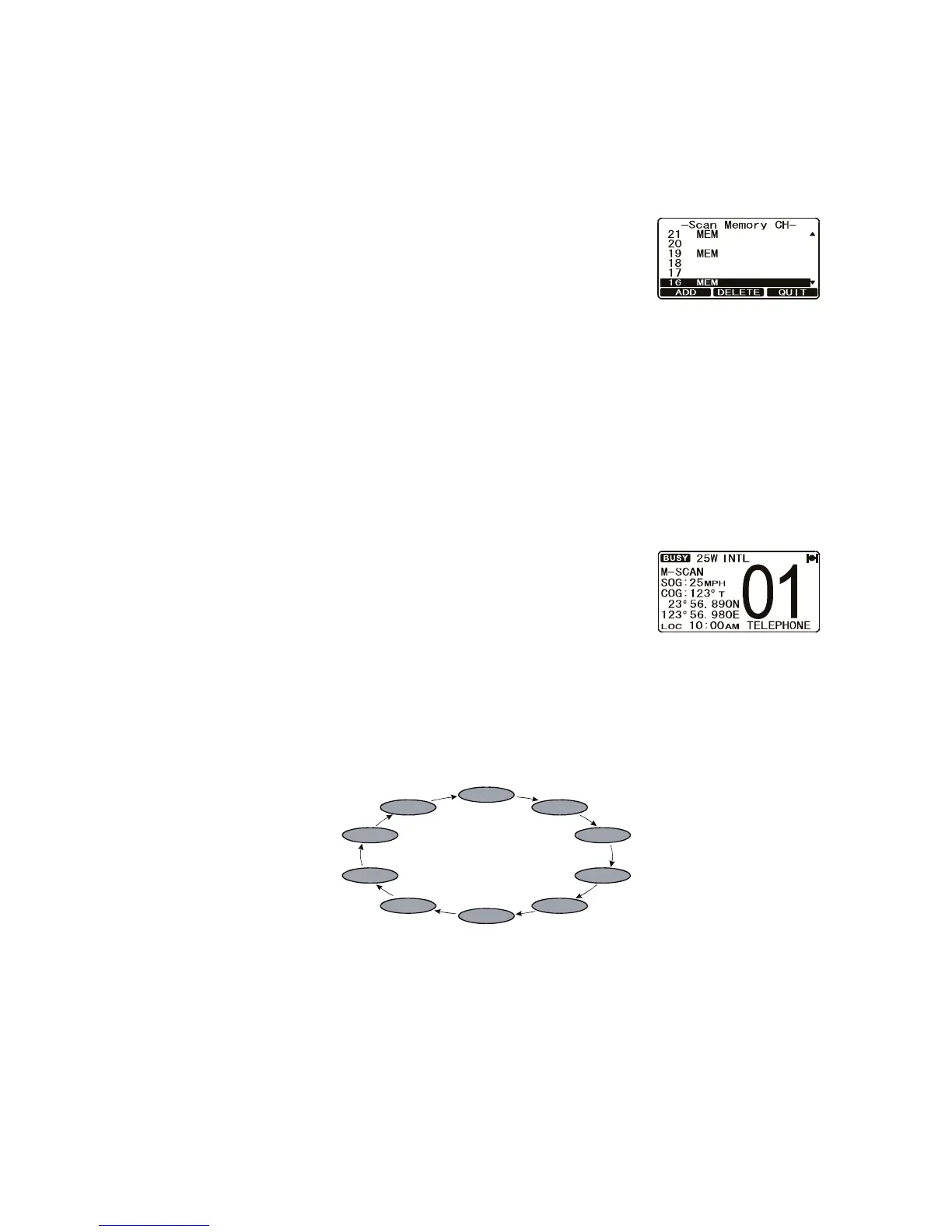
2.10.2 How to program the scan memory
1. Press and hold down the CALL/MENU key until the [Setup Menu] appears.
2. Rotate the CH knob to select [CH Function Setup].
3. Press the [SELECT] soft key, then rotate the CH knob to select [Scan Memory CH]
then press the [SELECT] soft key.
4. Rotate the CH knob to select a desired channel to be
scanned, then press the [ADD] soft key. [MEM] icon
appears on the display, which indicates the channel
has been programmed to the scan channel.
5. Repeat step 4 for all the desired channels to be
scanned.
6. To delete a channel from the list, select the channel then press the [DELETE] soft
key. "MEM" disappears from the display.
7. When you have completed your selection, press the [QUIT] soft key several times
to return to radio operation.
Note: You may add/delete the current channel to/from the scan list by pressing the
FUNC key followed by the 2/MEM key.
2.10.3 Memory scanning (M-SCAN)
1. Adjust the SQL knob until background noise just dis-
appears.
2. Press the FUNC key followed by the 3/SCAN key. "M-
SCAN" appears on the display. Scanning starts from
the lowest to the highest programmed channels and
preset channels (described in the next section) and stops on a channel when a
transmission is received.
3. The channel number blinks during scanning.
4. To stop scanning, press the 16/9 or CLR/WX key, or the FUNC key followed by
the 3/SCAN key.
CH12
CH09
CH01
CH15
CH18
CH22
CH61
CH72
CH68
CH88



 To Next Page