4. GENERAL SETUP
4-2
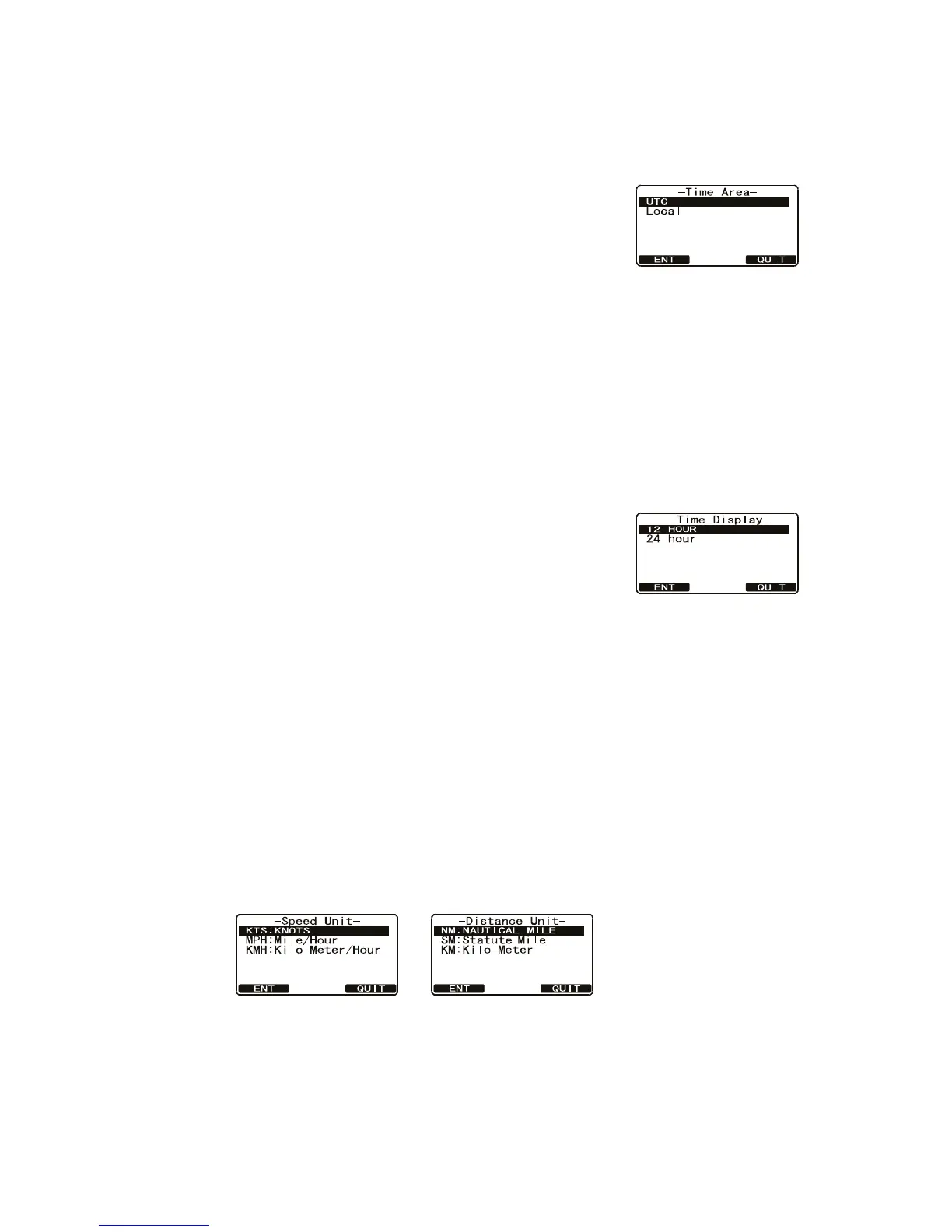
4.3 Time Area
Time can be shown in UTC time or local time with the offset.
1. Press and hold down the CALL/MENU key until the [Setup Menu] appears.
2. Select [General Setup] with the CH knob then press
the [SELECT] soft key.
3. Rotate the CH knob to select [Time Area] then press
the [SELECT] soft key.
4. Rotate the CH knob to select [UTC] or [Local] then
press the [ENT] soft key to store the selected setting.
5. Press the [QUIT] soft key several times to return to radio operation.
4.4 Time Notation
You can show time in 12-hour or 24-hour format.
1. Press and hold down the CALL/MENU key until the [Setup Menu] appears.
2. Select [General Setup] with the CH knob then press the [SELECT] soft key.
3. Rotate the CH knob to select [Time Display] then press
the [SELECT] soft key.
4. Rotate the CH knob to select [12 Hour] or [24 Hour]
then press the [ENT] soft key to store the selected set-
ting.
5. Press the [QUIT] soft key several times to return to radio operation.
4.5 Units of Measurement
Select the unit of measurement for speed and distance.
Note: A GPS receiver must be connected to the radio to show speed and distance.
1. Press and hold down the CALL/MENU key until the [Setup Menu] appears.
2. Select [General Setup] with the CH knob then press the [SELECT] soft key.
3. Rotate the CH knob to select [Unit of Measure] then press the [SELECT] soft key.
4. Rotate the CH knob to select [Speed] or [Distance] then press the [SELECT] soft
key.
5. Rotate the CH knob to select a unit. Available selections are [KTS (Knots)], [MPH
(Mile/Hour)] or [KMH (Kilo-Meter/Hour)] for speed, and [NH (Nautical Mile)], [SM
(Statute Mile)] or [KM (Kilo-Meter)] for distance.
6. Press the [ENT] soft key to store the selected setting.
7. Press the [QUIT] soft key several times to return to radio operation.



 To Next Page