3. DIGITAL SELECTIVE CALLING
3-21
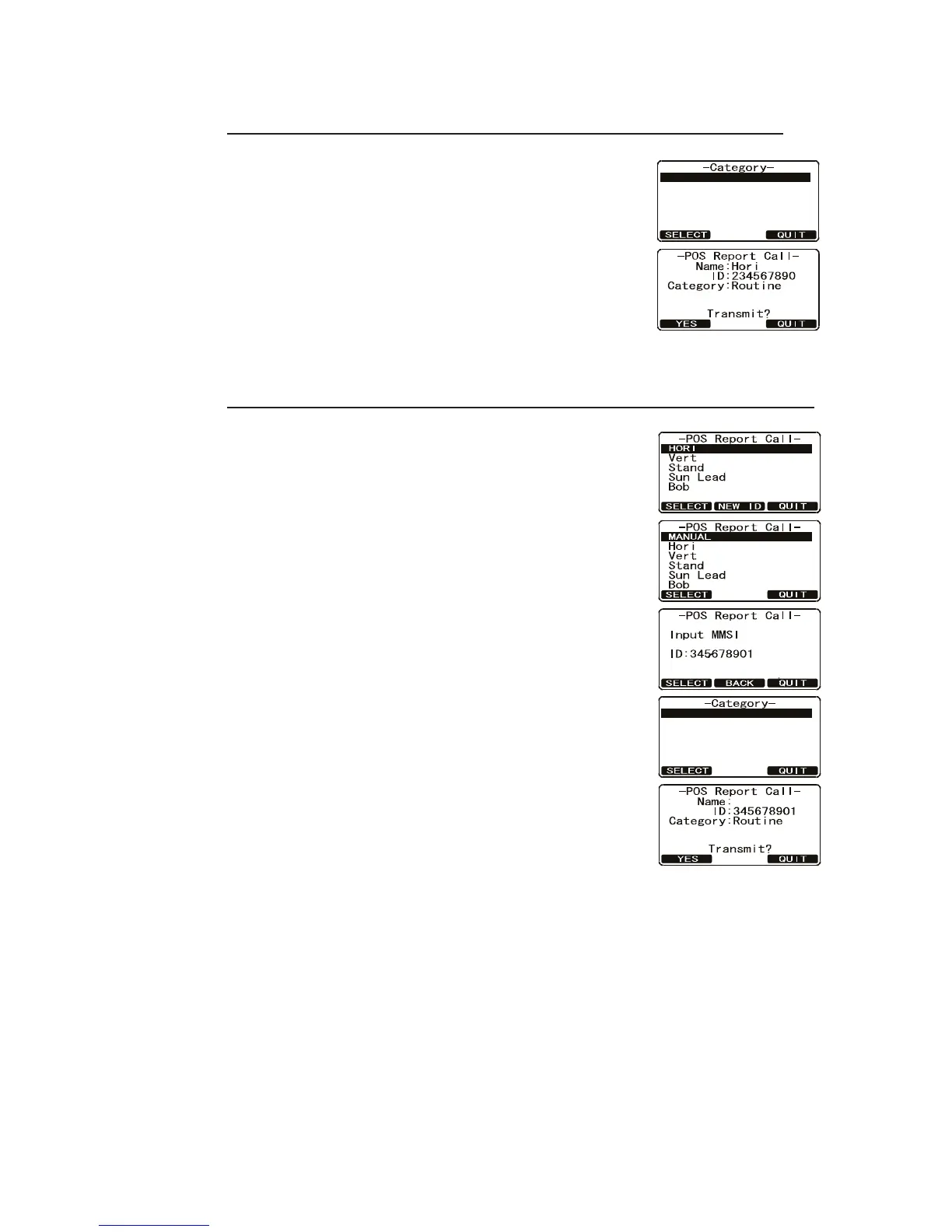
3.9.2 How to transmit a Position Report call
Transmit your position to vessel registered in the Individual Directory
1. Press the CALL/MENU key to show the [DSC Menu].
2. Rotate the CH knob to select [POS Report] then press
the [SELECT] soft key.
3. Rotate the CH knob to select a name in the directory
then press the [SELECT] soft key. The Category
screen appears. Rotate the CH knob to select a cate-
gory then press the [SELECT] soft key.
4. Press the [YES] soft key to transmit your position to
the selected vessel.
5. Press the [QUIT] soft key to return to radio operation.
Transmit your position to vessel not registered in the Individual Directory
1. Press the CALL/MENU key to show the [DSC Menu].
2. Rotate the CH knob to select [POS Report] then press
the [SELECT] soft key.
3. Press the [New ID] soft key.
4. Select [Manual] with the CH knob then press the [SE-
LECT] soft key.
5. Enter the MMSI number that you want to contact. If
you enter a wrong digit press the [BACK] soft key until
the wrong number is selected, then press the correct
numeric key.
6. Press and hold the [SELECT] soft key. The Category
screen appears. Rotate the CH knob to select a cate-
gory then press the [SELECT] soft key.
7. Press the [YES] soft key to transmit your position to
the selected vessel.
8. Press the [QUIT] key to return to radio operation.
ROUTINE
Safety
ROUTINE
Safety



 To Next Page