3. DIGITAL SELECTIVE CALLING
3-13
3.6 DSC Log
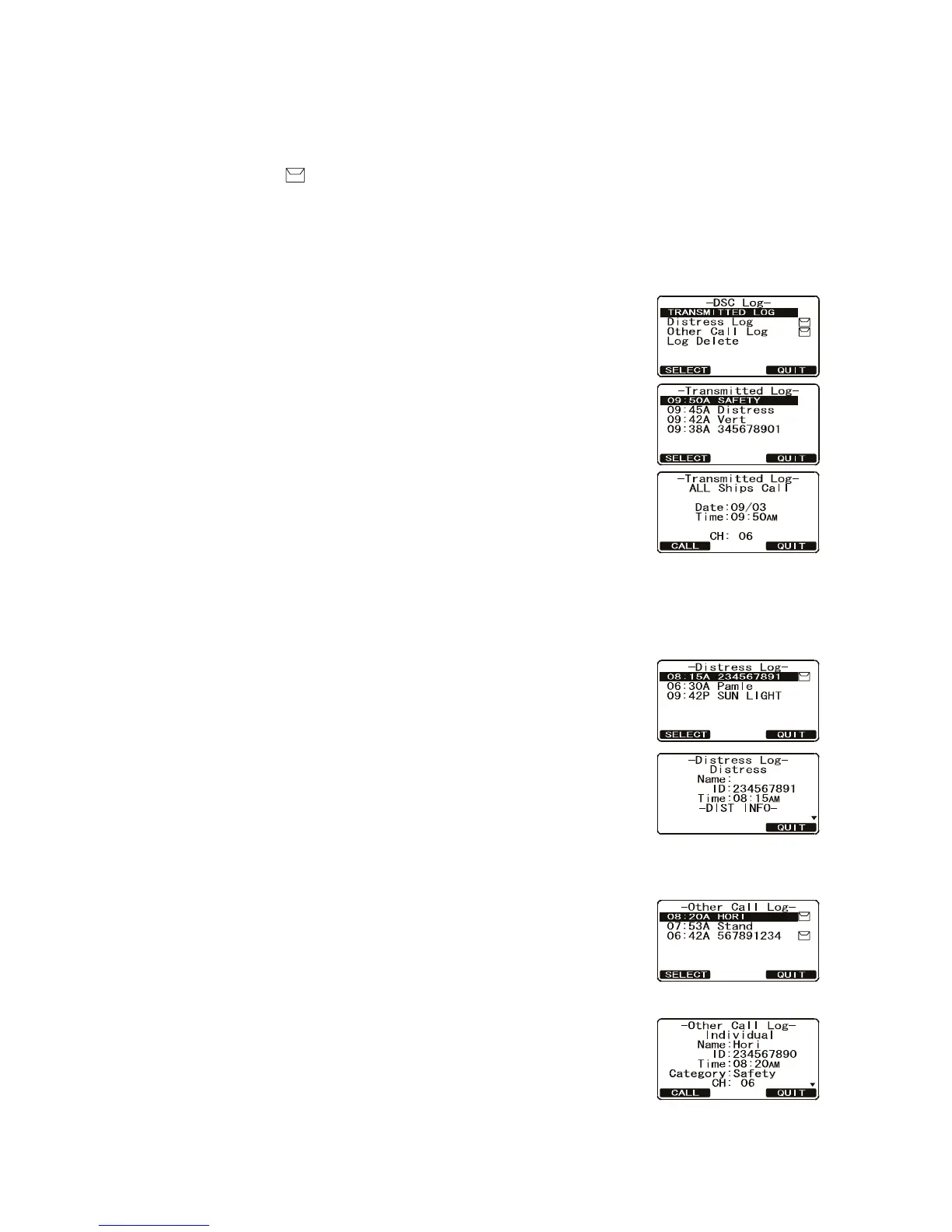
The FM-4721 logs transmitted calls, received distress calls, and Individual calls. The
DSC log feature is similar to an answering machine where calls are recorded for re-
view. A icon appears in the log to indicate unread received call. The FM-4721 can
store the latest 24 transmitted calls, the latest 27 distress calls, and the latest 64 other
calls ([Individual], [Group], [All Ship], etc.).
3.6.1 Transmitted call log
The transmitted call log stores all transmitted DSC calls.
Calls can be made from the log.
1. Press the CALL/MENU key to show the [DSC Menu].
2. Rotate the CH knob to select [DSC Log] menu then
press the [SELECT] soft key.
3. Rotate the CH knob to select [Transmitted Log] then
press the [SELECT] soft key.
4. Rotate the CH knob to select the station (name or
MMSI number) then press the [SELECT] soft key to re-
view details for the selected station.
5. Press the [CALL] soft key to retransmit the call, if de-
sired, or the [QUIT] soft key to close the log.
3.6.2 Distress log
1. Press the CALL/MENU key to show the [DSC Menu].
2. Rotate the CH knob to select [DSC Log] menu then
press the [SELECT] soft key.
3. Rotate the CH knob to select [Distress Log] then press
the [SELECT] soft key.
4. Rotate the CH knob to select the station (name or
MMSI number) you want to review the distress call
then press the [SELECT] soft key to show call details.
5. Press the [QUIT] soft key to close the log.
3.6.3 Other call log
1. Press the CALL/MENU key to show the [DSC Menu].
2. Rotate the CH knob to select [DSC Log] menu then
press the [SELECT] soft key.
3. Rotate the CH knob to select [Other Call Log] then
press the [SELECT] soft key.
4. Rotate the CH knob to select the station (name or
MMSI number) you want to review and/or call back
then press the [SELECT] soft key.
5. Press the [CALL] soft key to call back, if desired, or the
[QUIT] soft key to close the log.
tat s A e
tat s A e



 To Next Page