5. CHANNEL FUNCTION SETUP
5-2
5.3 Scan Type
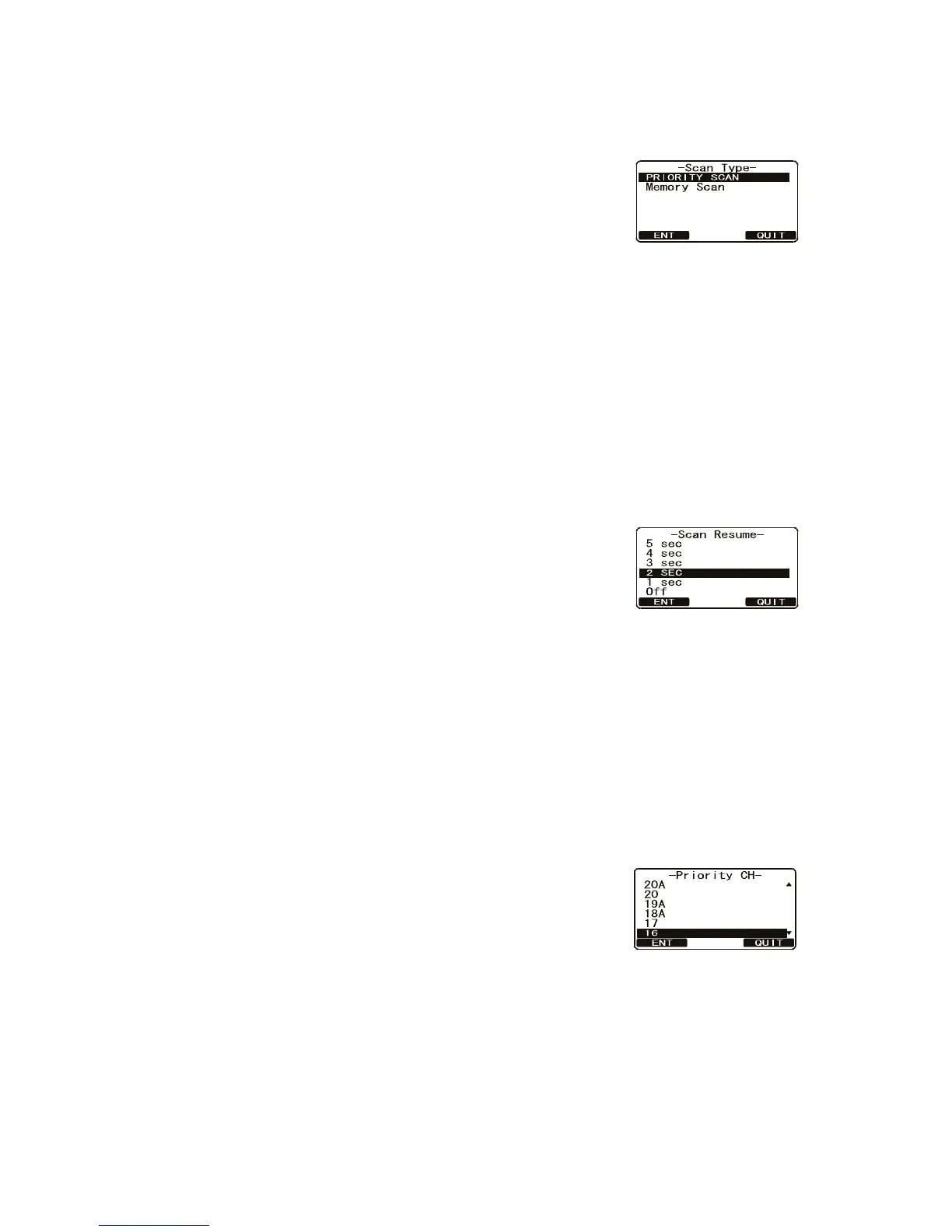
Select the scan mode between [Memory Scan] and [Priority Scan].
1. Press and hold down the CALL/MENU key until the
[Setup Menu] appears.
2. Rotate the CH knob to select [CH Function Setup] then
press the [SELECT] soft key.
3. Select [Scan Type] with the CH knob then press the
[SELECT] soft key.
4. Rotate the CH knob to select [Priority Scan] or [Memory Scan] then press the
[ENT] soft key to store the selected setting.
5. Press the [QUIT] soft key several times to return to radio operation.
5.4 Scan Resume
Set the time the FM-4721 waits after a transmission ends until the radio resumes
channel scanning.
1. Press and hold down the CALL/MENU key until the [Setup Menu] appears.
2. Rotate the CH knob to select [CH Function Setup] then
press the [SELECT] soft key.
3. Select [Scan Resume] with the CH knob then press
the [SELECT] soft key.
4. Rotate the CH knob to select the desired resume time
then press the [ENT] soft key to store the selected setting. [OFF] resumes scan-
ning after the other station stops transmitting (carrier drops).
5. Press the [QUIT] soft key several times to return to radio operation.
5.5 Priority CH
The default priority channel in channel scan is CH16. To select a different channel, do
the following:
1. Press and hold down the CALL/MENU key until the [Setup Menu] appears.
2. Rotate the CH knob to select [CH Function Setup] then
press the [SELECT] soft key.
3. Select [Priority CH] with the CH knob then press the
[SELECT] soft key.
4. Rotate the CH knob to select the desired channel to be
a priority CH then press the [ENT] soft key.
5. Press the [QUIT] soft key several times to return to radio operation.



 To Next Page