3. DIGITAL SELECTIVE CALLING
3-25
3.12 DSC Test
This function contacts another DSC-equipped vessel to test your DSC radio for proper
operation. To use this feature, the radio that you transmit the test call to must have the
DSC test feature.
To do the DSC test, enter the MMSI of another vessel. The MMSI can be one you have
programmed into the individual directory or a manually entered one.
3.12.1 How to make a DSC test call with MMSI in the Individual Direc-
tory
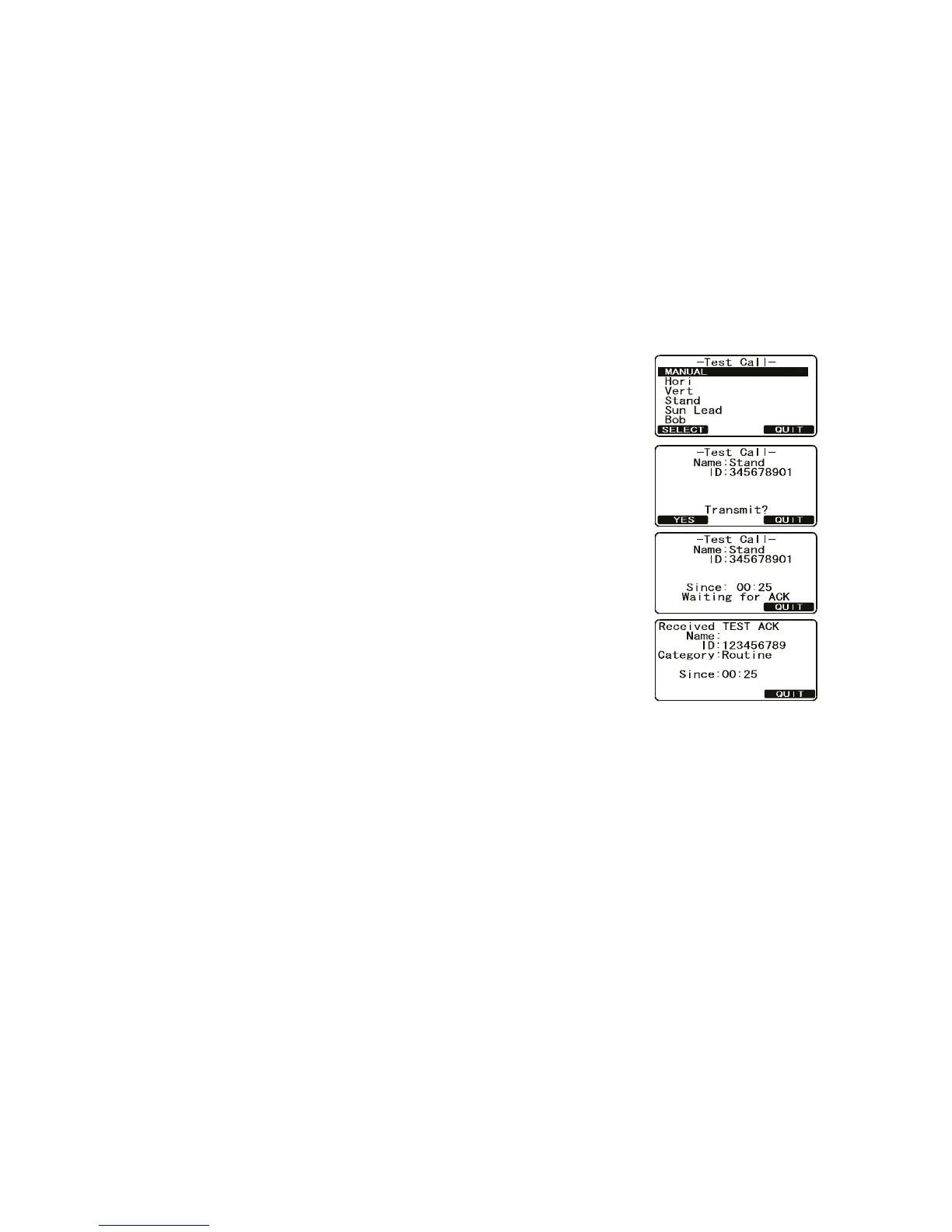
1. Press the CALL/MENU key to show the [DSC Menu].
2. Rotate the CH knob to select [DSC Test] then press
the [SELECT]soft key.
3. Rotate the CH knob to select a vessel (station) then
press the [SELECT] soft key.
4. Press the [YES] soft key to transmit the DSC test call
to the other vessel.
After the radio receives a test call reply from the vessel, the
radio rings and shows the “TEST ACK” display, which con-
firms the radio you called received the test call.
Category: Safety
Category: Safety



 To Next Page