4. ENERA SET P
4-
Example 1: If you are East of TC time, add the offset to your time.
Example 2: If you are west of TC time, subtract the offset from your time.
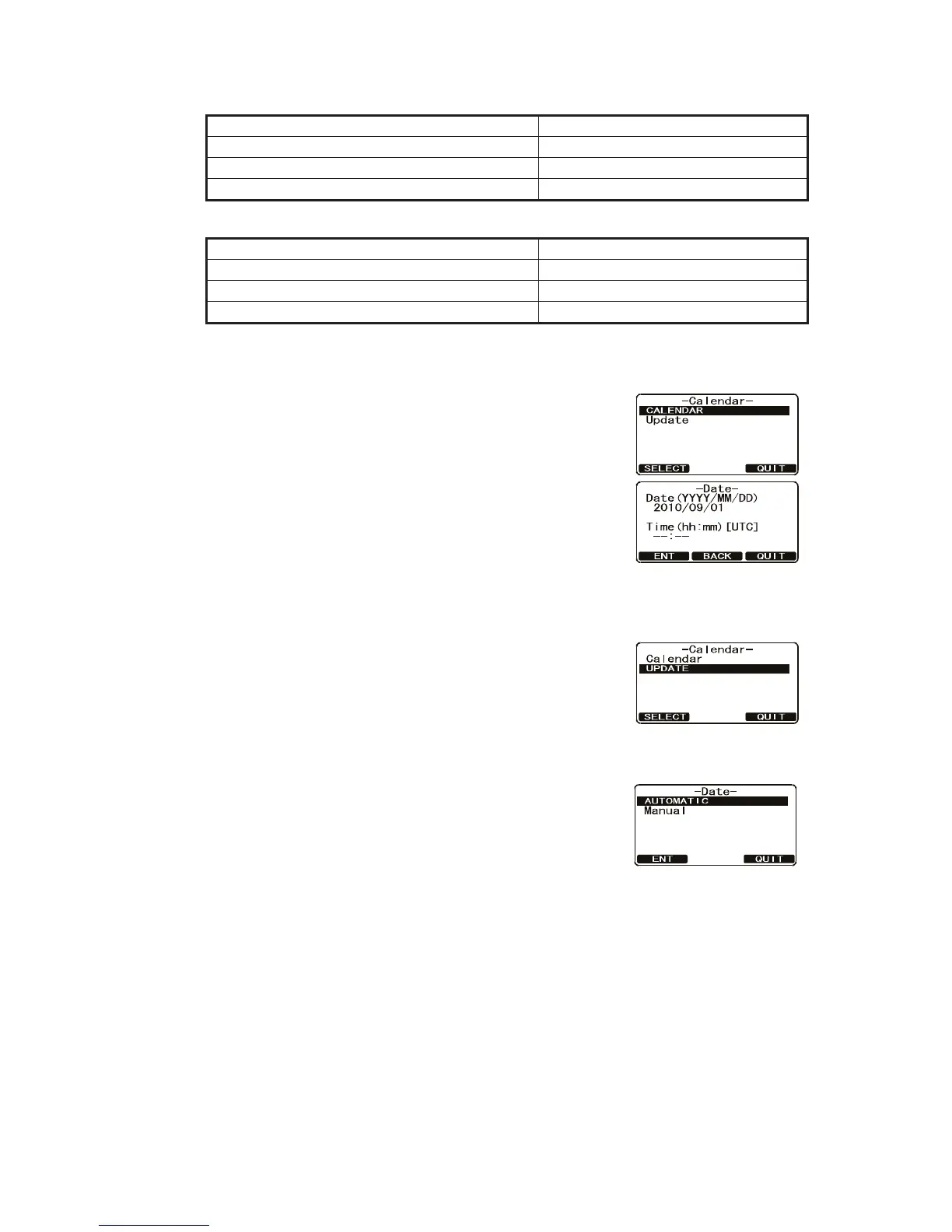
1. Press and hold down the CALL/M N key until the Setup Menu appears.
2. Select eneral Setup with the CH knob then press
the SE ECT soft key.
3. Rotate the CH knob to select Calendar then press the
SE ECT soft key. Repeat this step.
4. Enter the current date (yyyy/mm/dd) with the numeric
keys. If you made a mistake, press the AC soft key
until the wrong number is selected, then enter the cor-
rect number.
5. se the map on the previous page to find the TC time
of your position.
Note: For daylight savings time subtract one hour to the offset in your time one.
6. To enter the time, press the ENT soft key until the first
digit in the Time line is selected then enter the time
with the numeric keys.
7. Press and hold the ENT soft key to store the selected
setting.
. Select pdate with the CH knob then press the SE ECT soft key.
9. Turn the CH knob to select the method of the time ad-
ustment, Automatic or Manual then press the ENT
soft key to store the selected setting.
10. Press the IT soft key several times to return to ra-
dio operation.
Note: The calendar is backed up for approximately one week after the power is turned
off.
City Rome
Offset 1
Time (convert local time to 24 hour) 4:00PM (12hour) or 16:00 (24hour)
Calculate 24hour local - Offset (East of TC) 16:00 - 01:00 15:00
City New or
Offset -5
Time (convert local time to 24 hour) 4:00PM (12hour) or 16:00 (24hour)
Calculate 24hour local Offset ( est of TC) 16:00 05:00 21:00



 To Next Page