EasyManua.ls Logo

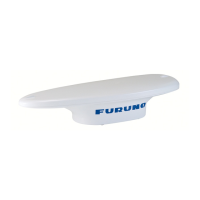
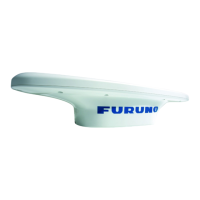
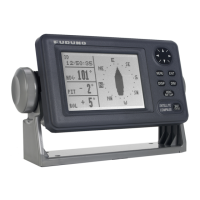
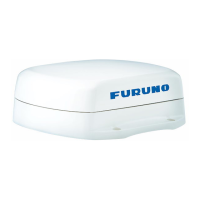
Furuno SC-70 - User Manual

Furuno SC-70
135 pages
Print Icon
To Next Page IconTo Next Page
Loading...
SC-70
SC-130
OPERATOR'S MANUAL
www.furuno.com
Model
SATELLITE COMPASS

Table of Contents

Questions and Answers

  • A
    Ashley GallegosAug 5, 2025
    How to fix Furuno Compass if it cannot turn the power on?
    • O
      oharmonAug 5, 2025
      If your Furuno Compass won't power on, several factors could be at play. First, examine the power cables for any signs of corrosion or damage, and replace them if necessary. Next, ensure the power cable connections are securely fastened. Also, check the fuses; if they're blown, contact your dealer for replacements. Finally, verify that the ship's battery voltage is within the appropriate range.
  • A
    aclarkAug 9, 2025
    What to do if Furuno SC-70 Compass shows no position fix?
    • A
      Anita SmithAug 9, 2025
      If your Furuno Compass isn't showing a position fix, start by checking that the antenna cable is firmly connected. Also, ensure there are no obstructions blocking the antenna's view of the sky, which could prevent it from seeing enough satellites. You may also try restarting the GPS by going to the main menu, selecting [SYSTEM]o[RESET SETTINGS]o[CLEAR GNSS]o[YES].
  • J
    Jennifer StephensonAug 18, 2025
    Why Furuno SC-70 heading indication changes randomly?
    • G
      Grant WestAug 18, 2025
      If the heading indication on your Furuno Compass changes randomly while anchored, or doesn't change when moving, it could be due to a poorly located antenna or the antenna being unable to obtain a positioning fix. Consider the following: 1) Ensure the antenna has a clear view of the sky. 2) Verify the installation location isn't subject to excessive vibrations. 3) Confirm the antenna isn't experiencing interference from nearby equipment. It may also be due to a faulty sensor. Check the sensor status from the [SENSOR] menu and run a [DIAGNOSTIC TEST] from the [MAINTENANCE] menu. If one or more sensors are faulty, contact your dealer for advice.
  • D
    Dawn PatelAug 22, 2025
    What to do if the display screen of Furuno SC-70 Compass is blank?
    • R
      Robert HarperAug 22, 2025
      If the display screen on your Furuno Compass is blank, the brilliance level may be too low. Try pressing the BRILL key to adjust the brilliance.
  • J
    Jacob RasmussenAug 27, 2025
    What to do if Furuno Compass shows large error between actual and indicated location?
    • K
      Kristen DeleonAug 27, 2025
      If your Furuno Compass displays a large error between the actual and indicated location, the positioning system may be incorrect or the sensor might be faulty. Check the settings for [POSN. SYSTEM] and [MODE] are correct by navigating to [GNSS] from the main menu.
  • B
    Brian GarciaAug 30, 2025
    What to do if external equipment cannot receive CANbus (NMEA2000) data from Furuno Compass SC-70/SC-130?
    • V
      Vanessa BaileyAug 30, 2025
      Turn on the CANbus network (NMEA2000) before the SC-70/SC-130. If the SC-70/SC-130 is turned on before the CANbus network (NMEA2000), reboot the SC-70/SC-130.
  • D
    David MorrisNov 12, 2025
    What to do if data output from Furuno Compass SC-70/SC-130 does not appear on external equipment?
    • B
      bryanruizNov 12, 2025
      If data from your Furuno Compass SC-70/SC-130 isn't showing up on external equipment, first check the connection between the SC-70/SC-130 and the external equipment; replace or reconnect/refasten as necessary. Next, verify the output settings by navigating to [I/O] in the main menu and selecting the output port to confirm the settings are correct. The sensor may also be faulty. Check the sensor status from the [SENSOR] menu and run a [DIAGNOSTIC TEST] from the [MAINTENANCE] menu. If one or more sensors are faulty, contact your dealer for advice. Finally, make sure the external equipment is set correctly. Check the external equipment data input settings and ensure that the output data and input data connection should set as follows: SC70/SC-130=TD-A connection to external equipment=RD-A SC7...

Summary

IMPORTANT NOTICES

General Notices and Disclaimers

General information, disclaimers, and user responsibilities regarding the manual.

Product and Battery Disposal

Guidance on proper disposal of the product and its batteries.

SAFETY INSTRUCTIONS

Installer and Operator Safety

Precautions for personnel during installation and operation of the equipment.

Understanding Safety Symbols

Explanation of hazard symbols used throughout the manual.

INSTALLATION

Antenna Unit Installation

Procedures for mounting the SC-703/SC-1303 antenna unit.

System Wiring and Initial Setup

Covers general wiring procedures and initial system configuration steps.

OPERATION

Controls and Menu Navigation

Overview of unit controls, screens, and menu operation.

Display Modes and Data Views

Explanation of GPS, THD, ROTI, and SPD display modes.

Alert Management Procedures

How to view, acknowledge, and manage system alerts and warnings.

MAINTENANCE AND TROUBLESHOOTING

Preventative Maintenance and Fuse Replacement

Routine checks for performance and procedures for fuse replacement.

Basic Troubleshooting and Diagnostics

Solutions for common problems and steps for performing diagnostic tests.

Furuno SC-70 Specifications

General IconGeneral
TypeSatellite Compass
Resolution Heading0.01°
Resolution Roll/Pitch0.1°
Update Rate10 Hz
Ingress ProtectionIP67
Power SupplyDC 10.8 to 31.2 V
Power Consumption10 W
OutputNMEA 0183
Accuracy Heading0.5°
Accuracy Roll/Pitch
Operating Temperature-15 to +55 °C

Related product manuals