EasyManua.ls Logo

Furuno SC-130 - User Manual

Furuno SC-130
135 pages
Print Icon
To Next Page IconTo Next Page
Loading...
SC-70
SC-130
OPERATOR'S MANUAL
www.furuno.com
Model
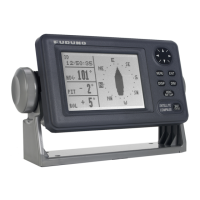
SATELLITE COMPASS

Table of Contents

Questions and Answers

  • B
    Brandi MannJul 31, 2025
    How to fix Furuno SC-130 if it cannot turn the power on?
    • G
      Gina CunninghamJul 31, 2025
      If your Furuno Compass won't power on, several factors could be at play. First, examine the power cables for any signs of corrosion or damage, and replace them if necessary. Next, ensure the power cable connections are securely fastened. Also, check the fuses; if they're blown, contact your dealer for replacements. Finally, verify that the ship's battery voltage is within the appropriate range.
  • G
    Garrett ThomasAug 4, 2025
    What to do if Furuno Compass shows no position fix?
    • Q
      qgeorgeAug 4, 2025
      If your Furuno Compass isn't showing a position fix, start by checking that the antenna cable is firmly connected. Also, ensure there are no obstructions blocking the antenna's view of the sky, which could prevent it from seeing enough satellites. You may also try restarting the GPS by going to the main menu, selecting [SYSTEM]o[RESET SETTINGS]o[CLEAR GNSS]o[YES].
  • A
    Amber FuentesAug 13, 2025
    Why Furuno Compass heading indication changes randomly?
    • T
      thornAug 13, 2025
      If the heading indication on your Furuno Compass changes randomly while anchored, or doesn't change when moving, it could be due to a poorly located antenna or the antenna being unable to obtain a positioning fix. Consider the following: 1) Ensure the antenna has a clear view of the sky. 2) Verify the installation location isn't subject to excessive vibrations. 3) Confirm the antenna isn't experiencing interference from nearby equipment. It may also be due to a faulty sensor. Check the sensor status from the [SENSOR] menu and run a [DIAGNOSTIC TEST] from the [MAINTENANCE] menu. If one or more sensors are faulty, contact your dealer for advice.
  • B
    bettyrussoAug 18, 2025
    What to do if the display screen of Furuno SC-130 Compass is blank?
    • J
      Jennifer EverettAug 18, 2025
      If the display screen on your Furuno Compass is blank, the brilliance level may be too low. Try pressing the BRILL key to adjust the brilliance.
  • J
    joshuaperkinsAug 21, 2025
    What to do if Furuno Compass shows large error between actual and indicated location?
    • M
      Mariah OlsonAug 22, 2025
      If your Furuno Compass displays a large error between the actual and indicated location, the positioning system may be incorrect or the sensor might be faulty. Check the settings for [POSN. SYSTEM] and [MODE] are correct by navigating to [GNSS] from the main menu.
  • A
    Alfred BennettAug 26, 2025
    What to do if external equipment cannot receive CANbus (NMEA2000) data from Furuno Compass SC-70/SC-130?
    • T
      Thomas IngramAug 26, 2025
      Turn on the CANbus network (NMEA2000) before the SC-70/SC-130. If the SC-70/SC-130 is turned on before the CANbus network (NMEA2000), reboot the SC-70/SC-130.
  • C
    Christina AshleyNov 8, 2025
    What to do if data output from Furuno Compass SC-70/SC-130 does not appear on external equipment?
    • D
      David LawrenceNov 8, 2025
      If data from your Furuno Compass SC-70/SC-130 isn't showing up on external equipment, first check the connection between the SC-70/SC-130 and the external equipment; replace or reconnect/refasten as necessary. Next, verify the output settings by navigating to [I/O] in the main menu and selecting the output port to confirm the settings are correct. The sensor may also be faulty. Check the sensor status from the [SENSOR] menu and run a [DIAGNOSTIC TEST] from the [MAINTENANCE] menu. If one or more sensors are faulty, contact your dealer for advice. Finally, make sure the external equipment is set correctly. Check the external equipment data input settings and ensure that the output data and input data connection should set as follows: SC70/SC-130=TD-A connection to external equipment=RD-A SC7...

Summary

IMPORTANT NOTICES

General Notices

General information and warnings about the manual and equipment.

Product Disposal Instructions

Instructions for proper disposal of the product according to regulations.

Used Battery Disposal

Guidelines for disposing of used batteries safely and environmentally.

SAFETY INSTRUCTIONS

Installer Safety Guidelines

Critical safety guidelines for personnel installing the equipment.

Operator Safety Precautions

Essential safety precautions for operating the equipment.

FOREWORD

Product Features Overview

Key features and capabilities of the SC-70/SC-130 satellite compass.

1. INSTALLATION

Antenna Unit Installation Considerations

Key factors to consider when installing the antenna units for optimal performance.

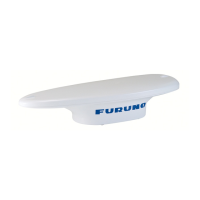
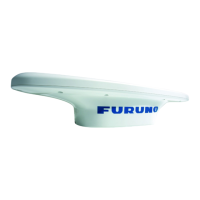
SC-703 Antenna Unit Installation

Step-by-step guide for installing the SC-703 antenna unit.

SC-1303 Antenna Unit Installation

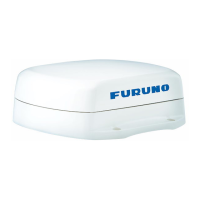
Step-by-step guide for installing the SC-1303 antenna unit.

Junction Box SC-701 Installation

Guidelines and steps for mounting the SC-701 junction box.

Display Unit SC-702 Installation

Procedures for installing the SC-702 display unit in various configurations.

Wiring and Cable Management

General wiring diagram and information for connecting system components.

Initial System Setup and Configuration

Procedures for initial setup and configuration of the SC-70/SC-130 system.

2. OPERATION

Controls and Key Functions

Explanation of the SC-702 display unit keys and their functions.

Powering the System On;Off

Procedure for powering the system on and off via the junction box.

GPS Display Mode Details

Details on the GPS display mode, including coordinate information.

THD Display Mode Information

Overview of the THD display mode for heading data output.

SPD Display Mode (Non-IMO Only)

Information on the SPD display mode for speed and distance, available for non-IMO vessels.

System Alerts and Notifications

General information about system alerts, their indicators, and priority levels.

GNSS Setup and Configuration

Accessing and configuring GNSS-related settings for accurate positioning.

DGPS;SBAS Setup Procedures

Configuring DGPS beacons or SBAS for enhanced position fixing accuracy.

I;O Menu Configuration

Configuring I/O settings for data output to external equipment.

3. MAINTENANCE, TROUBLESHOOTING

Preventative Maintenance Schedule

Routine maintenance checks to ensure optimal system performance.

Fuse Replacement Procedure

Instructions for safely replacing fuses in the junction box.

Basic Troubleshooting Guide

Common troubleshooting steps for resolving operational issues.

Performing Diagnostic Tests

Performing various diagnostic tests to identify and resolve problems.

APPENDIX 2 ALERT LIST

GPS Mode Alerts and Remedies

List of alerts specific to the GPS display mode and their remedies.

THD Mode Alerts and Remedies

List of alerts specific to the THD display mode and their remedies.

ROTI Mode Alerts and Remedies

List of alerts specific to the ROTI display mode and their remedies.

SPD Mode Alerts and Remedies

List of alerts specific to the SPD display mode and their remedies.

APPENDIX 7 DIGITAL INTERFACE (IEC 61162-1 EDITION 4(2010-11))

Serial Data Sentence Formats

List of serial data sentences supported by the interface.

Ethernet Sentence Formats

List of Ethernet sentences supported by the interface.

Data Transmission Standards

Overview of data transmission standards and parameters.

APPENDIX 8 PARTS LIST;LOCATION

Major Component Parts List

List of major modules and their part numbers for the SC-70/SC-130.

SC-701 PCB Layout Diagrams

Diagrams showing the location of PCBs within the SC-701 junction box.

SC-702 PCB Layout Diagrams

Diagrams showing the location of PCBs within the SC-702 display unit.

SC-703 PCB Layout Diagrams

Diagrams showing the location of PCBs within the SC-703 antenna unit.

SC-1303 PCB Layout Diagrams

Diagrams showing the location of PCBs within the SC-1303 antenna unit.

SPECIFICATIONS OF SATELLITE COMPASS SC-70;130

General System Specifications

General specifications including receiving frequency, tracking code, and positional accuracy.

Display Unit Specifications

Specifications for the SC-702 display unit, including screen size and resolution.

Interface and Port Specifications

Details on the interface ports of the SC-701 junction box.

Environmental and Operating Conditions

Operating temperature, humidity, degree of protection, and vibration specifications.

Furuno SC-130 Specifications

General IconGeneral
TypeSatellite Compass
Storage Temperature-30°C to +70°C
VibrationIEC 60945
ShockIEC 60945
Accuracy - Heading0.5° RMS
Heading Accuracy0.5° rms (latitude < 60°)
Positioning SystemGPS/GLONASS
Operating Temperature+55°C
Humidity95%
InterfaceNMEA0183

Related product manuals