5. ROUTES
5-7
4. From the [EDITION] section, you can edit the name, from point, to point, color and
comment for the route.
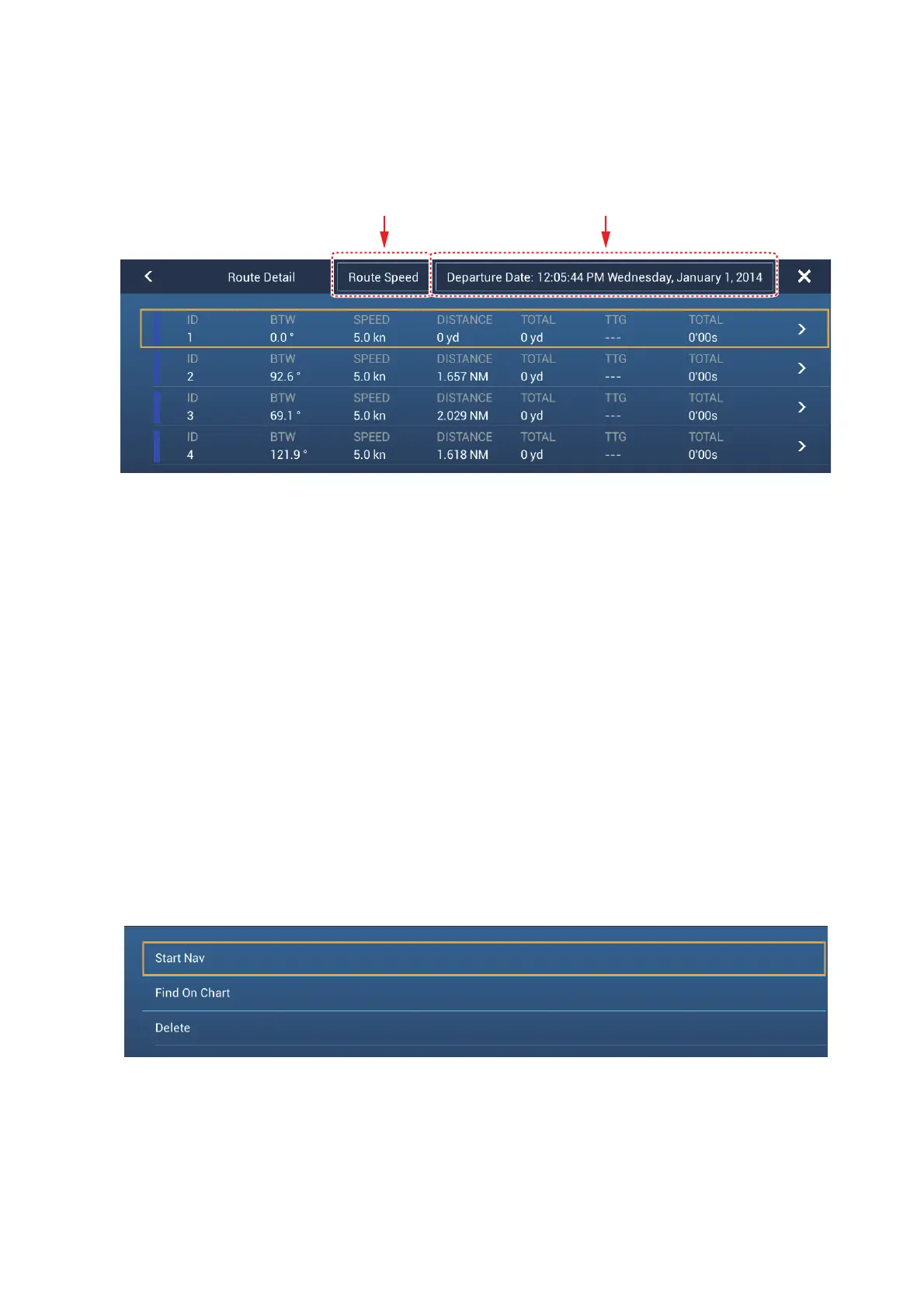
5. To find details about the route, tap [Detail].
[Route Speed] button: Change the route speed to use to follow the route.
[Departure Date] button: Change the date of departure.
The vertical bar at the left side of the screen is colored according to the status of
the waypoints.
Blue: Inactive
Gray: Starting point
Yellow: Point you are currently heading toward.
Red: Subsequent waypoint
The column labels are as follows:
[ID]: Waypoint number
[BTW]: Bearing to waypoint.
[SPEED]: The speed set with [Default Planning Speed] in the [Routes] menu.
[DISTANCE]: Distance between adjacent waypoints.
[TOTAL]: Cumulative distance.
[TTG]*: Time to go between adjacent waypoints.
[TOTAL]
*
: Cumulative time in route.
* Shown only when navigating a route.
6. To edit the route, tap the point to process to show the [Edit] menu.
[Start Nav]: Starts navigation of the route from the point selected.
[Find on Chart]: Shows the location of the route on plotter display. The list closes and
the route is put at the center of the plotter display.
[Delete]: Deletes the point selected. The [Edit] screen closes and the [Routes Detail]
screen reappears. The points on the route are renumbered.
Route speed
adjustment button
Departure date
adjustment button













 To Next Page