Default Route Color (Red, Blue, Green, Yellow, Magenta, Orange,
Cyan, Black)
Route Thickness (1 - 10 or 2 - 11, 2) (1 - 10=2D mode, 2 - 11=3D mode)
Routes Density (Low, Medium, Full)
Navigate with Autopilot* (ON, OFF)
Autopilot Step* (2 - 30(°), 10)
Ask to Enter Route Name (ON, OFF)
Fuel Max Range (ON, OFF)
Laylines (ON, OFF)
Route Auto Zoom (ON, OFF)
WPT Switch Mode (Circle and Cross Line, Circle, Cross Line)
Switching Circle Radius (0 - 3278(ft), 200)
Waypoint Crossing Notification (ON, OFF)
End of Route Notification (ON, OFF)
End or Route Operation (Stop Navigation, Continue Navigation)
Intelligent Route Waypoint Centering (ON, OFF)
Display XTE Lines (ON, OFF)
XTE Value (1 - 3278(ft), 200)
Cruising Speed for Planning (0 - 99(kt), 5)
Delete All Points & Routes
Reset Default Settings
Routes
*Requires NAVpilot.
Display Points Names (ON, OFF)
Default Point Symbol (Select the default icon for point.)
Default Point Color
(Red, Blue, Green, Yellow, Magenta, Orange, Cyan, Black)
Point Size (50 - 200(%), 100)
Icons Set (Modern, Classic)
Points Density Low, Medium, Full)
Data to Be Recorded in Event Comment (None, Date, SST, Date And SST)
Record Event1 Automatically (ON, OFF)
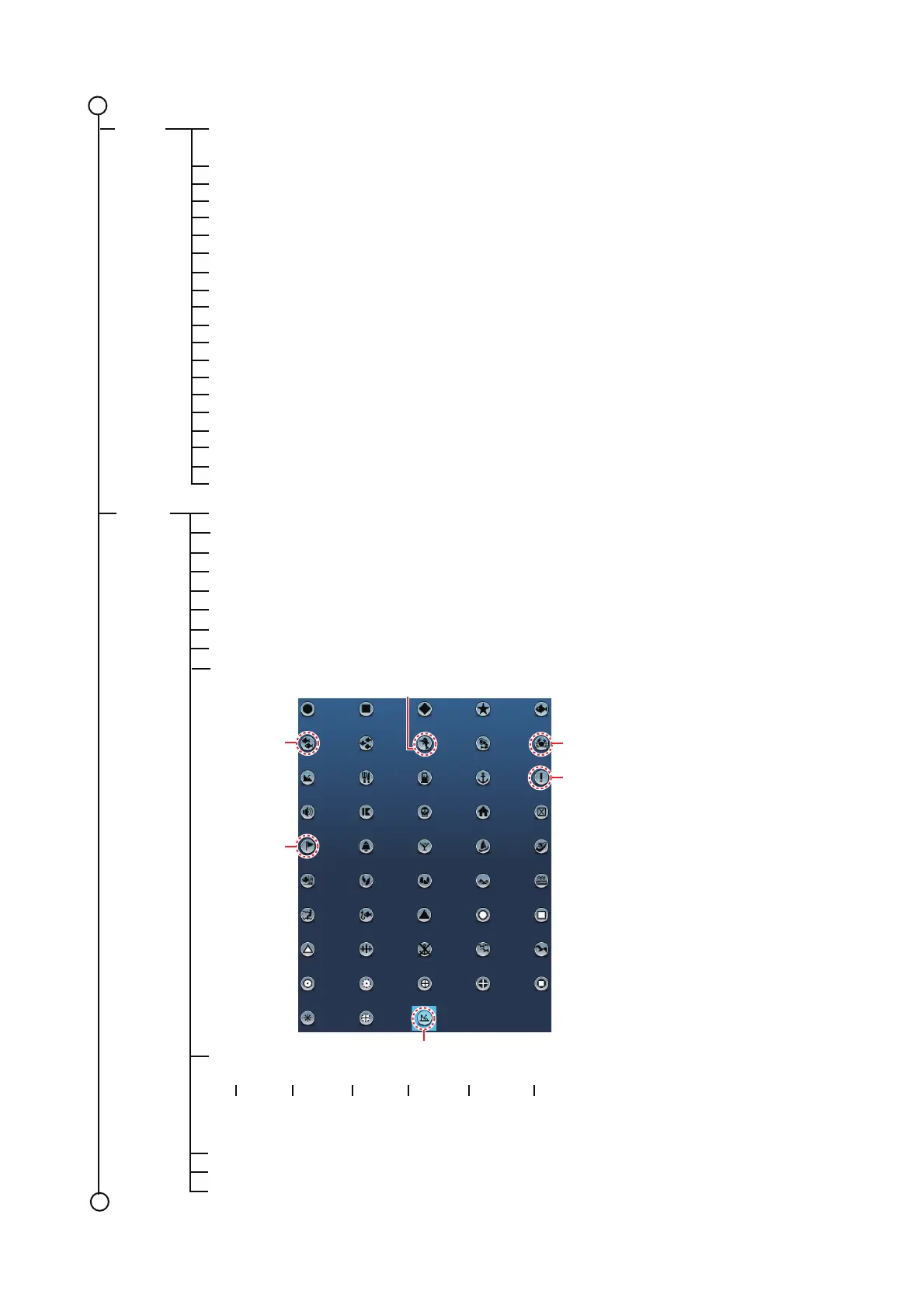
Default Event 1 - 6 Symbol
Default Event 1 - 6 Color
Red Blue Green Yellow Purple Orange Light-blue Black
Delete All Points & Routes
Delete All Boundaries
Reset Default Settings
1
Points
Event1 default symbolEvent1 default symbol
Event3
default
symbol
Event3
default
symbol
Event2 default symbolEvent2 default symbol
Event4 default
symbol
Event4 default
symbol
Event5 default
symbol
Event5 default
symbol
Event6
default
symbol
Event6
default
symbol
1
Event1
default
color
Event2
default
color
Event3
default
color
Event4
default
color
Event5
default
color
Event6
default
color













 To Next Page