129
< Modelmenu(Airplane/Glider/MulticopterFunctions) >
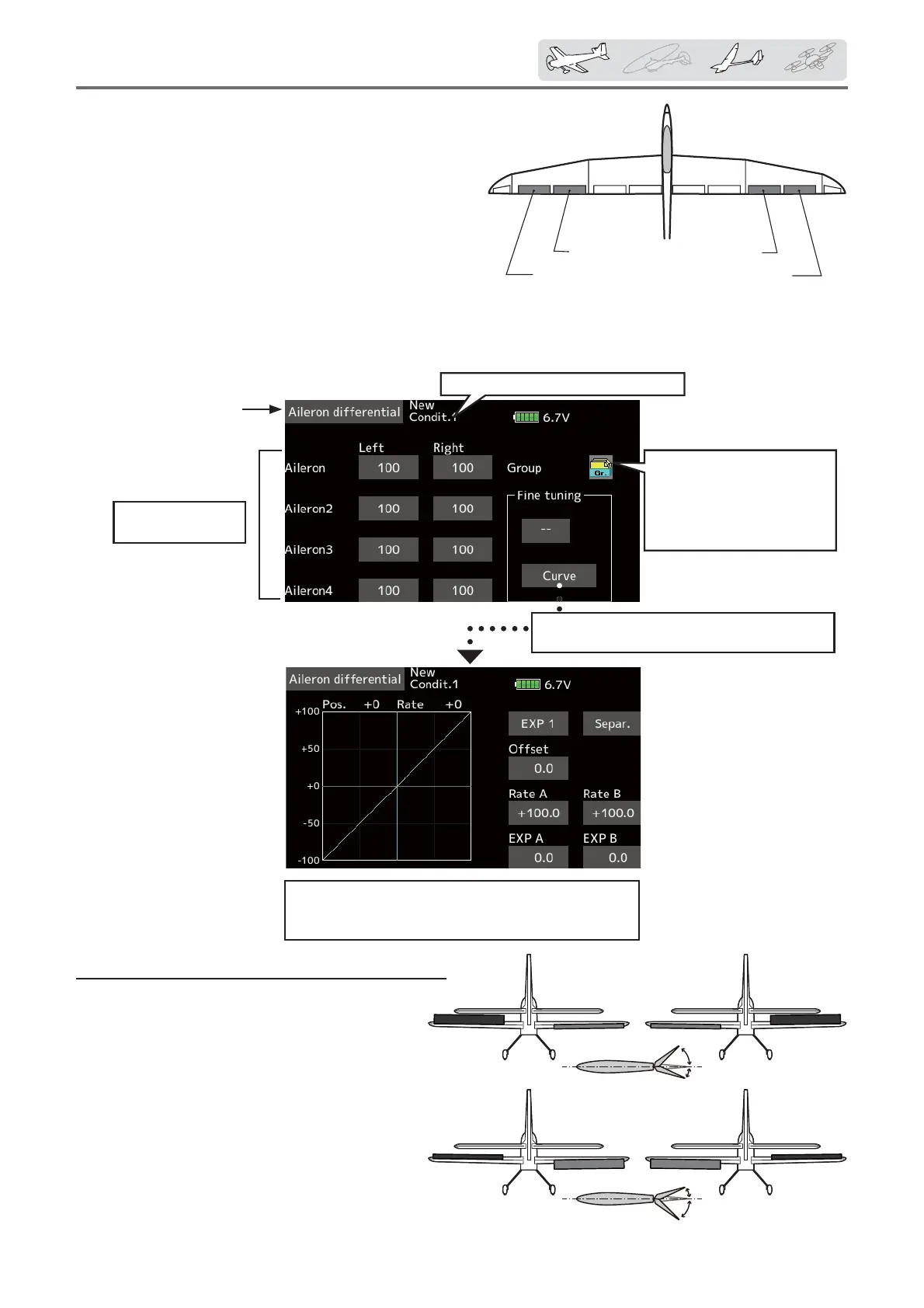
AIL3
(ChipAileron)
AIL4
(ChipAileron)
AIL1
(MainAileron)
AIL2
(MainAileron)
Ailerondifferential
[Airplane/glider, 2 ailerons or more]
The left and right aileron differential can be
adjusted independently. The differential rate can
also be adjusted according to the flying state by
setting a ¿ne tuning VR.
*The display screen is an example. The actual
screen depends on the Model Type.
Setting method
ŏ Tap to the aileron (AIL) 1~4(2) left (or right)
setting item.
Adjust the aileron angles.
ŏ When setting the fine tuning VR, tap the "--"
item and tap the screen to call the selection
screen, and then select the Àne tuning VR.
ŏ The Àne tuning rate can be set by curve.
ŏ Select [Aileron differential] at the model
menu and call the setup screen shown
below.
Conditiongroup/single
modeselection(Gr./Sngl)
(Formoreinformation,see
thedescriptionattheback
ofthismanual.)
Currentlyselectedconditionname
FinetuningVRsetting
*ThegraphisoperatedbysettingaVR,etc.
Aileronleft/right
adjustment
● FinetuningVRoperationcurvesetting
(Foradescriptionofthesettingmethod,seethe
descriptionatthebackofthismanual.)
ŏReturn to Model menu



 To Next Page