55
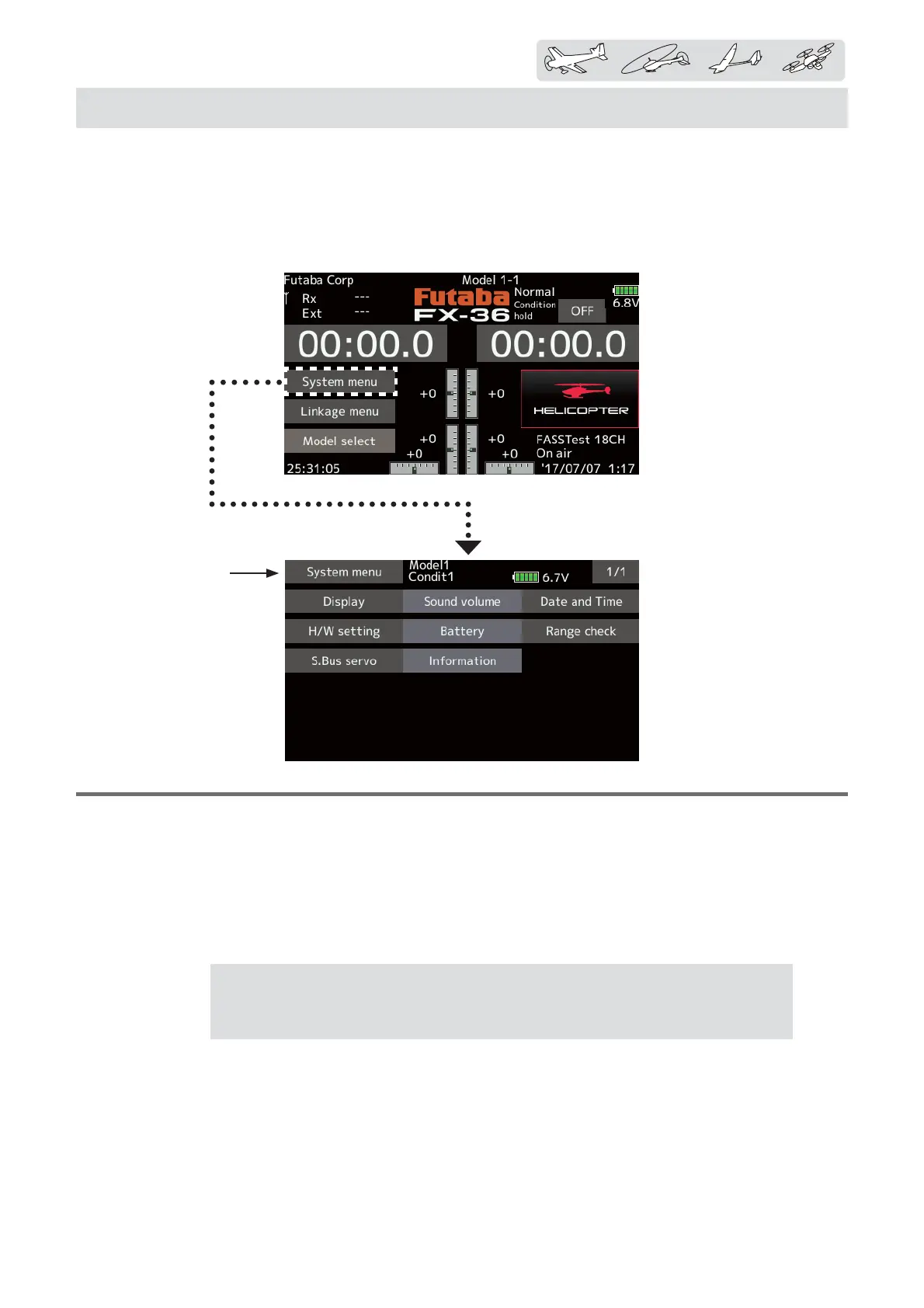
< Systemmenu >
The System menu sets up functions of the
transmitter. This does not set up any model data.
ŏ When the System menu button is tapped,
the menu shown below is called up. Tap the
function button that you want to enter.
ŏReturn to Home screen
SYSTEM MENU
ŶƜƖƗƈƐŃƐƈƑƘŃƉƘƑƆƗƌƒƑƖŃƗƄƅƏƈ
[Display]: Display adjustment.
[Sound volume]: Adjust the volume of: Other sound, Warning, Voice
[Date and Time]: Sets the date and time (system clock setting) and resets the system timer.
[H/W setting]: Stick mode selection (Mode 1 - Mode 4 ). J1-J4 sticks correction can be performed.
[Battery]
:
Battery alarm voltage setting. Auto power off time setting.
[Battery]
:
Battery alarm voltage setting. Auto power off time setting.
[Range check]
:
The output of the transmitter is lowered, for Range checking.
[S.Bus servo]: S.Bus servo setting.
[Information]: Sets the User name, Language, and Unit system. Displays the program version, and SD
card information.
Attention:
When using the 5-cell NiMH battery, the alarm setting is 5NiMH. If you
use a 2SLiFe battery, change the setting for the undervoltage warning to 2LiFe, if you
use a 2SLiPo battery, change the setting to manual setting 7,0V.



 To Next Page